Sugar on a Stick: Difference between revisions
TOC pushes pancake button "below the fold" |
|||
| (163 intermediate revisions by 13 users not shown) | |||
| Line 3: | Line 3: | ||
[[Category:Live USB]] | [[Category:Live USB]] | ||
[[Category:Sugar on a Stick]] | [[Category:Sugar on a Stick]] | ||
== What is Sugar on a Stick? == | {{TeamHeader|Sugar on a Stick|home=Project Home|xbgColor=ffe792}}__NOTOC__</noinclude> | ||
==What is Sugar on a Stick?== | |||
{{:Sugar on a Stick/Downloads}} | |||
=== What's new in Sugar on a Stick? === | |||
* Sugar [[0.118]], see the [[0.118/Notes|release notes for 0.118]], | |||
* several updated activities, | |||
* based on Fedora 35, see the [[fedoradocs:fedora/f34/release-notes/|release notes for Fedora 35]] | |||
: | |||
==== Known bugs ==== | |||
* See also [[fedora:Common_F34_bugs|Common Fedora 35 bugs]]. | |||
== Sugar on a Stick installation instructions == | |||
=== MS Windows === | |||
{| | {| | ||
|- | |- | ||
| | |width="160px" valign="top"|[[File:Windows.gif|left|link=Sugar on a Stick/Windows]] | ||
<br><br><br> | |||
<span class="linkgroup">[[File:Download Mirabell.png|left|link=Sugar on a Stick/Downloads]]</span> | |||
[[File:USB flash drive.jpg|left|156px|link=Sugar on a Stick/Downloads]] | |||
|valign=top| | |||
# '''Prepare''': [http://fedorahosted.org/liveusb-creator/#Download Download] the Fedora Live USB Creator from [http://fedorahosted.org/liveusb-creator/#Download FedoraHosted].<br><br> | |||
# '''Download''' the latest [[Sugar on a Stick/Downloads | Sugar on a Stick]] .iso file.<br><br> | |||
# '''Load''': Insert a USB flash drive (or SD Card) with 2 GB or more of free space into your computer and launch Fedora Live USB Creator to create a Sugar-on-a-Stick bootable image.<br/>'''Note''': Be sure to set the ''persistent storage'' slider to a non-zero value.<br><br> | |||
# '''Boot''': Insert the USB stick into a USB port on your computer. Set the option to "boot from USB" in your computer's <abbr title="Basic Input/Output System">BIOS</abbr> setup, and then start up the computer. | |||
|} | |||
Detailed [[Sugar on a Stick/Windows|installation instructions for Windows]] and [[Sugar on a Stick/Boot|booting instructions]] are available. There is also a [[Getting Started/Explore|guide to exploring Sugar]]. | |||
---- | |||
=== GNU/Linux === | |||
{|style="width: 800px;" | |||
|- | |||
|width="160px" valign=top|<br><span class="linkgroup">[[File:Gnulinux.png|link=Sugar on a Stick/Linux]] | |||
<br> | |||
[[File:Download Mirabell.png|left|link=Sugar on a Stick/Downloads]]</span> | |||
[[File:USB flash drive.jpg|156px|link=Sugar on a Stick/Downloads]] | |||
|valign=top| | |||
{{:Sugar on a Stick/Linux/Installation}} | |||
|} | |} | ||
Detailed [[Sugar on a Stick/Linux|installation instructions for GNU/Linux]] and [[Sugar on a Stick/Boot|booting instructions]] are available. There is also a [[Getting Started/Explore|guide to exploring Sugar]]. | |||
GNU/Linux users may also want to install the [[#Do_you_use_GNU.2FLinux.3F|Sugar packages]] on their favorite distro, apart from Sugar on a Stick. | |||
---- | |||
=== | === Apple Mac OS X === | ||
{| | |||
|- | |||
|width="160px" valign="top"|[[File:Apple.gif|link=Macintosh]] | |||
<br> | |||
<span class="linkgroup">[[File:Download Mirabell.png|left|link=Sugar on a Stick/Downloads]]</span> | |||
[[File:USB flash drive.jpg|156px|link=Sugar on a Stick/Downloads]] | |||
|valign=top| | |||
The instructions below are based on the Ubuntu Web page at <http://www.ubuntu.com/download/desktop/create-a-usb-stick-on-mac-osx>. | |||
# '''Prepare''': These instructions are for '''32-bit''' and '''64-bit''' processors.<br><br> | |||
# '''Download''' the latest [[Sugar on a Stick/Downloads|Sugar on a Stick]] .iso file.<br><br> | |||
# '''Load''': <br>Here is a simple way to load a bootable USB on a Mac.<br> | |||
## Enter the Terminal: <code>/Applications/Utilities/Terminal</code>. | |||
## Type <code>diskutil list</code>. You should see all the disk drives you have inserted into your computer. | |||
## Insert the disk drive to which you want to write Sugar on a Stick. | |||
## Type <code>diskutil list</code> again. You should see that your USB drive has been added to the list. If not, wait a while and repeat. | |||
## Type <code>hdiutil convert -format UDRW -o <<i>Sugar on a Stick image file</i>>.img <<i>Sugar on a Stick image file</i>></code> to convert the image into a bootable format. | |||
## Type <code>sudo diskutil unmountDisk <<i>device name</i>></code> to unmount the disk (it will not be ejected). | |||
## Type <code>sudo dd if=<<i>Sugar on a Stick image file</i>>.img.dmg of=<<i>device name</i>> bs=1m</code>. <code>sudo</code> will ask for your password, and then <code>dd</code> will start writing the disk file. | |||
## When <code>dd</code> finishes writing the disk file, type <code>sudo diskutil eject <<i>device name</i>></code>. | |||
# '''Boot''': Insert the USB stick into a USB port on your computer, then reboot and press and hold the Option key while rebooting. You should see a list of all the EFI-recognizable USB drives that can be bootstrapped. If Sugar on a Stick is not one such drive, it cannot be bootstrapped: you need rEFInd (a fork of rEFIt).<br> | |||
<br> | |||
:* Have a MacBook? Consider these options: | |||
::[[File:Usb1.png|50px]] [[Testing/Reports/Sugar on a Stick#MacBook Persistent SoaS v5 USB EFI Boot|'''MacBook Persistent SoaS v5 USB EFI Boot''']] | |||
:: [[Talk:Downloads#Bootable_CD_of_Trisquel_4.5_for_MacBook_Air|Bootable CD of Trisquel 4.5 for MacBook Air]] | |||
:: See other installation variations at [[Sugar Creation Kit]] | |||
::[[File:Apple.gif|30px]] [[Tutorials/Installation/Burn_a_CD.iso_on_a_Mac|'''Burning a CD from an .iso file on a Mac''']] | |||
|} | |||
Alternative [[Macintosh|installation instructions for Mac OS X]]. Also, [[Sugar_on_a_Stick/Blueberry#For_Mac_OS_X_Users|these older installation instructions]] and [[Sugar on a Stick/Boot|booting instructions]] may be consulted.<br>There is also a [[Getting Started/Explore|guide to exploring Sugar]]. | |||
---- | |||
===Advanced users=== | |||
==Do you have an OLPC XO?== | |||
{| | {| | ||
|- | |- | ||
| | |width="174px"|[[File:OLPCXO.png|middle|link=olpc:Releases]] | ||
| | |valign=top| | ||
| | * '''Upgrade''' to the latest ''[[olpc:Releases]]'' from OLPC (which may require a [[olpc:Activation_and_developer_keys|developer key]]). | ||
* '''Experiment''' with [[Sugar_on_a_Stick/Installation/OLPC|Updating XOs]] to the latest ''Sugar on a Stick'' release. | |||
|} | |} | ||
<br/><br/> | |||
==Some alternate installations== | |||
* Once you download, and then burn or load a Sugar on a Stick (SoaS) .iso file, and boot it, the running Fedora 34 SoaS Live CD/USB may be used to install Fedora with Sugar to a hard disk or a 4 GB USB stick [[Tutorials/Installation/Install with liveinst|with the '''{{Code|liveinst}} command''']]. | |||
:- You start with a SoaS LiveOS image, and then load an uncompressed version onto the hard disk or USB stick. | |||
=== Want to contribute to Sugar on a Stick? === | === Want to contribute to Sugar on a Stick? === | ||
{| | {| | ||
|- | |- | ||
| Line 43: | Line 110: | ||
== New contributors start here! == | == New contributors start here! == | ||
Welcome! We're excited that you want to help us bring the Sugar Learning Platform to children around the world. No prior experience with computers or educational technology is required - in fact, we actively encourage a diversity of backgrounds, ages, and perspectives. See the [[Joining Sugar on a Stick]] page for instructions on how to get started | Welcome! We're excited that you want to help us bring the Sugar Learning Platform to children around the world. No prior experience with computers or educational technology is required - in fact, we actively encourage a diversity of backgrounds, ages, and perspectives. See the [[Joining Sugar on a Stick]] page for instructions on how to get started. | ||
== What can you do? == | == What can you do? == | ||
| Line 61: | Line 128: | ||
* [http://bugs.sugarlabs.org Fix a bug or add a feature] to an existing Activity, to [[Development Team|sugar-core itself]], or to [http://bugs.sugarlabs.org/query?status=accepted&status=assigned&status=new&status=reopened&component=SoaS&order=priority&col=id&col=summary&col=status&col=type&col=priority&col=milestone&col=component Sugar on a Stick]. See [[How to fix an Activity bug]] and [[How to fix a sugar-core bug]] to get started. ''Basic Python programming skills - or the desire to learn - are all that's needed.'' | * [http://bugs.sugarlabs.org Fix a bug or add a feature] to an existing Activity, to [[Development Team|sugar-core itself]], or to [http://bugs.sugarlabs.org/query?status=accepted&status=assigned&status=new&status=reopened&component=SoaS&order=priority&col=id&col=summary&col=status&col=type&col=priority&col=milestone&col=component Sugar on a Stick]. See [[How to fix an Activity bug]] and [[How to fix a sugar-core bug]] to get started. ''Basic Python programming skills - or the desire to learn - are all that's needed.'' | ||
* [https://fedoraproject.org/wiki/Sugar_Activities Package Sugar Activities for Fedora]. ''If you're a [https://fedoraproject.org/wiki/PackageMaintainers/Join Fedora Packager] or want to become one, help in this area is something we desperately need - it's a trickier thing to learn, but rewarding once you get the hang of it.'' | * [https://fedoraproject.org/wiki/Sugar_Activities Package Sugar Activities for Fedora]. ''If you're a [https://fedoraproject.org/wiki/PackageMaintainers/Join Fedora Packager] or want to become one, help in this area is something we desperately need - it's a trickier thing to learn, but rewarding once you get the hang of it.'' | ||
* [[Sugar on a Stick release process#Review|Review Activities for inclusion in the build]] - check submitted Activities against our [[ | * [[Sugar on a Stick release process#Review|Review Activities for inclusion in the build]] - check submitted Activities against our [[Sugar on a Stick/Activity Criteria]] and help us choose what gets included in the next release! ''No prior experience needed.'' | ||
* Have an idea for a technical feature that isn't an Activity? Check out our [[Sugar on a Stick release process#Feature process|feature process]]. | * Have an idea for a technical feature that isn't an Activity? Check out our [[Sugar on a Stick release process#Feature process|feature process]]. | ||
| Line 104: | Line 171: | ||
== What's happening? == | == What's happening? == | ||
===[[Sugar on a Stick/Beta]]=== | |||
=== | === Contributor stories === | ||
To find out what other contributors are doing, check out [http://planet.sugarlabs.org Planet Sugar Labs], where contributors to Sugar Labs and the Sugar on a Stick project aggregate their blogs. You can also [[Sysadmin/Planet syndication request|add your own blog to the Planet]]. | |||
=== <s>Meetings</s> === | |||
Communication through the [http://lists.sugarlabs.org/listinfo/soas Sugar on a Stick mailing list] has replaced regular meetings. | |||
:We once had weekly meetings on IRC - see [[Sugar on a Stick meetings]] for more information, including logs from past meetings. | |||
== Related work == | == Related work == | ||
| Line 145: | Line 186: | ||
While the projects listed below are not part of Sugar on a Stick, we watch them closely and try to work with them when possible (or at least we're trying to learn!) | While the projects listed below are not part of Sugar on a Stick, we watch them closely and try to work with them when possible (or at least we're trying to learn!) | ||
* [[ | * For deployments lacking easy Internet access, one can turn a computer into a '''Sugar on a Stick Creation Station'''. The [[Sugar Creation Kit]] includes the materials you need to create Live USB sticks sticks and to install additional Activities, along with documentation and previous versions of Sugar on a Stick. | ||
* Older [[:Category:Live USB|portable Sugar distributions]] based on other Linux distributions . | |||
* | |||
* [[The undiscoverable]] is an unofficial FAQ for tips, tricks, and solutions to common problems that may otherwise be tricky to find. These are being considered for inclusion in the official SoaS documentation. | * [[The undiscoverable]] is an unofficial FAQ for tips, tricks, and solutions to common problems that may otherwise be tricky to find. These are being considered for inclusion in the official SoaS documentation. | ||
== Previous versions and | == Previous versions and other subpages index == | ||
{{Show|Earlier versions of Sugar on a Stick can be reviewed at these pages: |{{Special:PrefixIndex/Sugar on a Stick}}}} | {{Show|Earlier versions of Sugar on a Stick and other project pages can be reviewed at these pages: |{{Special:PrefixIndex/Sugar on a Stick/}}}} | ||
Latest revision as of 13:08, 16 February 2022
What is Sugar on a Stick?
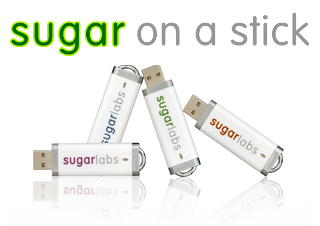 |
Sugar on a Stick is a Fedora® Spin operating system featuring the award-winning Sugar Learning Platform.
Sugar on a Stick will run on
You can use Sugar on a Stick to demo Sugar almost anywhere without disturbing the contents of the computer you use, and if people like what they see, you can install Sugar on a Stick to their hard drives or other sticks from the demo stick. | ||
|
x86_64 (64-bit) |
| ||
| |||
Fedora and the Infinity design logo are trademarks of Red Hat, Inc.
What's new in Sugar on a Stick?
- Sugar 0.118, see the release notes for 0.118,
- several updated activities,
- based on Fedora 35, see the release notes for Fedora 35
Known bugs
- See also Common Fedora 35 bugs.
Sugar on a Stick installation instructions
MS Windows

  |
|
Detailed installation instructions for Windows and booting instructions are available. There is also a guide to exploring Sugar.
GNU/Linux

|
|
Detailed installation instructions for GNU/Linux and booting instructions are available. There is also a guide to exploring Sugar. GNU/Linux users may also want to install the Sugar packages on their favorite distro, apart from Sugar on a Stick.
Apple Mac OS X

|
The instructions below are based on the Ubuntu Web page at <http://www.ubuntu.com/download/desktop/create-a-usb-stick-on-mac-osx>.
|


Alternative installation instructions for Mac OS X. Also, these older installation instructions and booting instructions may be consulted.
There is also a guide to exploring Sugar.
Advanced users
Do you have an OLPC XO?

|
|
Some alternate installations
- Once you download, and then burn or load a Sugar on a Stick (SoaS) .iso file, and boot it, the running Fedora 34 SoaS Live CD/USB may be used to install Fedora with Sugar to a hard disk or a 4 GB USB stick with the
liveinstcommand.
- - You start with a SoaS LiveOS image, and then load an uncompressed version onto the hard disk or USB stick.
Want to contribute to Sugar on a Stick?
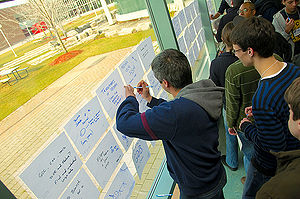 |
You're in the right place! This page is a contributors portal to the project, and contains everything you need to get started in becoming part of the Sugar on a Stick community. |
New contributors start here!
Welcome! We're excited that you want to help us bring the Sugar Learning Platform to children around the world. No prior experience with computers or educational technology is required - in fact, we actively encourage a diversity of backgrounds, ages, and perspectives. See the Joining Sugar on a Stick page for instructions on how to get started.
What can you do?
There are three main ways you can contribute to the Sugar on a Stick community. We work closely with our upstreams, Sugar Labs and the Fedora Project.
Get Activities on the Stick
|
We're always looking for help with all aspects of the Sugar on a Stick release process. Here are a few things you can do:
|
   |
Get Sticks into Schools
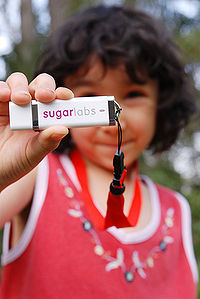 |
Deployments all over the world need many different types of help as they work through the Sugar on a Stick deployment process - we need help building resources for all deployments to use, supporting those deployments, and helping new deployments start, as well as gathering stories and feedback from deployments so that we can make the next version of Sugar on a Stick even better. Some things you can do to help:
|
Get Contributors
|
Contributors are the lifeblood of the Sugar on a Stick community - we work hard to bring a playful mindset of teaching, learning, and meaningful work to the children we aim to reach, and we aim to keep that mindset in our own work and community as well. Welcoming and teaching new contributors or all types, building the resources they need, and teaching them how to empower others in their turn is one of the most important things you can do; it is everyone's responsibility to help build our community, one person at a time. Some things you can do:
|
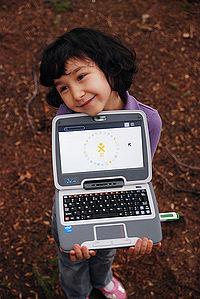 |
What's happening?
Sugar on a Stick/Beta
Contributor stories
To find out what other contributors are doing, check out Planet Sugar Labs, where contributors to Sugar Labs and the Sugar on a Stick project aggregate their blogs. You can also add your own blog to the Planet.
Meetings
Communication through the Sugar on a Stick mailing list has replaced regular meetings.
- We once had weekly meetings on IRC - see Sugar on a Stick meetings for more information, including logs from past meetings.
Related work
While the projects listed below are not part of Sugar on a Stick, we watch them closely and try to work with them when possible (or at least we're trying to learn!)
- For deployments lacking easy Internet access, one can turn a computer into a Sugar on a Stick Creation Station. The Sugar Creation Kit includes the materials you need to create Live USB sticks sticks and to install additional Activities, along with documentation and previous versions of Sugar on a Stick.
- Older portable Sugar distributions based on other Linux distributions .
- The undiscoverable is an unofficial FAQ for tips, tricks, and solutions to common problems that may otherwise be tricky to find. These are being considered for inclusion in the official SoaS documentation.
Previous versions and other subpages index
- Sugar on a Stick/10
- Sugar on a Stick/10/hashes
- Sugar on a Stick/Activity Criteria
- Sugar on a Stick/Activity Criteria/Status
- Sugar on a Stick/Archive
- Sugar on a Stick/Avocado
- Sugar on a Stick/Avocado/hashes
- Sugar on a Stick/Beta
- Sugar on a Stick/Blueberry
- Sugar on a Stick/Blueberry/Activities
- Sugar on a Stick/Boot
- Sugar on a Stick/Bugs
- Sugar on a Stick/Coconut
- Sugar on a Stick/Coconut/Virtual machines
- Sugar on a Stick/Coconut/hashes
- Sugar on a Stick/Contacts
- Sugar on a Stick/Customization
- Sugar on a Stick/Documentation SOP
- Sugar on a Stick/Download/hashes
- Sugar on a Stick/Downloads
- Sugar on a Stick/E-Books
- Sugar on a Stick/Essence
- Sugar on a Stick/Explore
- Sugar on a Stick/FAQ
- Sugar on a Stick/Getting Involved
- Sugar on a Stick/Getting Involved/Testing
- Sugar on a Stick/Goals
- Sugar on a Stick/Hardware
- Sugar on a Stick/Installation
- Sugar on a Stick/Installation/OLPC
- Sugar on a Stick/Installation/OLPC/lang-es
- Sugar on a Stick/Installation/OLPC/lang-fr
- Sugar on a Stick/Installation/Variations
- Sugar on a Stick/Installation Process
- Sugar on a Stick/Linux
- Sugar on a Stick/Linux/Installation
- Sugar on a Stick/Linux/Non-compressed Fedora
- Sugar on a Stick/Linux/bootable device
- Sugar on a Stick/Linux/openSUSE
- Sugar on a Stick/Macintosh
- Sugar on a Stick/Mango Lassi
- Sugar on a Stick/Mango Lassi/Virtual machines
- Sugar on a Stick/Meetings
- Sugar on a Stick/Mirabelle
- Sugar on a Stick/Mirabelle/Virtual machines
- Sugar on a Stick/Pancake page
- Sugar on a Stick/Pineapple
- Sugar on a Stick/Pineapple/Virtual machines
- Sugar on a Stick/Pineapple/hashes
- Sugar on a Stick/Proceso de instalacion
- Sugar on a Stick/Project sitemap
- Sugar on a Stick/Proposals
- Sugar on a Stick/Quandong
- Sugar on a Stick/Quandong/Virtual machines
- Sugar on a Stick/Quandong/hashes
- Sugar on a Stick/Raspberry Pi
- Sugar on a Stick/Resources
- Sugar on a Stick/Roadmap
- Sugar on a Stick/Smoke Test
- Sugar on a Stick/Stick Layout
- Sugar on a Stick/Strawberry
- Sugar on a Stick/Subpages
- Sugar on a Stick/Sugar Clone
- Sugar on a Stick/Sugar Clone/lang-es
- Sugar on a Stick/TODO
- Sugar on a Stick/USB format
- Sugar on a Stick/Virtual machines
- Sugar on a Stick/Virtual machines/Archive
- Sugar on a Stick/Windows
- Sugar on a Stick/Windows/lang-es
- Sugar on a Stick/Windows/lang-no
- Sugar on a Stick/ZyX-LiveInstaller
- Sugar on a Stick/deja-dup
- Sugar on a Stick/lang-es
- Sugar on a Stick/previous versions
- Sugar on a Stick/sdm
- Sugar on a Stick/v7
- Sugar on a Stick/ʻŌhelo ʻai
- Sugar on a Stick/ʻŌhelo ʻai/hashes