Sugar on a Stick: Difference between revisions
No edit summary |
|||
| Line 38: | Line 38: | ||
{{:Sugar on a Stick/Downloads}} | {{:Sugar on a Stick/Downloads}} | ||
=== Create Your Stick === | === Create Your Stick === | ||
Please see our [[Sugar on a Stick/Strawberry|Strawberry]] release page for the most stable version. | Please see our [[Sugar on a Stick/Strawberry|Strawberry]] release page for the most stable and easy to install version. | ||
Please select your operating system below to get further instructions. | Please select your operating system below to get further instructions. | ||
{| class="wikitable: | {| class="wikitable: | ||
|colspan=" | |+ '''Released Versions''' | ||
|colspan="2"|'''v1 Strawberry''' | |||
|- | |- | ||
|<span class="plainlinks">[{{fullurl:Sugar_on_a_Stick/Strawberry#Windows_Users}} {{filepath:Windows.gif}}]</span> | |<span class="plainlinks">[{{fullurl:Sugar_on_a_Stick/Strawberry#Windows_Users}} {{filepath:Windows.gif}}]</span> | ||
| Line 48: | Line 50: | ||
|<span class="plainlinks">[{{fullurl:Sugar_on_a_Stick/Strawberry#Linux_Users}} {{filepath:Penguin.png}}]</span> | |<span class="plainlinks">[{{fullurl:Sugar_on_a_Stick/Strawberry#Linux_Users}} {{filepath:Penguin.png}}]</span> | ||
|- | |- | ||
| | |} | ||
{| class="wikitable: | |||
|+ '''Experimental versions''' | |||
|colspan="3"| (for developers and development testers) | |||
|- | |- | ||
|<span class="plainlinks">[{{fullurl:Sugar_on_a_Stick/Installation/OLPC}} {{filepath:OLPCXO.png}}]</span> | |<span class="plainlinks">[{{fullurl:Sugar_on_a_Stick/Installation/OLPC}} {{filepath:OLPCXO.png}}]</span> | ||
|<span class="plainlinks">[http://en.opensuse.org/Sugar {{filepath:Suse-small.jpg}}]</span> | |<span class="plainlinks">[http://en.opensuse.org/Sugar {{filepath:Suse-small.jpg}}]</span> | ||
|<span class="plainlinks">[{{fullurl:Sugar_on_a_Stick/Linux | |<span class="plainlinks">[{{fullurl:Sugar_on_a_Stick/Linux}} {{filepath:Fedora-small.jpg}}]</span> | ||
|} | |} | ||
'''Virtual machines:''' You can also run SoaS in a virtual machine. Sugar Labs volunteers are experimenting with [[VirtualBox]], [[VMware]], and [[QEMU]]. Virtual machines emulate computer hardware resources in software and allow your to install and run disc images from different operating systems on a single computer. | '''Virtual machines:''' You can also run SoaS in a virtual machine. Sugar Labs volunteers are experimenting with [[VirtualBox]], [[VMware]], and [[QEMU]]. Virtual machines emulate computer hardware resources in software and allow your to install and run disc images from different operating systems on a single computer. | ||
Revision as of 01:46, 7 September 2009
Project Home · Get Involved · Contacts · Resources · FAQ · Roadmap · To Do · Meetings
The v1 Strawberry release of Sugar on a Stick is here!
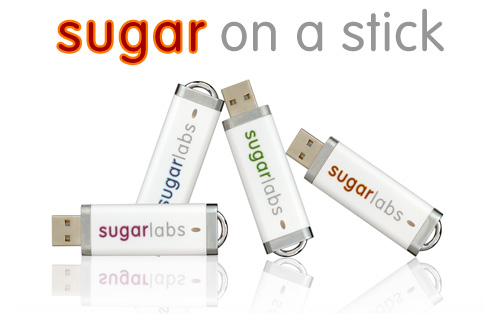
IntroductionSugar Labs offers ubiquitous access to Sugar in a USB (Universal Serial Bus) flash memory drive (stick). The Sugar on a Stick project gives children access to their Sugar on any computer in their environment with just a USB memory stick. Taking advantage of the Fedora LiveUSB, it's possible to store everything you need to run Sugar on a single USB memory stick (minimum size 1GB). This small USB device can boot into the Sugar learning platform on different computers at home, at school, or at an after-school program, bypassing the software on the those computers. In fact, Sugar on a Stick will work even if the computer does not have a hard-drive. With Sugar on a Stick, the learning experience is the same on any computer: at school, at home, at the library, or an after-school center. For general questions, please see the Frequently Asked Questions (FAQ) page for Sugar on a Stick. You can learn more from Walter Bender's interview with Xconomy, Wayan Vota's video and Mike Lee's pictures. |
|
|
What's exactly on the Stick: The Fedora version contains a compressed copy of Fedora 11 that will boot, run in memory, and maintain changes on a USB flash drive with a standard FAT16 or FAT32 partition. The files coexist with other files the user may have or put on the disk. Different types of configurations are being designed to offer the options to run virtualizations or emulations and to use virtual machines on existing computers, saving the Sugar Home folder (the learner's work) on the Stick for use at another workstation. See our resources page for more information. |
Project Goals
Please contribute to this page Sugar on a Stick/Goals.
- Sugar on a Stick as 1-to-1 computing in an elementary school
- Sugar on a Stick to empower middle- and high-school students to help test, and learn computing platforms as learning tools
- Sugar on a Stick for learning conferences to let people try Sugar and collaborate with other conference participants
Would you like to help?... Sugar Labs is entirely volunteer run. Please get involved.
Getting Sugar on a Stick
Follow the instructions below to download a copy.
Requirements:
- You'll need a USB flash drive, with a size of at least 1 GB to install space for saving your work and changes to the system.
- (The download is a CD-ROM disc image .iso file (380 MiB) that could be burned to and booted from a CD drive like a LiveCD—but no work or changes will be saved after shutdown.)
Notes:
- Sugar on a Stick v1 Strawberry has been announced for immediate availability on June 24 and is ready for download. For more instructions and the latest information, please refer to the release notes.
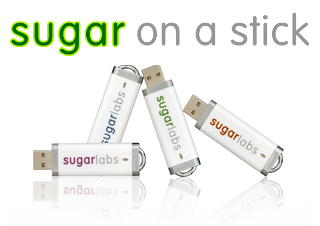 |
Sugar on a Stick is a Fedora® Spin operating system featuring the award-winning Sugar Learning Platform.
Sugar on a Stick will run on
You can use Sugar on a Stick to demo Sugar almost anywhere without disturbing the contents of the computer you use, and if people like what they see, you can install Sugar on a Stick to their hard drives or other sticks from the demo stick. | ||
|
x86_64 (64-bit) |
| ||
| |||

Fedora and the Infinity design logo are trademarks of Red Hat, Inc.
Create Your Stick
Please see our Strawberry release page for the most stable and easy to install version. Please select your operating system below to get further instructions.
| v1 Strawberry | ||

|

|

|
| (for developers and development testers) | ||

|

|

|
Virtual machines: You can also run SoaS in a virtual machine. Sugar Labs volunteers are experimenting with VirtualBox, VMware, and QEMU. Virtual machines emulate computer hardware resources in software and allow your to install and run disc images from different operating systems on a single computer.
Boot
On most modern computers it's possible to set the target computer's BIOS to boot from a USB device. Unfortunately this process is slightly different on each computer. Explore the setup screen for your system (usually by pressing Esc, F1, or F12 key while the computer is booting). If you can't figure it out, search the Internet for information on your computer model's BIOS.
- (To boot SoaS on an XO-1 laptop, look here: Sugar on a Stick/Installation/OLPC)
Boot Helper CD
If you have an older machine, or you just want things to immediately work without fussing with the BIOS, you can burn a "Boot Helper" CD using the .iso below. This will start the boot from the CD, then read files from the USB stick: http://download.sugarlabs.org/soas/releases/soas-boot.iso
Note that when you use this method your USB stick must have the label FEDORA. Name the stick FEDORA before running liveusb-creator. In Windows, you can rename a disc in the file manager properties window. This ensures the persistent overlay will be used when booting with the "Boot Helper" CD.
Use
Once your stick boots, you'll find yourself in your own Sugar environment, ready to play and learn.

|
For a guide on how to use Sugar, see the FLOSSmanuals Sugar Learners' Guide.
Keyboard shortcuts also lists some of the Sugar keyboard shortcuts on a PC keyboard. |
Let us know how it goes. /Getting Involved