Summer of Code/2013/moksaya: Difference between revisions
Rahul Gaur (talk | contribs) |
Rahul Gaur (talk | contribs) |
||
| Line 17: | Line 17: | ||
== | == REST API v1 Resources == | ||
==== User Creation ==== | |||
{| class="wikitable" | |||
|- | |||
! Resource !! Description | |||
|- | |||
| POST /api/v1/register/ || Makes http POST request with the JSON data to create a new user in the database ,if a user already exist raises HTTP 400 badrequest and returns a Json response with error message "the username already exist" . Returns HTTP 201 for successfully Created User | |||
|- | |||
| Example || curl --dump-header - -H "Content-Type:application/json" -X POST --data '{"username" :"user101" , "email" :"user@mail.com" , "password" : "password" }' http://moksaya-rahulgaur.rhcloud.com/api/v1/register/ | |||
|- | |||
| Response || HTTP/1.1 201 CREATED Date: Thu, 19 Sep 2013 23:49:52 GMT Server: Apache/2.2.15 (Red Hat) Vary: Accept,Accept-Language,Cookie X-Frame-Options: SAMEORIGIN Content-Language: en-us Location:http://moksaya-rahulgaur.rhcloud.com/api/v1/register/19/ | |||
Content-Length: 0 | |||
Content-Type: text/html; charset=utf-8 | |||
|} | |||
==== Authentication and User Login ==== | |||
Requires Username and Password for obtaining the api_keys , and rest of the other resources are accessed with the API Keys. | |||
There are two ways to do it, these are Publicly accessible end points. | |||
{| class="wikitable" | |||
|- | |||
! Resource !! Description | |||
|- | |||
| GET /api/v1/token/auth/ || Returns the apikey for the requested user, we need to supply the username and password in the request headers . | |||
|- | |||
| Example || curl -k --user "aregee:notebook" http://moksaya-rahulgaur.rhcloud.com/api/v1/token/auth/ | |||
|- | |||
| Response || { | |||
"key": "531ffb6152171df4f60b1b09f09dd1b4c5aba997" | |||
} | |||
|- | |||
| POST /api/v1/user/login/ || Another way is to POST the user credentials as a JSON data to this end point and returns User Resource with the API_key . Raises HTTP 401 for unauthorized with error response | |||
|- | |||
| Example || curl --dump-header - -H "Content-Type:application/json" -X POST --data '{"username":"user101","password":"notebook" }' http://moksaya-rahulgaur.rhcloud.com/api/v1/user/login/ | |||
|- | |||
| Response || HTTP/1.1 200 OK | |||
Date: Fri, 20 Sep 2013 22:16:20 GMT | |||
Server: Apache/2.2.15 (Red Hat) | |||
Vary: Accept,Accept-Language,Cookie,Accept-Encoding | |||
X-Frame-Options: SAMEORIGIN | |||
Content-Language: en-us | |||
Content-Type: application/json | |||
Set-Cookie: sessionid=ddb4289b9fe8b2a963bfc540f81559c3; expires=Fri, 04-Oct-2013 22:16:20 GMT; httponly; Max-Age=1209600; Path=/ | |||
Transfer-Encoding: chunked | |||
{ | |||
"apikey": "03f9a40ddd029b0a773a54f189aaa92d5a07c2d2", | |||
"email": "user@mail.com", | |||
"first_name": "", | |||
"id": 14, | |||
"last_name": "", | |||
"resource_uri": "/api/v1/user/14/", | |||
"username": "user101" | |||
} | |||
|} | |||
==== User Resource ==== | |||
Authenticated users can access the User Resource , with the api_key and User Resource supports following authenticated options | |||
{| class="wikitable" | |||
|- | |||
! Resource !! Description | |||
|- | |||
| GET /api/v1/user/ || Returns the list of all user accounts when accessed with authenticated header but returns requested user's resource when username and api_key supplied in url parameters | |||
|- | |||
| Example || curl --dump-header - -H "Content-Type: application/json" -X GET http://moksaya-rahulgaur.rhcloud.com/api/v1/user/?username=akshit\&api_key=feea1175cdb9dde076eb68b5d83857fe2a58a186 | |||
|- | |||
| Response || HTTP/1.1 200 OK | |||
Date: Fri, 20 Sep 2013 22:32:23 GMT | |||
Server: Apache/2.2.15 (Red Hat) | |||
Vary: Accept,Accept-Language,Cookie,Accept-Encoding | |||
X-Frame-Options: SAMEORIGIN | |||
Content-Language: en-us | |||
Cache-Control: no-cache | |||
Content-Type: application/json | |||
Transfer-Encoding: chunked | |||
{ | |||
"meta": { | |||
"limit": 20, | |||
"next": null, | |||
"offset": 0, | |||
"previous": null, | |||
"total_count": 1 | |||
}, | |||
"objects": [ | |||
{ | |||
"apikey": "feea1175cdb9dde076eb68b5d83857fe2a58a186", | |||
"email": "user@mail.com", | |||
"first_name": "", | |||
"id": 19, | |||
"last_name": "", | |||
"resource_uri": "/api/v1/user/19/", | |||
"username": "akshit" | |||
} | |||
] | |||
} | |||
|- | |||
| GET /api/v1/user/<username>/ || We can also access users with their respective usernames and returns HTTP 401 for resource not found | |||
|- | |||
| Example || curl --dump-header - -H "Content-Type: application/json" -X GET http://moksaya-rahulgaur.rhcloud.com/api/v1/user/aregee/?username=spock\&api_key=d2fe32b15b0b395a5d0e0ea4b7eb1e5d6ea15de7 | |||
|- | |||
| Response || HTTP/1.1 200 OK | |||
Date: Fri, 20 Sep 2013 23:05:43 GMT | |||
Server: Apache/2.2.15 (Red Hat) | |||
Vary: Accept,Accept-Language,Cookie,Accept-Encoding | |||
X-Frame-Options: SAMEORIGIN | |||
Content-Language: en-us | |||
Cache-Control: no-cache | |||
Content-Type: application/json | |||
Transfer-Encoding: chunked | |||
{ | |||
"apikey": "531ffb6152171df4f60b1b09f09dd1b4c5aba997", | |||
"email": "iamaregee@gmail.com", | |||
"first_name": "", | |||
"id": 2, | |||
"last_name": "", | |||
"resource_uri": "/api/v1/user/2/", | |||
"username": "aregee" | |||
} | |||
|- | |||
| DELETE /api/v1/user/<username>/ || Removes the requested <username> from the database . | |||
|- | |||
| Example || curl --dump-header - -H "Content-Type: application/json" -X DELETE http://moksaya-rahulgaur.rhcloud.com/api/v1/user/akshit/?username=akshit\&api_key=feea1175cdb9dde076eb68b5d83857fe2a58a186 | |||
|- | |||
| Response || HTTP/1.1 204 NO CONTENT | |||
Date: Fri, 20 Sep 2013 22:36:22 GMT | |||
Server: Apache/2.2.15 (Red Hat) | |||
Vary: Accept,Accept-Language,Cookie | |||
X-Frame-Options: SAMEORIGIN | |||
Content-Language: en-us | |||
Content-Length: 0 | |||
Content-Type: text/html; charset=utf-8 | |||
|} | |||
==== Profile Resource ==== | |||
{| class="wikitable" | |||
|- | |||
! Resource !! Description | |||
|- | |||
| POST /api/v1/profile/ || Making http post to this end point with the json data containing the Profile fields creates a new user profile , which is Related to all the other resources.Returns HTTP 201 response for successfully created user profile , returns HTTP 400 bad request with error response for unsuccessful attempts. | |||
|- | |||
| Example || curl --dump-header - -H "Content-Type:application/json" -X POST --data '{"user":"/api/v1/user/akshit/" , "about_me" :"Profile Create with CURL"}' http://moksaya-rahulgaur.rhcloud.com/api/v1/profile/?username=akshit\&api_key=feea1175cdb9dde076eb68b5d83857fe2a58a186 | |||
|- | |||
| GET /api/v1/profile/ || Returns list of all user profiles , throttles twenty results per request. | |||
|- | |||
| GET /api/v1/profile/username/ || Returns ProfileResource for the requested user , returns http 404 if resource is not found. | |||
|- | |||
| Example || curl --dump-header - -H "Content-Type:application/json" -X GET http://moksaya-rahulgaur.rhcloud.com/api/v1/profile/akshit/?username=akshit\&api_key=feea1175cdb9dde076eb68b5d83857fe2a58a186 | |||
|- | |||
| Respone || HTTP/1.1 200 OK | |||
Date: Thu, 19 Sep 2013 23:56:13 GMT | |||
Server: Apache/2.2.15 (Red Hat) | |||
Vary: Accept,Accept-Language,Cookie,Accept-Encoding | |||
X-Frame-Options: SAMEORIGIN | |||
Content-Language: en-us | |||
Cache-Control: no-cache | |||
Content-Length: 279 | |||
Content-Type: application/json | |||
{ | |||
"about_me": "Profile Create with CURL", | |||
"followers": [], | |||
"following": [], | |||
"id": 19, | |||
"language": "en", | |||
"location": "", | |||
"mugshot": null, | |||
"privacy": "registered", | |||
"projects": [], | |||
"resource_uri": "/api/v1/profile/19/", | |||
"user": "akshit" | |||
} | |||
|- | |||
| PUT /api/v1/profile/<username>/ || Updates the Profile Resource field with the supplied JSON data.Currently works with only about_me field but can be extended to include location and mugshot or Avatar fields | |||
|- | |||
| Example || curl --dump-header - -H "Content-Type:application/json" -X PUT --data '{"about_me" :"Profile Create & updated with CURL "}' http://moksaya-rahulgaur.rhcloud.com/api/v1/profile/akshit/?username=akshit\&api_key=feea1175cdb9dde076eb68b5d83857fe2a58a186 | |||
|- | |||
|} | |||
==== Project Resource ==== | |||
{| class="wikitable" | |||
|- | |||
! Resource !! Description | |||
|- | |||
| GET /api/v1/projects/ || Following query returns the list of all the projects submitted by the user. | |||
|- | |||
| GET /api/v1/projects/<id>/ || We can query a particular project with its id. This would return ProjectResource for the requested project id.It also shows related comments and likes on the project. | |||
|- | |||
| Example || curl --dump-header - -H "Content-Type: application/json" -X GET http://moksaya-rahulgaur.rhcloud.com/api/v1/projects/1/?username=spock\&api_key=d2fe32b15b0b395a5d0e0ea4b7eb1e5d6ea15de7 | |||
|- | |||
| Response || HTTP/1.1 200 OK | |||
Date: Fri, 20 Sep 2013 23:40:38 GMT | |||
Server: Apache/2.2.15 (Red Hat) | |||
Vary: Accept,Accept-Language,Cookie,Accept-Encoding | |||
X-Frame-Options: SAMEORIGIN | |||
Content-Language: en-us | |||
Cache-Control: no-cache | |||
Content-Type: application/json | |||
Transfer-Encoding: chunked | |||
{ | |||
"Likes": 6, | |||
"comment": [ | |||
{ | |||
"entry": "This is My Project", | |||
"resource_uri": "/api/v1/comment/3/", | |||
"text": "This is a Comment :)", | |||
"user": "aregee" | |||
}, | |||
{ | |||
"entry": "This is My Project", | |||
"resource_uri": "/api/v1/comment/8/", | |||
"text": "Lets Post another Comment here :D", | |||
"user": "aregee" | |||
}, | |||
{ | |||
"entry": "This is My Project", | |||
"resource_uri": "/api/v1/comment/9/", | |||
"text": "But This Kinda Looks Sweet :D", | |||
"user": "aregee" | |||
}, | |||
{ | |||
"entry": "This is My Project", | |||
"resource_uri": "/api/v1/comment/29/", | |||
"text": "superb :)", | |||
"user": "nikking1793" | |||
}, | |||
{ | |||
"entry": "This is My Project", | |||
"resource_uri": "/api/v1/comment/30/", | |||
"text": "superb :)", | |||
"user": "nikking1793" | |||
} | |||
], | |||
"desc": "Hello Project world", | |||
"history": "", | |||
"id": 1, | |||
"resource_uri": "/api/v1/projects/1/", | |||
"screenshot": "/media/projects/lin.jpg", | |||
"shared_date": "2013-09-17T16:44:53.773919", | |||
"src": "/media/projects/try.py", | |||
"title": "This is My Project", | |||
"user": "aregee" | |||
} | |||
|- | |||
| POST /api/v1/projects/ || Making an http POST request to this URI with the Multipart form data in the JSON format creates a new project and Returns HTTP 201 for successfully created projects | |||
|- | |||
| Example || curl -F "user=/api/v1/profile/2/" -F "title=Fiddle with JS" -F "desc=this file documents my PROGRESS with learning JavaScript" -F "src=@projects/objects.js" -F "screenshot=@projects/img_screen.png" http://127.0.0.1:8000/api/v1/projects/?username=aregee\&api_key=531ffb6152171df4f60b1b09f09dd1b4c5aba99 | |||
|- | |||
| PATCH /api/v1/projects/<id>/ || Updates the changed field to an existing project in the form of json data. | |||
|- | |||
| Example || curl --dump-header - -H "Content-Type:application/json" -X PATCH --data '{"title":"Gallery Lock ++ " }' http://127.0.0.1:8000/api/v1/projects/1/?username=aregee\&api_key=531ffb6152171df4f60b1b09f09dd1b4c5aba99 | |||
|- | |||
| PUT /api/v1/projects/<id>/ || We can also use the HTTP PUT request to update all the fields of an existing project | |||
|- | |||
| DELETE /api/v1/projects/<id>/ || Destroys the current project and the resource related to it : Likes , Comments | |||
|- | |||
|} | |||
==== UI/UX ==== | ==== UI/UX ==== | ||
Revision as of 19:56, 20 September 2013
Moksaya Project :
A Dajngo based web app aimed at sharing and collaboration of sugar activities to foster learning and creativity
Goal of this project is to implement a Project Sharing site to foster collaboration and sharing of Sugar Activities over the internet.The website upon the completion would also provide REST-API’s , so that the services of the website could be utilised by the Sugar Activities to share the project on the site from within the Sugar Environment.
Key Deliverables :
Here I have listed the Key features that I am currently working on , however as we go through the course of GSoC new features will be added ,once we have a concrete and stable base infrastructure for the Social Project Sharing site.
- Social Features : Following/Followers , Like , favourites , share , Comments .etc
- Authenticated RESTful API's :Ability to interact with website from various Sugar Activities
- Separate landing pages for different audiences (kids, teachers, parents, etc.)
- Gallery : Ability for users to create portfolio of their projects.
Repository
I am developing this project under the Moksaya branch on my Github.
REST API v1 Resources
User Creation
| Resource | Description |
|---|---|
| POST /api/v1/register/ | Makes http POST request with the JSON data to create a new user in the database ,if a user already exist raises HTTP 400 badrequest and returns a Json response with error message "the username already exist" . Returns HTTP 201 for successfully Created User |
| Example | curl --dump-header - -H "Content-Type:application/json" -X POST --data '{"username" :"user101" , "email" :"user@mail.com" , "password" : "password" }' http://moksaya-rahulgaur.rhcloud.com/api/v1/register/ |
| Response | HTTP/1.1 201 CREATED Date: Thu, 19 Sep 2013 23:49:52 GMT Server: Apache/2.2.15 (Red Hat) Vary: Accept,Accept-Language,Cookie X-Frame-Options: SAMEORIGIN Content-Language: en-us Location:http://moksaya-rahulgaur.rhcloud.com/api/v1/register/19/
Content-Length: 0 Content-Type: text/html; charset=utf-8 |
Authentication and User Login
Requires Username and Password for obtaining the api_keys , and rest of the other resources are accessed with the API Keys. There are two ways to do it, these are Publicly accessible end points.
| Resource | Description |
|---|---|
| GET /api/v1/token/auth/ | Returns the apikey for the requested user, we need to supply the username and password in the request headers . |
| Example | curl -k --user "aregee:notebook" http://moksaya-rahulgaur.rhcloud.com/api/v1/token/auth/ |
| Response | {
"key": "531ffb6152171df4f60b1b09f09dd1b4c5aba997" } |
| POST /api/v1/user/login/ | Another way is to POST the user credentials as a JSON data to this end point and returns User Resource with the API_key . Raises HTTP 401 for unauthorized with error response |
| Example | curl --dump-header - -H "Content-Type:application/json" -X POST --data '{"username":"user101","password":"notebook" }' http://moksaya-rahulgaur.rhcloud.com/api/v1/user/login/ |
| Response | HTTP/1.1 200 OK
Date: Fri, 20 Sep 2013 22:16:20 GMT Server: Apache/2.2.15 (Red Hat) Vary: Accept,Accept-Language,Cookie,Accept-Encoding X-Frame-Options: SAMEORIGIN Content-Language: en-us Content-Type: application/json Set-Cookie: sessionid=ddb4289b9fe8b2a963bfc540f81559c3; expires=Fri, 04-Oct-2013 22:16:20 GMT; httponly; Max-Age=1209600; Path=/ Transfer-Encoding: chunked { "apikey": "03f9a40ddd029b0a773a54f189aaa92d5a07c2d2", "email": "user@mail.com", "first_name": "", "id": 14, "last_name": "", "resource_uri": "/api/v1/user/14/", "username": "user101" } |
User Resource
Authenticated users can access the User Resource , with the api_key and User Resource supports following authenticated options
| Resource | Description |
|---|---|
| GET /api/v1/user/ | Returns the list of all user accounts when accessed with authenticated header but returns requested user's resource when username and api_key supplied in url parameters |
| Example | curl --dump-header - -H "Content-Type: application/json" -X GET http://moksaya-rahulgaur.rhcloud.com/api/v1/user/?username=akshit\&api_key=feea1175cdb9dde076eb68b5d83857fe2a58a186 |
| Response | HTTP/1.1 200 OK
Date: Fri, 20 Sep 2013 22:32:23 GMT Server: Apache/2.2.15 (Red Hat) Vary: Accept,Accept-Language,Cookie,Accept-Encoding X-Frame-Options: SAMEORIGIN Content-Language: en-us Cache-Control: no-cache Content-Type: application/json Transfer-Encoding: chunked { "meta": {
"limit": 20,
"next": null,
"offset": 0,
"previous": null,
"total_count": 1
},
"objects": [
{
"apikey": "feea1175cdb9dde076eb68b5d83857fe2a58a186",
"email": "user@mail.com",
"first_name": "",
"id": 19,
"last_name": "",
"resource_uri": "/api/v1/user/19/",
"username": "akshit"
}
]
} |
| GET /api/v1/user/<username>/ | We can also access users with their respective usernames and returns HTTP 401 for resource not found |
| Example | curl --dump-header - -H "Content-Type: application/json" -X GET http://moksaya-rahulgaur.rhcloud.com/api/v1/user/aregee/?username=spock\&api_key=d2fe32b15b0b395a5d0e0ea4b7eb1e5d6ea15de7 |
| Response | HTTP/1.1 200 OK
Date: Fri, 20 Sep 2013 23:05:43 GMT Server: Apache/2.2.15 (Red Hat) Vary: Accept,Accept-Language,Cookie,Accept-Encoding X-Frame-Options: SAMEORIGIN Content-Language: en-us Cache-Control: no-cache Content-Type: application/json Transfer-Encoding: chunked { "apikey": "531ffb6152171df4f60b1b09f09dd1b4c5aba997", "email": "iamaregee@gmail.com", "first_name": "", "id": 2, "last_name": "", "resource_uri": "/api/v1/user/2/", "username": "aregee" } |
| DELETE /api/v1/user/<username>/ | Removes the requested <username> from the database . |
| Example | curl --dump-header - -H "Content-Type: application/json" -X DELETE http://moksaya-rahulgaur.rhcloud.com/api/v1/user/akshit/?username=akshit\&api_key=feea1175cdb9dde076eb68b5d83857fe2a58a186 |
| Response | HTTP/1.1 204 NO CONTENT
Date: Fri, 20 Sep 2013 22:36:22 GMT Server: Apache/2.2.15 (Red Hat) Vary: Accept,Accept-Language,Cookie X-Frame-Options: SAMEORIGIN Content-Language: en-us Content-Length: 0 Content-Type: text/html; charset=utf-8 |
Profile Resource
| Resource | Description |
|---|---|
| POST /api/v1/profile/ | Making http post to this end point with the json data containing the Profile fields creates a new user profile , which is Related to all the other resources.Returns HTTP 201 response for successfully created user profile , returns HTTP 400 bad request with error response for unsuccessful attempts. |
| Example | curl --dump-header - -H "Content-Type:application/json" -X POST --data '{"user":"/api/v1/user/akshit/" , "about_me" :"Profile Create with CURL"}' http://moksaya-rahulgaur.rhcloud.com/api/v1/profile/?username=akshit\&api_key=feea1175cdb9dde076eb68b5d83857fe2a58a186 |
| GET /api/v1/profile/ | Returns list of all user profiles , throttles twenty results per request. |
| GET /api/v1/profile/username/ | Returns ProfileResource for the requested user , returns http 404 if resource is not found. |
| Example | curl --dump-header - -H "Content-Type:application/json" -X GET http://moksaya-rahulgaur.rhcloud.com/api/v1/profile/akshit/?username=akshit\&api_key=feea1175cdb9dde076eb68b5d83857fe2a58a186 |
| Respone | HTTP/1.1 200 OK
Date: Thu, 19 Sep 2013 23:56:13 GMT Server: Apache/2.2.15 (Red Hat) Vary: Accept,Accept-Language,Cookie,Accept-Encoding X-Frame-Options: SAMEORIGIN Content-Language: en-us Cache-Control: no-cache Content-Length: 279 Content-Type: application/json { "about_me": "Profile Create with CURL", "followers": [], "following": [], "id": 19, "language": "en", "location": "", "mugshot": null, "privacy": "registered", "projects": [], "resource_uri": "/api/v1/profile/19/", "user": "akshit" } |
| PUT /api/v1/profile/<username>/ | Updates the Profile Resource field with the supplied JSON data.Currently works with only about_me field but can be extended to include location and mugshot or Avatar fields |
| Example | curl --dump-header - -H "Content-Type:application/json" -X PUT --data '{"about_me" :"Profile Create & updated with CURL "}' http://moksaya-rahulgaur.rhcloud.com/api/v1/profile/akshit/?username=akshit\&api_key=feea1175cdb9dde076eb68b5d83857fe2a58a186 |
Project Resource
| Resource | Description |
|---|---|
| GET /api/v1/projects/ | Following query returns the list of all the projects submitted by the user. |
| GET /api/v1/projects/<id>/ | We can query a particular project with its id. This would return ProjectResource for the requested project id.It also shows related comments and likes on the project. |
| Example | curl --dump-header - -H "Content-Type: application/json" -X GET http://moksaya-rahulgaur.rhcloud.com/api/v1/projects/1/?username=spock\&api_key=d2fe32b15b0b395a5d0e0ea4b7eb1e5d6ea15de7 |
| Response | HTTP/1.1 200 OK
Date: Fri, 20 Sep 2013 23:40:38 GMT Server: Apache/2.2.15 (Red Hat) Vary: Accept,Accept-Language,Cookie,Accept-Encoding X-Frame-Options: SAMEORIGIN Content-Language: en-us Cache-Control: no-cache Content-Type: application/json Transfer-Encoding: chunked { "Likes": 6,
"comment": [
{
"entry": "This is My Project",
"resource_uri": "/api/v1/comment/3/",
"text": "This is a Comment :)",
"user": "aregee"
},
{
"entry": "This is My Project",
"resource_uri": "/api/v1/comment/8/",
"text": "Lets Post another Comment here :D",
"user": "aregee"
},
{
"entry": "This is My Project",
"resource_uri": "/api/v1/comment/9/",
"text": "But This Kinda Looks Sweet :D",
"user": "aregee"
},
{
"entry": "This is My Project",
"resource_uri": "/api/v1/comment/29/",
"text": "superb :)",
"user": "nikking1793"
},
{
"entry": "This is My Project",
"resource_uri": "/api/v1/comment/30/",
"text": "superb :)",
"user": "nikking1793"
}
],
"desc": "Hello Project world",
"history": "",
"id": 1,
"resource_uri": "/api/v1/projects/1/",
"screenshot": "/media/projects/lin.jpg",
"shared_date": "2013-09-17T16:44:53.773919",
"src": "/media/projects/try.py",
"title": "This is My Project",
"user": "aregee"
} |
| POST /api/v1/projects/ | Making an http POST request to this URI with the Multipart form data in the JSON format creates a new project and Returns HTTP 201 for successfully created projects |
| Example | curl -F "user=/api/v1/profile/2/" -F "title=Fiddle with JS" -F "desc=this file documents my PROGRESS with learning JavaScript" -F "src=@projects/objects.js" -F "screenshot=@projects/img_screen.png" http://127.0.0.1:8000/api/v1/projects/?username=aregee\&api_key=531ffb6152171df4f60b1b09f09dd1b4c5aba99 |
| PATCH /api/v1/projects/<id>/ | Updates the changed field to an existing project in the form of json data. |
| Example | curl --dump-header - -H "Content-Type:application/json" -X PATCH --data '{"title":"Gallery Lock ++ " }' http://127.0.0.1:8000/api/v1/projects/1/?username=aregee\&api_key=531ffb6152171df4f60b1b09f09dd1b4c5aba99 |
| PUT /api/v1/projects/<id>/ | We can also use the HTTP PUT request to update all the fields of an existing project |
| DELETE /api/v1/projects/<id>/ | Destroys the current project and the resource related to it : Likes , Comments |
UI/UX
The User interface and user experience of the site is an essential feature , we have to get this part right as this whole project's target audience is Kids so the UI should be simple yet should be attractive to kids and the user experience should be done in a way such that if kids use the site ,they are comfortable with all the functionality being offered by the site and engage on the site. Here are some of my Design Approach :
-
 Landing Page
 -
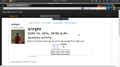 User Profiles
 -
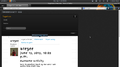 Responsive Design


I am planning to stage the site on PaaS platform maybe like OpenShift , however there have been certains glitches with my Openshift account but I will try to work it out or consider some other feasible alternative. I am doing this because with this approach I would be able to get user feedback from community members side by side with my development efforts and hence I can iterate and improve with their feedbacks.
Site Model
I have planed to design the RESTful interface to the Moksaya project , and I plan to consume these APIs with a webapp possibly written with Backbone.js Initially Moksaya project offers a RESTful interface to the following interrelated models :
- ProfileResource
- ProjectResource
- CommentResource
- LikeResource
- ForkResource
At the Top most level Profile/list contains all the User Profiles along with their Related Resources. So , a typical user profile contains User info like About , Birthdays etcs then the Related Resources Projects , Friends List , Likes on Projects (Can be easily extended for comments or other models). Most of these Related Resources can be accessed individually as well.
- Top Level View : http://127.0.0.1:8000/api/v1/profile/list/
 {
   "meta": {
       "limit": 20,
       "next": null,
       "offset": 0,
       "previous": null,
       "total_count": 3
   },
   "objects": [
       {
           "about_me": "DjangoNaut",
           "birth_date": "1991-06-20",
           "friends": [
               "testuser",
               "SomeDude"
           ],
           "gender": 1,
           "language": "en",
           "location": "India",
           "mugshot": "/media/mugshots/d749832b7a.jpg",
           "privacy": "registered",
           "projects": [
               {
                   "Likes": 3,
                   "comment": [
                       {
                           "entry": "Another story i am covering and i want to test the constrains this time",
                           "resource_uri": "",
                           "text": "MAhn this is some awesome shit "
                       },
                       {
                           "entry": "Another story i am covering and i want to test the constrains this time",
                           "resource_uri": "",
                           "text": "cool Man comments are returned in APIs"
                       }
                   ],
                   "desc": "here is another hack by me and I am doing this right now",
                   "owner": "aregee",
                   "screenshot": "/media/projects/Screenshot_from_2013-01-21_030756.png",
                   "shared_date": "2013-06-25T18:48:18.205760",
                   "src": "/media/proejcts/admin.py",
                   "title": "Another story i am covering and i want to test the constrains this time"
               },
               {
                   "Likes": 1,
                   "comment": [],
                   "desc": "Wired Hack ",
                   "owner": "aregee",
                   "screenshot": "/media/projects/background.png",
                   "shared_date": "2013-06-26T05:59:48.445868",
                   "src": "/media/proejcts/startconky.sh",
                   "title": "Someting Wong"
               },
               {
                   "Likes": 0,
                   "comment": [],
                   "desc": "This is my first hello world code",
                   "owner": "aregee",
                   "screenshot": "/media/projects/Screenshot_from_2013-02-03_173238.png",
                   "shared_date": "2013-07-04T19:18:23.307241",
                   "src": "/media/proejcts/hello.c",
                   "title": "First Project Upload"
               }
           ],
           "user": "aregee",
           "website": "http://rahulgaur.info/"
       },
       {
           "about_me": "Profile BIO",
           "birth_date": "2013-06-26",
           "friends": [
               "aregee",
               "SomeDude"
           ],
           "gender": 2,
           "language": "en",
           "location": "Delhi",
           "mugshot": null,
           "privacy": "registered",
           "projects": [
               {
                   "Likes": 3,
                   "comment": [],
                   "desc": "This is my first hello world code",
                   "owner": "testuser",
                   "screenshot": "/media/projects/Screenshot_from_2013-02-03_173238.png",
                   "shared_date": "2013-06-27T15:31:22.560494",
                   "src": "/media/proejcts/hello.c",
                   "title": "First Project Upload"
               },
               {
                   "Likes": 0,
                   "comment": [],
                   "desc": "Wired Hack ",
                   "owner": "testuser",
                   "screenshot": "/media/projects/background.png",
                   "shared_date": "2013-07-04T19:37:54.184572",
                   "src": "/media/proejcts/startconky.sh",
                   "title": "Someting Wong"
               }
           ],
           "user": "testuser",
           "website": "http://Something.com/"
       },
       {
           "about_me": "Hello I am a dummy User here and I am doing something very amazing",
           "birth_date": "2013-07-02",
           "friends": [
               "aregee",
               "testuser"
           ],
           "gender": 1,
           "language": "en",
           "location": "India",
           "mugshot": "/media/mugshots/0ebb9512eb.jpg",
           "privacy": "registered",
           "projects": [],
           "user": "SomeDude",
           "website": "http://somedude.com/"
       }
   ]
 }
- Individual User Profiles could be further requested as http://127.0.0.1:8000/api/v1/profile/list/2/?format=json
 {
   "about_me": "Profile BIO",
   "birth_date": "2013-06-26",
   "friends": [
       "aregee",
       "SomeDude"
   ],
   "gender": 2,
   "language": "en",
   "location": "Delhi",
   "mugshot": null,
   "privacy": "registered",
   "projects": [
       {
           "Likes": 3,
           "comment": [],
           "desc": "This is my first hello world code",
           "owner": "testuser",
           "screenshot": "/media/projects/Screenshot_from_2013-02-03_173238.png",
           "shared_date": "2013-06-27T15:31:22.560494",
           "src": "/media/proejcts/hello.c",
           "title": "First Project Upload"
       },
       {
           "Likes": 0,
           "comment": [],
           "desc": "Wired Hack ",
           "owner": "testuser",
           "screenshot": "/media/projects/background.png",
           "shared_date": "2013-07-04T19:37:54.184572",
           "src": "/media/proejcts/startconky.sh",
           "title": "Someting Wong"
       }
   ],
   "user": "testuser",
   "website": "http://Something.com/"
 }
- Related Resource Projects here can be accessed by http://127.0.0.1:8000/api/v1/projects/?format=json
 {
   "meta": {
       "limit": 20,
       "next": null,
       "offset": 0,
       "previous": null,
       "total_count": 5
   },
   "objects": [
       {
           "Likes": 3,
           "comment": [
               {
                   "entry": "Another story i am covering and i want to test the constrains this time",
                   "resource_uri": "",
                   "text": "MAhn this is some awesome shit "
               },
               {
                   "entry": "Another story i am covering and i want to test the constrains this time",
                   "resource_uri": "",
                   "text": "cool Man comments are returned in APIs"
               }
           ],
           "desc": "here is another hack by me and I am doing this right now",
           "owner": "aregee",
           "screenshot": "/media/projects/Screenshot_from_2013-01-21_030756.png",
           "shared_date": "2013-06-25T18:48:18.205760",
           "src": "/media/proejcts/admin.py",
           "title": "Another story i am covering and i want to test the constrains this time"
       },
       {
           "Likes": 1,
           "comment": [],
           "desc": "Wired Hack ",
           "owner": "aregee",
           "screenshot": "/media/projects/background.png",
           "shared_date": "2013-06-26T05:59:48.445868",
           "src": "/media/proejcts/startconky.sh",
           "title": "Someting Wong"
       },
       {
           "Likes": 3,
           "comment": [],
           "desc": "This is my first hello world code",
           "owner": "testuser",
           "screenshot": "/media/projects/Screenshot_from_2013-02-03_173238.png",
           "shared_date": "2013-06-27T15:31:22.560494",
           "src": "/media/proejcts/hello.c",
           "title": "First Project Upload"
       },
       {
           "Likes": 0,
           "comment": [],
           "desc": "This is my first hello world code",
           "owner": "aregee",
           "screenshot": "/media/projects/Screenshot_from_2013-02-03_173238.png",
           "shared_date": "2013-07-04T19:18:23.307241",
           "src": "/media/proejcts/hello.c",
           "title": "First Project Upload"
       },
       {
           "Likes": 0,
           "comment": [],
           "desc": "Wired Hack ",
           "owner": "testuser",
           "screenshot": "/media/projects/background.png",
           "shared_date": "2013-07-04T19:37:54.184572",
           "src": "/media/proejcts/startconky.sh",
           "title": "Someting Wong"
       }
   ]
 }
In the above results I have excluded Project ids from the json Response, but similarly each individual project could be accessed and updated by making GET or Post or Put request to http://127.0.0.1:8000/api/v1/projects/<pk>?format=json
- Accessing particular project http://127.0.0.1:8000/api/v1/projects/2/?format=json
 {
   "Likes": 1,
   "comment": [],
   "desc": "Wired Hack ",
   "owner": "aregee",
   "screenshot": "/media/projects/background.png",
   "shared_date": "2013-06-26T05:59:48.445868",
   "src": "/media/proejcts/startconky.sh",
   "title": "Someting Wong"
}
Forking
Lets take a look at how forking works here , though this is not really the best approach but I am doing this for understanding purpose and would figure out the proper solution for this .. but for now here it is.
- Lets say these are the projects on the Moksaya submitted by the user :
 {
   "meta": {
       "limit": 20,
       "next": null,
       "offset": 0,
       "previous": null,
       "total_count": 3
   },
   "objects": [
       {
           "Likes": 3,
           "comment": [
               {
                   "entry": "Another story i am covering and i want to test the constrains this time",
                   "resource_uri": "",
                   "text": "MAhn this is some awesome shit "
               },
               {
                   "entry": "Another story i am covering and i want to test the constrains this time",
                   "resource_uri": "",
                   "text": "cool Man comments are returned in APIs"
               }
           ],
           "desc": "here is another hack by me and I am doing this right now",
           "id": 1,
           "owner": "aregee",
           "screenshot": "/media/projects/Screenshot_from_2013-01-21_030756.png",
           "shared_date": "2013-06-25T18:48:18.205760",
           "src": "/media/proejcts/admin.py",
           "title": "Another story i am covering and i want to test the constrains this time"
       },
       {
           "Likes": 1,
           "comment": [],
           "desc": "Wired Hack ",
           "id": 2,
           "owner": "aregee",
           "screenshot": "/media/projects/background.png",
           "shared_date": "2013-06-26T05:59:48.445868",
           "src": "/media/proejcts/startconky.sh",
           "title": "Someting Wong"
       },
       {
           "Likes": 3,
           "comment": [],
           "desc": "This is my first hello world code",
           "id": 3,
           "owner": "testuser",
           "screenshot": "/media/projects/Screenshot_from_2013-02-03_173238.png",
           "shared_date": "2013-06-27T15:31:22.560494",
           "src": "/media/proejcts/hello.c",
           "title": "First Project Upload"
       }
   ]
 }
- Now I am logged in as aregee , and here is my profile at 127.0.0.1:8000/api/v1/profile/list/1/?format=json
 {
   "about_me": "DjangoNaut",
   "birth_date": "1991-06-20",
   "friends": [
       "testuser",
       "SomeDude"
   ],
   "gender": 1,
   "language": "en",
   "location": "India",
   "mugshot": "/media/mugshots/d749832b7a.jpg",
   "privacy": "registered",
   "projects": [
       {
           "Likes": 3,
           "comment": [
               {
                   "entry": "Another story i am covering and i want to test the constrains this time",
                   "resource_uri": "",
                   "text": "MAhn this is some awesome shit "
               },
               {
                   "entry": "Another story i am covering and i want to test the constrains this time",
                   "resource_uri": "",
                   "text": "cool Man comments are returned in APIs"
               }
           ],
           "desc": "here is another hack by me and I am doing this right now",
           "id": 1,
           "owner": "aregee",
           "screenshot": "/media/projects/Screenshot_from_2013-01-21_030756.png",
           "shared_date": "2013-06-25T18:48:18.205760",
           "src": "/media/proejcts/admin.py",
           "title": "Another story i am covering and i want to test the constrains this time"
       },
       {
           "Likes": 1,
           "comment": [],
           "desc": "Wired Hack ",
           "id": 2,
           "owner": "aregee",
           "screenshot": "/media/projects/background.png",
           "shared_date": "2013-06-26T05:59:48.445868",
           "src": "/media/proejcts/startconky.sh",
           "title": "Someting Wong"
       }
   ],
   "user": "aregee",
   "website": "http://rahulgaur.info/"
 }
- Now I want to fork the Project with id = 3 created by testuser , so I will make a GET request to 127.0.0.1:8000/api/v1/forking/3/?format=json
  {
   "Changes": {
       "owner": "testuser",
       "shared_date": "2013-06-27T15:31:22.560494"
   },
   "desc": "This is my first hello world code",
   "resource_uri": "/api/v1/forking/3/",
   "screenshot": "/media/projects/Screenshot_from_2013-02-03_173238.png",
   "shared_date": "2013-06-27T15:31:22.560494",
   "src": "/media/proejcts/hello.c",
   "title": "First Project Upload"
 }
The diffs / metadata could be viewed for the changes made , for instance here the response shows the original author of the project and the date it was shared
- Lets take a look at my Profile again at 127.0.0.1:8000/api/v1/profile/list/1/?format=json
 {
   "about_me": "DjangoNaut",
   "birth_date": "1991-06-20",
   "friends": [
       "testuser",
       "SomeDude"
   ],
   "gender": 1,
   "language": "en",
   "location": "India",
   "mugshot": "/media/mugshots/d749832b7a.jpg",
   "privacy": "registered",
   "projects": [
       {
           "Likes": 3,
           "comment": [
               {
                   "entry": "Another story i am covering and i want to test the constrains this time",
                   "resource_uri": "",
                   "text": "MAhn this is some awesome shit "
               },
               {
                   "entry": "Another story i am covering and i want to test the constrains this time",
                   "resource_uri": "",
                   "text": "cool Man comments are returned in APIs"
               }
           ],
           "desc": "here is another hack by me and I am doing this right now",
           "id": 1,
           "owner": "aregee",
           "screenshot": "/media/projects/Screenshot_from_2013-01-21_030756.png",
           "shared_date": "2013-06-25T18:48:18.205760",
           "src": "/media/proejcts/admin.py",
           "title": "Another story i am covering and i want to test the constrains this time"
       },
       {
           "Likes": 1,
           "comment": [],
           "desc": "Wired Hack ",
           "id": 2,
           "owner": "aregee",
           "screenshot": "/media/projects/background.png",
           "shared_date": "2013-06-26T05:59:48.445868",
           "src": "/media/proejcts/startconky.sh",
           "title": "Someting Wong"
       },
       {
           "Likes": 0,
           "comment": [],
           "desc": "This is my first hello world code",
           "id": 4,
           "owner": "aregee",
           "screenshot": "/media/projects/Screenshot_from_2013-02-03_173238.png",
           "shared_date": "2013-07-04T20:46:43.062294",
           "src": "/media/proejcts/hello.c",
           "title": "First Project Upload"
       }
   ],
   "user": "aregee",
   "website": "http://rahulgaur.info/"
 }
- And the list of projects at 127.0.0.1:8000/api/v1/projects/
 {
   "meta": {
       "limit": 20,
       "next": null,
       "offset": 0,
       "previous": null,
       "total_count": 4
   },
   "objects": [
       {
           "Likes": 3,
           "comment": [
               {
                   "entry": "Another story i am covering and i want to test the constrains this time",
                   "resource_uri": "",
                   "text": "MAhn this is some awesome shit "
               },
               {
                   "entry": "Another story i am covering and i want to test the constrains this time",
                   "resource_uri": "",
                   "text": "cool Man comments are returned in APIs"
               }
           ],
           "desc": "here is another hack by me and I am doing this right now",
           "id": 1,
           "owner": "aregee",
           "screenshot": "/media/projects/Screenshot_from_2013-01-21_030756.png",
           "shared_date": "2013-06-25T18:48:18.205760",
           "src": "/media/proejcts/admin.py",
           "title": "Another story i am covering and i want to test the constrains this time"
       },
       {
           "Likes": 1,
           "comment": [],
           "desc": "Wired Hack ",
           "id": 2,
           "owner": "aregee",
           "screenshot": "/media/projects/background.png",
           "shared_date": "2013-06-26T05:59:48.445868",
           "src": "/media/proejcts/startconky.sh",
           "title": "Someting Wong"
       },
       {
           "Likes": 3,
           "comment": [],
           "desc": "This is my first hello world code",
           "id": 3,
           "owner": "testuser",
           "screenshot": "/media/projects/Screenshot_from_2013-02-03_173238.png",
           "shared_date": "2013-06-27T15:31:22.560494",
           "src": "/media/proejcts/hello.c",
           "title": "First Project Upload"
       },
       {
           "Likes": 0,
           "comment": [],
           "desc": "This is my first hello world code",
           "id": 4,
           "owner": "aregee",
           "screenshot": "/media/projects/Screenshot_from_2013-02-03_173238.png",
           "shared_date": "2013-07-04T20:46:43.062294",
           "src": "/media/proejcts/hello.c",
           "title": "First Project Upload"
       }
   ]
 }
Difference among the two Projects can be tracked by Project.objects.get(pk = 4).diff(Project.objects.get(pk = 3)) , its a method provided by the django-forkit app to view changes / differences in the forkable models.
Meta data field needs to bee added to Projects field so that we can save these differences when a project is forked , and every project should contain a link to original creator.
TODOS
- Add Authentication
- Provide Full CRUD access to authenticated user to the core site functionalities : Like , Comment , UserProfile, Projects etcs
- Improve the forking functionality
- Implement JavaScript Client to consume APIs to get a minimal functional product up and running