Testing/Reports/Sugar on a Stick: Difference between revisions
No edit summary |
|||
| (551 intermediate revisions by 5 users not shown) | |||
| Line 1: | Line 1: | ||
= | ==NOTE== | ||
*http://fedoraproject.org/ | This page is a series of testing reports. It is '''not''' the instructions for installing Sugar on a Stick. For installation instructions, please see [[Sugar on a Stick/Installation Process]] ([[Sugar on a Stick/Proceso de instalacion]] en español). | ||
:''' | |||
==[[File:Soas-quandong.svg|200px|link=Sugar_on_a_Stick/Quandong]] SoaS v7 Quandong [[Testing/Reports/livecd-iso-to-disk| livecd-iso-to-disk install]]== | |||
* Transcript of an install to a 2 GB USB stick with persistence. | |||
==[[LiveOS_image|Reference: LiveOS image]]== | |||
*Details and information on file system used in SoaS | |||
==[[File:Soas-pineapple.svg|200px|link=Sugar_on_a_Stick/Pineapple]] SoaS v6 Pineapple == | |||
::Final Version released 11/09/2011 | |||
:Direct Download: http://spins.fedoraproject.org/soas/#downloads | |||
===[[File:VirtualBox.png|30px]] [[Sugar on a Stick/Pineapple/Virtual machines|VirtualBox Appliance]]=== | |||
::Just [[Tutorials/Installation/Import_a_VirtualBox_appliance|'''import''']] 2 files from above link ^ | |||
* SoaS v6 Pineapple prebuilt VirtualBox Appliance | |||
===About my computer=== | |||
:Build: Sugar on a Stick 6 (Pineapple) | |||
: Fedora Release 16 (Verne) | |||
:Sugar:0.94.1 | |||
:V1.05 | |||
[[#MacBook_Persistent_SoaS_v5_and_SoaS_v6_EFI_Boot_USB|'''SoaS for MacBook Pro''']] | |||
= | ===Activities=== | ||
'''Key ==> update''' | |||
= | pippy 43 ==>44 | ||
moon 13 | |||
log 26 ==>27 | |||
: | visual match 30 ==>34 | ||
speak 34 ==>35 | |||
typing turtle 28 | |||
ruler 13 ==>14 | |||
turtle art 120 ==>131 | |||
jukebox 23 | |||
irc 10 | |||
chat 73 | |||
maze 14 ==>15 | |||
etoys 116 | |||
abacus 16 ==>28 | |||
write 77 | |||
clock 7 | |||
record 93 | |||
calculate 38 | |||
image viewer 19 | |||
physics 9 | |||
memorize 39 | |||
terminal 35 | |||
surf 115 | |||
* liveinst installs to USB correctly (4 GB USB device: custom / ext4 no swap ) | |||
* F16 liveusb-creator (GUI) works fine to make persistent 2GB USB device from .iso | |||
:: | ==[[File:Soas-coconut.svg|200px|link=Sugar_on_a_Stick/Coconut]] SoaS v5 Coconut== | ||
*'''Final release'''10/09/2011 | |||
:[[Sugar_on_a_Stick/Coconut]] | |||
== | ===[[File:VirtualBox.png|30px]] [[Sugar on a Stick/Coconut/Virtual machines|VirtualBox Appliance]]=== | ||
::Just [[Tutorials/Installation/Import_a_VirtualBox_appliance|'''import''']] 2 files from above link ^ | |||
* SoaS v5 Coconut prebuilt VirtualBox Appliance | |||
===About my Computer=== | |||
:Sugar on a Stick 5 (Coconut) | :Sugar on a Stick 5 (Coconut) | ||
:Fedora release 15 (Lovelock) | :Fedora release 15 (Lovelock) | ||
:Sugar: 0.92. | :Sugar: 0.92.4 | ||
===Activities=== | |||
*Software List (All favorites) | *Software List (All favorites) | ||
Write 76 | |||
etoys 116 | etoys 116 | ||
record 93 | |||
chat 71 | |||
Turtle Art | Turtle Art 114 | ||
physics 8 | physics 8 | ||
terminal 34 | |||
pippy 40 | pippy 40 | ||
calculate 37 | calculate 37 | ||
turtle art 114 | |||
Speak | Speak 29 | ||
memorize 36 | memorize 36 | ||
pippy 41 | |||
clock 6 | clock 6 | ||
log 24 | log 24 | ||
abacus 19 | abacus 19 | ||
IRC 10 | |||
surf 115 | surf 115 | ||
==Fedora-16- | :My Settings / Network Application works | ||
: | |||
: | * liveinst installs to USB disk correctly (4 GB USB device: custom / ext4 no swap ) | ||
: | * F16 liveusb-creator (GUI) works fine to make persistent 2GB USB device from .iso | ||
; | |||
===Bugs=== | |||
*SoaS v5 Coconut Beta only connects to jabber if using wired connection on boot | |||
::http://bugs.sugarlabs.org/ticket/3100 | |||
==MacBook Persistent SoaS v5 and SoaS v6 EFI Boot USB== | |||
:'''Boots directly from the USB device''' NEW | |||
:F15 Downlink: http://download.fedoraproject.org/pub/alt/spins/linux/releases/15/Spins/x86_64/Fedora-15-x86_64-Live-SoaS.iso | |||
:F16 Downlink: http://alt.fedoraproject.org/pub/alt/stage/16.RC4/Spins/x86_64/Fedora-16-x86_64-Live-SoaS.iso | |||
* '''Latest F16-RC4 and RC5 have the updated kernel and boot an EFI USB device directly on a MacBookPro i7 (11/03/2011)''' | |||
:I just successfully made a f16 RC4 EFI Boot USB in VirtualBox on My Macbook Pro i7......nice ; used x86-64 live Desktop and liveinst then installed additions (for USB Access) | |||
::Download of Live-desktop for Virtualbox:http://alt.fedoraproject.org/pub/alt/stage/16.RC4/Live/x86_64/Fedora-16-x86_64-Live-Desktop.iso | |||
::VirtualBox Downloads: http://www.oracle.com/technetwork/server-storage/virtualbox/downloads/index.html including additions | |||
::My Smolt Mac Profile:http://www.smolts.org/client/show/pub_3947102b-ca8d-49f6-9a2d-d1ab91b74448 | |||
::Chat works just had chat with mulawa1 on USB on Mac | |||
*Note: EFI USB does NOT boot on MacBook Air. trying to figure out why | |||
*'''need update the video parameters for various Macs'''- https://bugzilla.redhat.com/show_bug.cgi?id=528232#c20 - https://bugzilla.redhat.com/show_bug.cgi?id=528232#c85 | |||
Is that an original MacBook Air? According to this page it does not boot EFI in 64 bits: Bert: | |||
:'''List of Macs that boot in EFI''': http://www.everymac.com/mac-answers/snow-leopard-mac-os-x-faq/mac-os-x-snow-leopard-64-bit-macs-64-bit-efi-boot-in-64-bit-mode.html | |||
:'''f16 Common Bugs''':https://fedoraproject.org/wiki/Common_F16_bugs#Incorrect_partition_type_assigned_to_.2Fboot_partition_on_GPT-labelled_disks | |||
::: Boot Flag: http://blog.christophersmart.com/2009/12/02/fedora-mac-and-efi/ older info to look at | |||
::Possible Fix: tested with grub2-efi, and then I can boot Air with xdriver=vesa nomodeset | |||
* Fix for EFI in v6? :::http://lists.fedoraproject.org/pipermail/test/2011-October/104146.html | |||
:'''Kernel upgrade''' to fix this: http://kojipkgs.fedoraproject.org/packages/kernel/3.1.0/7.fc16/x86_64/kernel-3.1.0-7.fc16.x86_64.rpm is in RC4 | |||
:::https://bugzilla.redhat.com/show_bug.cgi?id=748516 | |||
::Look at Further adventures in EFI booting: http://mjg59.dreamwidth.org/4957.html | |||
:WORKS WITH SoaS v5 Coconut and SoaS v6 Pineapple | |||
:does not work with wired cat5 connection '''no internet connections available''' | |||
:[[File:EFI_Boot.JPG|150px]] <===click on image to enlarge | |||
:To Boot Hold "Option" Key when starting Mac. Hold key until EFI USB Icon Appears then select it right arrow ===> (EFI) | |||
:KEY: (x)= device name | |||
: Use the {{Code|sudo blkid}} command in a terminal to see the USB and other device names for discs attached to the system. <!-- mount has a lot of extraneous info and the device may not automount and so not be present. --> | |||
::ie: /dev/sdb; /dev/sdc; /dev/sdd.... '''IMPORTANT very dangerous if you use the wrong one''' | |||
====Build EFI USB Boot Stick==== | |||
*From booted f16-x86 64 hard disk install | |||
Run "yum install livecd-tools" so it installs all the required | |||
dependencies and then use livecd-iso-to-disk | |||
Boots:MacBook-Proi7 | |||
-EFI-Boot-USB | |||
hold option key on power up | |||
select --> EFI Boot | |||
* Has Persistence | |||
*2 GB Firefly USB | |||
*>'''formatted in F16-64 disk utility VERY IMPORTANT''' < | |||
fat /dev/sdb | |||
fat /dev/sdb1 | |||
* '''(Built in F16-64 gnome3-shell 3.2.1 on Acer Aspire One N450)''' | |||
*Download link: http://alt.fedoraproject.org/pub/alt/stage/16.RC4/Spins/x86_64/Fedora-16-x86_64-Live-SoaS.iso | |||
====root terminal command line:==== | |||
'''sudo livecd-iso-to-disk --format --efi --overlay-size-mb 300 --home-size-mb 175 --delete-home --unencrypted-home Fedora-16-x86_64-Live-SoaS.iso /dev/sd(x)''' (x)=device name | |||
Verifying image... | |||
/home/(user)/Downloads/Fedora-16-x86_64-Live-SoaS.iso: | |||
Fragment sums: | |||
Fragment count: 20 | |||
Press [Esc] to abort check. | |||
Checking: 100.0% | |||
The media check is complete, the result is: PASS. | |||
It is OK to use this media. | |||
WARNING: THIS WILL DESTROY ANY DATA ON /dev/sdb!!! | |||
Press Enter to continue or ctrl-c to abort | |||
wipefs: WARNING: /dev/sdb: appears to contain 'dos' partition table | |||
Waiting for devices to settle... | |||
mkdosfs 3.0.11 (24 Dec 2010) | |||
Copying live image to target device. | |||
squashfs.img | |||
417943552 100% 7.55MB/s 0:00:52 (xfer#1, to-check=0/1) | |||
sent 417994645 bytes received 31 bytes 7812984.60 bytes/sec | |||
total size is 417943552 speedup is 1.00 | |||
osmin.img | |||
8192 100% 0.00kB/s 0:00:00 (xfer#1, to-check=0/1) | |||
sent 8265 bytes received 31 bytes 16592.00 bytes/sec | |||
total size is 8192 speedup is 0.99 | |||
Updating boot config file | |||
Initializing persistent overlay file | |||
300+0 records in | |||
300+0 records out | |||
314572800 bytes (315 MB) copied, 32.5186 s, 9.7 MB/s | |||
Initializing persistent /home | |||
175+0 records in | |||
175+0 records out | |||
183500800 bytes (184 MB) copied, 23.6238 s, 7.8 MB/s | |||
Formatting unencrypted /home | |||
mke2fs 1.41.14 (22-Dec-2010) | |||
Filesystem label= | |||
OS type: Linux | |||
Block size=1024 (log=0) | |||
Fragment size=1024 (log=0) | |||
Stride=0 blocks, Stripe width=0 blocks | |||
44880 inodes, 179200 blocks | |||
8960 blocks (5.00%) reserved for the super user | |||
First data block=1 | |||
Maximum filesystem blocks=67371008 | |||
22 block groups | |||
8192 blocks per group, 8192 fragments per group | |||
2040 inodes per group | |||
Superblock backups stored on blocks: | |||
8193, 24577, 40961, 57345, 73729 | |||
Writing inode tables: done | |||
Creating journal (4096 blocks): done | |||
Writing superblocks and filesystem accounting information: done | |||
This filesystem will be automatically checked every 35 mounts or 180 days, whichever comes first. Use tune2fs -c or -i to override. | |||
tune2fs 1.41.14 (22-Dec-2010) | |||
Setting maximal mount count to -1 | |||
Setting interval between checks to 0 seconds | |||
Installing boot loader | |||
Target device is now set up with a Live image! | |||
====My Settings==== | |||
Sugar on a Stick 6 (Pineapple) | |||
Fedora release 16 (Verne) | |||
0.94.1 | |||
Firmware: MBP81.88Z.0047.B1E.1109091244 | |||
Wireless Firmware: N/A | |||
====activities==== | |||
> = Updates | |||
pippy 43 | |||
moon 13 | |||
log 26 | |||
visual match 30 | |||
speak 34 | |||
typing turtle 28 | |||
ruler 13 > 28 | |||
turtle art 120 > 122 | |||
jukebox 23 | |||
irc 10 | |||
chat 73 | |||
maze 14 | |||
etoys 116 | |||
abacus 26 > 28 | |||
write 77 | |||
clock 7 | |||
record 93 | |||
calculate 38 | |||
image viewer 19 | |||
physics 9 | |||
memorize 39 | |||
terminal 35 | |||
surf 115 | |||
' | |||
==[[{{TALKPAGENAMEE}}#dd_img_Boot_Tests_in_MacBook_Pro_i7|Boot tests of dd img USB's in a MacBook i7]]== | |||
;READ THIS FIRST^ | |||
:Synopsis: Only EFI .img Boots Mac. | |||
==='''How to Write your own .img file'''=== | |||
Run "yum install livecd-tools" so it installs all the required | |||
dependencies and then use livecd-iso-to-disk | |||
*use Disk Utility in f16 to format the USB as Master boot Record and /dev/sd(x)1 as FAT first. | |||
*Command Line to use in root terminal: | |||
sudo livecd-iso-to-disk --reset-mbr --format --overlay-size-mb 300 --home-size-mb 175 --delete-home --unencrypted-home Fedora-16-release-i686-Live-SoaS.iso /dev/sd(x) | |||
===make .img file from inserted USB=== | |||
:'''Do this before you boot the USB.''' | |||
:( This will avoid network collisions when running multiple copies on the network.) | |||
:the unique ssh keys are generated on first boot of a SoaS USB | |||
dd if=/dev/sd(x) of=Soas-v6-Pineapple.img | |||
==[[File:Usb1.png]] dd writable 2GB USB Soas-v5-Coconut-USB .img== | |||
:'''Download:''' http://download.sugarlabs.org/images/Soas_Coconuts.img | |||
:built with liveusb-creator in F16 with persistence file from | |||
::http://kojipkgs.fedoraproject.org/images/livecd/163/163/Fedora-15-x86_64-Live-SoaS.iso | |||
:USB 2 GB Firefly | |||
:reduced to 1.66 GiB with gparted* | |||
* Never started so has original Name___; Color___==> startup | |||
===Write to a 2 GB (1.95 GiB) USB device=== | |||
dd if=Soas_Coconuts.img of=/dev/sd(x) bs=2M | |||
956+0 records in | |||
956+0 records out | |||
2004877312 bytes (2.0 GB) copied, 93.2584 s, 21.5 MB/s | |||
*NOTE dd may complain that it is unable to write to your USB device "No space left on device." | |||
:Disregard as it will work (this is due to gparted resizing) | |||
===Write to a Smaller 2 GB (1.87GiB) USB device=== | |||
dd if=Soas_Coconuts.img of=/dev/sd(x) bs=2M | |||
dd: writing `/dev/sdg': No space left on device | |||
956+0 records in | |||
955+0 records out | |||
2003828736 bytes (2.0 GB) copied, 316.111 s, 6.3 MB/s | |||
==[[File:Usb1.png]] dd writable 2GB USB Soas-v6-Pineapple-USB .img== | |||
*Download: http://people.sugarlabs.org/Tgillard/soas-v6-i686.img | |||
* Never started so has original Name___; Color___==> startup | |||
==[[File:Usb1.png]] dd writable 1 GB EFI Boot (MAC) USB Soas-v6-Pineapple x86-USB .img == | |||
:'''Download:''' http://people.sugarlabs.org/Tgillard/SoaS-15-1-EFI.img | |||
*note file is mis-named | |||
: persistent; fits in a 1 GB USB | |||
: How to build: [[#MacBook_Persistent_SoaS_v5_and_SoaS_v6_EFI_Boot_USB]] | |||
*'''NOTE DO NOT USE THIS .img file with image-writer-mac''' | |||
* For Booting a Mac ONLY do not use on a PC | |||
:This is a dd created .img from a working USB | |||
===About my computer=== | |||
Sugar on a Stick 6 (Pineapple) | |||
Fedora release 16 (Verne) | |||
sugar 0.94.1 | |||
===Write to a 1 GB USB device=== | |||
sudo su | |||
Password | |||
dd if=SoaS-15-1-EFI.img of=/dev/sd(x) bs=2M | |||
489+1 records in | |||
489+1 records out | |||
1026555904 bytes (1.0 GB) copied, 216.577 s, 4.7 MB/s | |||
*Write your own: | |||
sudo livecd-iso-to-disk --format --efi --overlay-size-mb 300 --home-size-mb 175 --delete-home --unencrypted-home Fedora-16-x86_64-Live-SoaS.iso /dev/sd(x) | |||
==[[File:OLPCXO.png]][[File:Soas-pineapple.svg|200px|link=Sugar_on_a_Stick/Pineapple]] F16 SoaS Pineapple USB boot for XO-1== | |||
:(graphical) liveusb-creator in F16 gnome3-shell- with Fedora-16-i686-Live-SoaS.iso selected | |||
:boots XO-1 with a Live USB image | |||
:Formatted the USB device in F16 gnome3-shell disk utility as fat with LIVE label. Installation said it was Setting up OLPC boot file at end. | |||
:USB is very slow but it boots from the USB device | |||
:(USB in right slot when powered on) | |||
:connects to WEP Access Point and Updates correctly | |||
*'''This USB device image will not boot XO-1.5''' | |||
===liveusb-creator record=== | |||
------------------------------------- | |||
Fedora-16-i686-Live-SoaS.iso selected | |||
Warning: The Master Boot Record on your device does not match your system's syslinux MBR. | |||
If you have trouble booting this stick, try running the liveusb-creator with the --reset-mbr option. | |||
Verifying filesystem... | |||
Verifying ISO MD5 checksum | |||
ISO MD5 checksum passed | |||
Extracting live image to USB device... | |||
Wrote to device at 6 MB/sec | |||
Creating 1687MB persistent overlay | |||
Setting up OLPC boot file... | |||
Installing bootloader... | |||
Marked /dev/sdb1 as bootable | |||
Unmounting /media/LIVE | |||
Complete! (0:07:23) | |||
==[[File:VirtualBox.png|50px]] SoaS v6 Desktop EFI USB device Builder prebuilt VirtualBox Appliance== | |||
:http://download.sugarlabs.org/images/VirtualBox/f16-live-RC4-Desktop-sugaruser.ovf | |||
:http://download.sugarlabs.org/images/VirtualBox/f16-live-RC4-Desktop-sugaruser-disk1.vmdk | |||
:builds EFI 2GB USB devices that boot MacBook Pro i7 (8.1 Intel) | |||
::Just import 2 files from above link ^ | |||
:root=sugarroot user=sugar pswd=sugaruser | |||
: Allows building of EFI Boot USB devices (self contained) | |||
* F16-Desktop x86-64 Virtual Machine | |||
:requires a x86_64 computer | |||
:IMPORTANT: There is NO WIRELESS (wired works) or AUDIO available when booted from this EFI Boot USB | |||
# '''Contains RC4 F15 and F16 x86_64-Live-SoaS.iso files in the Download directory''' | |||
# Script in Desktop to run in terminal | |||
*'''How to use the VM to create an EFI boot USB''' | |||
Start Virtual Appliance | |||
start Terminal (Applications/system tools/terminal) | |||
In terminal: cd Downloads | |||
Insert a 2 GB or larger USB | |||
type "mount" to get USB device name ie: /dev/sdb; /dev/sdc/; etc Be certain of this to get this wrong is dangerous. | |||
minimize | |||
start Applications/Accessories/gedit | |||
In Gedit Open /Desktop/livecd-iso-to-disk.txt | |||
edit command line to show correct USB device name. | |||
copy corrected command line | |||
Paste into terminal | |||
:builds EFI 2GB USB devices that boot MacBook Pro i7 (8.1 Intel) | |||
:THIS IS A DANGEROUS OPERATION. BE CERTAIN THE USB DEVICE NAME IS CORRECT | |||
root=sugarroot user=sugar pswd=sugaruser | |||
:'''Please Test''' all suggestions on comments are welcome Please edit wiki. | |||
==F16 SoaS Pineapple USB boot image for XO-1== | |||
:(graphical) liveusb-creator in f16 gnome3-shell- with Fedora-16-i686-Live-SoaS.iso selected | |||
:boots XO-1 as a live USB device | |||
:I formatted the USB device disk first in F16 gnome3-shell disk utility as Master Boot Record and fat partition with LIVE label | |||
:Then ran liveusb-creator (graphical) | |||
:USB is quite slow but it does boot from the USB device | |||
:(USB in right bottom slot when powered on) | |||
:connects to WEP Access Point and Updates correctly | |||
===liveusb-creator record=== | |||
------------------------------------- | |||
Fedora-16-i686-Live-SoaS.iso selected | |||
Warning: The Master Boot Record on your device does not match your system's syslinux MBR. | |||
If you have trouble booting this stick, try running the liveusb-creator with the --reset-mbr option. | |||
Verifying filesystem... | |||
Verifying ISO MD5 checksum | |||
ISO MD5 checksum passed | |||
Extracting live image to USB device... | |||
Wrote to device at 6 MB/sec | |||
Creating 1687MB persistent overlay | |||
Setting up OLPC boot file... | |||
Installing bootloader... | |||
Marked /dev/sdb1 as bootable | |||
Unmounting /media/LIVE | |||
Complete! (0:07:23) | |||
===About my computer=== | |||
:Build: Sugar on a Stick 6 (Pineapple) | |||
: Fedora Release 16 (Verne) | |||
:Sugar:0.94.2 | |||
:Firmware:Q2E46 | |||
:Wireless firmware:9.34.3 p23 | |||
*(Connects via jabber.sugarlabs.org to a XO-1.5 running os874 sugar 0.92.2) | |||
=[[Sugar_Creation_Kit/sck/Installation_test_Cases| Installation test Cases]]= | |||
*Tests to Use with SoaS Fedora-qa test days | |||
='''Testing Results'''= | |||
*Sections below here report on testing of recent Sugar on a Stick-(SoaS) and Fedora Nightly Composes and Remixes. | |||
*See also test results table in [[Sugar on a Stick QA]] , and [[Special:PrefixIndex/SoaS/Testing/|subpages]] of [[SoaS/Testing]]. | |||
* ADVANCED [http://fedoraproject.org/wiki/KernelDebugStrategy KernelDebugStrategy] | |||
: "Fedora enables differing amounts of debugging in the kernel at various times depending on where we are in the release cycle...." | |||
==f17 TC1 x86_64 dd to USB DVD install== | |||
*Apr 26, 2012 | |||
*Note sugar-desktop installed with Gnome and LXDE | |||
:Network was off - need to start it in gnome before logging in to sugar with gdm | |||
*3 repos used - including updates testing | |||
===My Settings/About my Computer=== | |||
Fedora release 17 (Beefy Miracle) | |||
0.95.7 | |||
V1.05 | |||
N/A | |||
===Activities=== | ===Activities=== | ||
* | *KEY | ||
: => Updates in CP | |||
: ok starts and saves to journal | |||
calandario 4 =>6 ok | |||
memorize | image viewer 26 ok | ||
physics | Get Books 11 ok | ||
chat 75 ok | |||
finance 3 (failed to start) malformed bundle | |||
pukllanapac 8 ok | |||
ruler 19 ok | |||
clock 7 ok | |||
physics 9 ok | |||
playgo 5 (failed to start) malformed bundle | |||
memorize 41 ok | |||
moon 13 ok | |||
labyrinth 12 ok | |||
record 95 ok | |||
irc 10 ok long delay on port 8001-firewall? | |||
infoslicer 14 ok downloads olpc | |||
speak 38 ok | |||
calculate 39 ok | |||
view slides 8 (failed to start) malformed bundle | |||
typing turtle 29 ok | |||
portfolio 21 ok | |||
stopwatch 14 ok | |||
terminal 36 ok | |||
write 78 ok saves to journal: rtf;html;txt;pdf all open from journal | |||
turtle art 138 ok | |||
distance 25 =>30 ok | |||
log 28 ok | |||
flip sticks 12 ok | |||
pippy 46 ok? physics:Import error cannot import name physics | |||
dimensions 37 ok | |||
paint 41 =>42 | |||
implode 10 =>11 ok | |||
maze 18 ok | |||
connect 22 (failed to start) | |||
jukebox 23 =>24 ok | |||
abacus 32 ok | |||
etoys 116 ? debus error : presence service exited with status 1 (works if no network connected) | |||
read 99 ok | |||
browse 135 ok | |||
=Fedora SoaS Spin= | |||
*http://dl.fedoraproject.org/pub/alt/stage/17-Beta.TC1/Live/i686/ | |||
*http://alt.fedoraproject.org/pub/alt/spins/linux/releases/16/ | |||
*http://fedoraproject.org/get-fedora | |||
*https://spins.fedoraproject.org/soas/#downloads | |||
*Latest Nightly Spins: http://koji.fedoraproject.org/koji/tasks?method=createLiveCD&owner=kevin&state=all&view=tree&order=-id | |||
:'''Current Download Page''' | |||
==Fedora-17-Nightly-20120409.08-i686-Live-desktop with sugar-desktop== | |||
*iso no longer available | |||
* Installed with "liveinst" to VirtualBox 4.1.12r77245 Trisquel 5.5RC (Ubuntu 11.10) | |||
* yum groupinstall sugar-desktop | |||
* yum install sugar-emulator liveusb-creator | |||
== | ===About my Computer=== | ||
:Sugar | Build: Fedora release 17 (Beefy Miracle) | ||
: | Sugar: 0.95.6 | ||
: | Firmware: VirtualBox | ||
===Activities=== | |||
*list view | |||
KEY => update ok=starts and stops; saving to journal. | |||
: | JukeBox 23 =>24 ok starts record audio (no sound plays from file) | ||
Turtle Art 136 => 137 (has info hints on mouse-over) | |||
Record 94 =>95 ok LTD6K1BY USB Camera [2809] no sound | |||
Countries 33 ok (No icon just grey circle) | |||
Calculate 38 =>39 ok | |||
Abacus 32 ok | |||
Chat 74 ok | |||
IRC 10 ok blocked by firewall? port 8001 | |||
Log 28 ok | |||
Maze 15 =>16 ok | |||
Ruler 19 ok | |||
Memorize 39 ok | |||
Portfolio 21 ok | |||
Clock 7 ok | |||
Terminal 36 ok | |||
Speak 37 ok | |||
Physics 9 ok | |||
Visual Match 35 ok | |||
Image Viewer 19 ok | |||
Etoys 116 '''no''' DBus Error - no reply from presence service | |||
Pippy 46 ok? - ImportError: cannot import name physics | |||
Typing Turtle 29 ok | |||
Moon 13 ok | |||
Write 78 ok opens .rtf can load Photos (.jpeg) taken from record | |||
Browse 133 ok no bookmarks does not read .html saves from write | |||
Read 97 ok reads .txt .rtf and .pdf from journal saved by write | |||
==F17-Netinstall Beta RC1-sugar only== | |||
*Installed to VirtualBox 4.1.10 | |||
*Configure Now; sugar-desktop only (No Gnome) | |||
*All activities selected - except for sugar-emulator and XOmail | |||
*sees jabber | |||
===About my Computer=== | |||
Build: Fedora release 17 (Beefy Miracle) | |||
Sugar: 0.95.6 | |||
Firmware: VirtualBox | |||
===Activities=== | |||
*list view | |||
KEY => update ok=starts and stops; saving to journal. | |||
Etoys 116 '''no''' DBus Error - no reply from presence service | |||
PlayGo 5 '''no''' failed to start -MalformedBundleException | |||
Log 28 ok | |||
Chat 74 ok | |||
JukeBox 23 =>24 ok - no files to start | |||
Speak 37 ok | |||
Visual Mach 35 ok | |||
Flip Sticks 12 ok | |||
Pippy 46 ok? - ImportErrot: cannot import name physics | |||
Moon 13 ok | |||
Ruler 19 ok | |||
View slides 8 '''no''' failed to start | |||
Maze 15 ok | |||
Labyrinth 12 ok | |||
StopWatch 14 ok | |||
Turtle Art 136 ok | |||
Record 94 =>95 '''no''' sound only does not store sound (Hangs up) | |||
Implode 10 =>11 ok | |||
Typing Turtle 29 ok | |||
Finance 3 '''no''' failed to start | |||
Countries 33 ok (No icon just grey circle) | |||
InfoSlicer 11 ok | |||
IRC 10 ok | |||
Analyze 8 '''no''' failed to start | |||
Memorize 39 ok | |||
Portfolio 21 ok | |||
Image Viewer 19 ok | |||
Calendario 4 =>6 ok | |||
Pukllanapac 8 ok | |||
Abacus 32 ok | |||
Calculate 38 =>39 ok | |||
Connect 22 '''no''' failed to start | |||
Clock 7 ok | |||
Terminal 36 ok | |||
Distance 25 ok | |||
Physics 9 ok | |||
Get IA Books 3 '''no''' failed to start | |||
Write 78 ok | |||
Read 97 ok reads .txt and .pdf from journal saved by write | |||
Browse 133 ok no bookmarks | |||
Paint 40 '''no''' failed to start | |||
==Fedora- | ===Fedora-17-Beta-TC2-i686-Live-SoaS=== | ||
*http://koji.fedoraproject.org/koji/getfile?taskID= | *http://koji.fedoraproject.org/koji/getfile?taskID=3907156&name=Fedora-17-Beta-TC2-i686-Live-SoaS.iso | ||
Testing --[[User:Satellit|Satellit]] 2:59 PM, 18 March 2012 (PST) | |||
1-) Tested CD usingPenguin Libre GNU / Linux Notebook i3. | |||
::(all free drivers) | |||
:: | |||
: | |||
: | |||
* | *Boots to name___; Color___ | ||
*Wireless AP (WEP) Connects and stays connected | |||
*Sees Jabber | |||
====About my Computer==== | |||
Sugar on a Stick 7 | |||
Fedora release 17 (Beefy Miracle) | |||
0.95.4 | |||
====Activities==== | |||
2-) Tested in VirtualBox 4.1.10 install to 8 GB HD | |||
:Use whole Disk | |||
:[x]use LVM | |||
key &=not favorite; ok=starts and saves; ==> updates to: | |||
etoys 116 '''no''' DBusError: Process /usr/bin/sugar-presence-service exited with status 1 (pulsing in top bar after quit) | |||
visual match 35 ok | |||
chat 73 ok ==>74 ok | |||
maze 15 ok | |||
moon 13 ok | |||
abacus 31 '''no''' failed to start AttributeError: 'AbacusActivity' object has no attribute 'set_toolbox' '''are we shipping too new a version here?''' | |||
turtle art 136 ok | |||
write 77 ok ==>78 ok | |||
typing turtle 29 ok | |||
speak 36 ok ==37 ok | |||
jukebox 23 ok | |||
irc 10 ok | |||
pippy 45 ok?* ==>46 ok fixed *Physics does not start | |||
memorize 39 ok | |||
& portfolio 21 ok | |||
image viewer 19 ok? no matching entries | |||
log 26 ok ==>27 ok | |||
calculate 38 ok | |||
record 93 ==>94 ok sees VirtualBox USB Camera | |||
ruler 19 ok | |||
clock 7 ok | |||
physics 9 ok | |||
terminal 35 ok | |||
& read 97 ok works with files saved from write 78 as .txt; .pdf; .rtf; and .html. does not work with Etoys (DBus errors?) or Browse (unable to open URL) | |||
& browse 131 ok ==>132 ok | |||
== | ====tools_livecd-iso-to-disk Persistent USB-stick==== | ||
sudo ./tools_livecd-iso-to-disk.sh --reset-mbr --overlay-size-mb 500 --home-size-mb 900 --delete-home --unencrypted-home Fedora-17-Beta-TC2-i686-Live-SoaS.iso /dev/sd(x)1 | |||
Verifying image... | |||
./tools_livecd-iso-to-disk.sh: line 806: checkisomd5: command not found | |||
Are you SURE you want to continue? | |||
Press Enter to continue or ctrl-c to abort | |||
Copying live image to target device. | |||
squashfs.img | |||
489975808 100% 6.98MB/s 0:01:06 (xfer#1, to-check=0/1) | |||
sent 490035693 bytes received 31 bytes 7259788.50 bytes/sec | |||
total size is 489975808 speedup is 1.00 | |||
osmin.img | |||
8192 100% 0.00kB/s 0:00:00 (xfer#1, to-check=0/1) | |||
sent 8265 bytes received 31 bytes 16592.00 bytes/sec | |||
total size is 8192 speedup is 0.99 | |||
Updating boot config file | |||
Initializing persistent overlay file | |||
500+0 records in | |||
500+0 records out | |||
524288000 bytes (524 MB) copied, 86.1616 s, 6.1 MB/s | |||
Initializing persistent /home | |||
900+0 records in | |||
900+0 records out | |||
943718400 bytes (944 MB) copied, 211.095 s, 4.5 MB/s | |||
Formatting unencrypted /home | |||
mke2fs 1.41.11 (14-Mar-2010) | |||
Filesystem label= | |||
OS type: Linux | |||
Block size=4096 (log=2) | |||
Fragment size=4096 (log=2) | |||
Stride=0 blocks, Stripe width=0 blocks | |||
57600 inodes, 230400 blocks | |||
11520 blocks (5.00%) reserved for the super user | |||
First data block=0 | |||
Maximum filesystem blocks=239075328 | |||
8 block groups | |||
32768 blocks per group, 32768 fragments per group | |||
7200 inodes per group | |||
Superblock backups stored on blocks: | |||
32768, 98304, 163840, 229376 | |||
Writing inode tables: done | |||
Creating journal (4096 blocks): done | |||
Writing superblocks and filesystem accounting information: done | |||
This filesystem will be automatically checked every 39 mounts or | |||
180 days, whichever comes first. Use tune2fs -c or -i to override. | |||
tune2fs 1.41.11 (14-Mar-2010) | |||
Setting maximal mount count to -1 | |||
Setting interval between checks to 0 seconds | |||
Installing boot loader | |||
Target device is now set up with a Live image! | |||
====liveinst from persistent USB-stick==== | |||
* Used the above USB-stick with livinst from root terminal | |||
:Use whole disk [x]LVM | |||
:Created 500 GB HD install of SoaS (My testing HD) | |||
==Fedora- | ===Fedora-17-Beta-TC1-x86_64-Live-XFCE with Sugar 0.95.4=== | ||
Fedora-17-Beta-TC1-x86_64-Live-XFCE.iso Boot CD | |||
Edited Wireless and added WEP ASCII password | |||
set wireless IPv6 to "ignore" https://bugzilla.redhat.com/show_bug.cgi?id=801052 | |||
: | Install to HD: | ||
use whole disk non LVM | |||
: | Boot | ||
Add/Remove Programs - sugar | |||
check all pertinent activities | |||
: | Menu/education/sugar | ||
: | Sugar emulator starts: | ||
sugar-desktop starts and wireless AP is already configured. | |||
Wireless stays connected | |||
Values from Live CD seem to be transferred to install. | |||
*Bug Fix: | |||
su | |||
yum install ConsoleKit-x11 | |||
:nirik on #fedora-qa --[[User:Satellit|Satellit]] 15:57, 12 March 2012 (EDT) | |||
:Fixes not being to be able to log out or shutdown XFCE | |||
====About My Computer==== | |||
Fedora release 17 (Beefy Miracle) | |||
0.95.4 | |||
V1.05 | |||
====Activities==== | |||
Key = ok started and saved to journal | |||
speak | version update Error | ||
read 97 failed to start after selecting something | |||
write 77 78 ok | |||
maze 15 ok | |||
implode 10 11 ok | |||
physics 9 ok | |||
pippy 45 46 ok | |||
view slides 8 failed to start | |||
etoys 116 starts and reports error | |||
speak 36 37 ok | |||
memorize 39 ok | |||
tamtamSynthlab 52 62 ok | |||
tamtamediy 62 ok no sound | |||
tamtamjam 52 62 ok no sound | |||
tamtammini 51 62 ok no sound | |||
ruler 19 ok | |||
stopwatch 14 ok | |||
terminal 35 ok | |||
visualmatch 35 ok | |||
browse 131 132 ok | |||
labyrinth 11 failed to start | |||
abacus 31 failed to start | |||
paint 37 39 failed to start | |||
calandario 4 5 ok | |||
turtle art 136 ok | |||
measure 36 ok oscilloscope shows sounds | |||
calculate 38 ok | |||
typing turtle 29 ok | |||
get ia books 3 failed to start | |||
irc 10 ok have to start 2nd time to log in? | |||
finance 3 failed to start | |||
connect 22 failed to start | |||
infoslicer 11 ok search "olpc" works | |||
pukllanapac 8 ok | |||
jukebox 23 ok | |||
record 93 failed to start | |||
moon 13 ok | |||
flip sticks 12 ok | |||
clock 7 ok | |||
chat 73 74 ok | |||
portfolio 21 ok | |||
log 26 27 ok | |||
image viewer 19 ok | |||
playgo 5 failed to start | |||
* ''' | ===Fedora-17-Alpha-RC4-x86_64-Live-Desktop install to VirtualBox=== | ||
*VirtualBox 4.1.6 r74714 for OSX | |||
: | MacBook Pro i7 | ||
1256 MB memory | |||
12 MB Video Memory | |||
Enable IO APIC; Enable VT-x/AMD-V; Enable Nested Paging | |||
8 GB expanding HD | |||
*'''uses llvm pipe software acceleration''' | |||
*GNOME 3.3.5 (Not fallback) | |||
*liveinst | |||
:use whole disk [lvm] | |||
*firstboot | |||
*GNOME 3.3.5 | |||
*Update | |||
*reboot | |||
*Add/Remove Programs | |||
:sugar- check all options | |||
*log out/login to sugar | |||
*works fine | |||
*sees avatars on jabber | |||
Fedora release 17 (Beefy Miracle) | |||
Sugar 0.95.4 | |||
VirtualBox | |||
=====VirtualBox Test of Memory Required===== | |||
*MacBook Pro i7 | |||
#1256 MB boots - installs | |||
# 768 MB (VB Default) boots with "Oh-No" then, after long wait, gnome3 shell - installs | |||
# 512 MB (starts display manager) boots with "Oh-No" "Gnome 3 Failed to load" (close) long wait enters Gnome fallback mode- (much CD activity). | |||
: - install does not start. | |||
:Message that 769 MB memory is required. (I have been told that this is hard wired in anaconda) | |||
* | =Nightly live Composes= | ||
*AutoQA (rats install):http://autoqa-stg.fedoraproject.org/resultsdb/frontend/search?type=Testcase&terms=rats_install | |||
*http://alt.fedoraproject.org/pub/alt/nightly-composes/ | |||
::Note all nightly compose are ephemeral builds for testing and are erased when the next build happens. | |||
* | *http://koji.fedoraproject.org/koji/tasks?method=createLiveCD&owner=kevin&state=all&view=tree&order=-id | ||
::Current status of All createLiveCD Tasks in Koji | |||
::see latest builds and their status | |||
::Retrieve recent older Nightly Composes | |||
*All Composes: http://koji.fedoraproject.org/koji/tasks?state=all&view=flat&method=createLiveCD&order=-id | |||
===Fedora-17-Nightly-20120321.17-i686-Live-soas=== | |||
*Boots to Name | |||
*Jabber works | |||
====About my Computer==== | |||
Sugar on a Stick 7 | |||
Fedora release 17 (Beefy Miracle) | |||
0.95.4 | |||
2.60 | |||
==Fedora- | ===Fedora-17-Nightly-20120318.10-i686-Live-soas (VirtualBox)=== | ||
*http://koji.fedoraproject.org/koji/getfile?taskID= | *http://koji.fedoraproject.org/koji/getfile?taskID=3906443&name=Fedora-17-Nightly-20120318.10-i686-Live-soas.iso | ||
====About my Computer==== | |||
Sugar on a Stick 7 | |||
Fedora release 17 (Beefy Miracle) | |||
0.95.4 | |||
VirtualBox | |||
====Activities==== | |||
key &=not favorite; ok=starts and saves; ==> updates to: | |||
etoys 116 | |||
visual match 35 | |||
chat 73 ==>74 | |||
maze 15 | |||
moon 13 | |||
abacus 31 | |||
turtle art 136 | |||
write 77 ==>78 | |||
typing turtle 29 | |||
speak 36 ==37 | |||
jukebox 23 | |||
irc 10 | |||
pippy 45 ==>46 | |||
memorize 39 | |||
& portfolio 21 | |||
image viewer 19 | |||
log 26 ==>27 | |||
calculate 38 | |||
record 93 ==>94 | |||
ruler 19 | |||
clock 7 | |||
physics 9 | |||
terminal 35 | |||
& read 97 | |||
& browse 131 ==>132 | |||
* | ===Fedora-17-Nightly-20120310.09-i686-Live-soas=== | ||
*Boots until X starts and restarts endlessly | |||
: same bug since 0226 | |||
===Fedora-17-Nightly-20120226.09-i686-Live-soas=== | |||
:: | *boots correctly | ||
*Wireless AP cannot remain connected | |||
:https://bugzilla.redhat.com/show_bug.cgi?id=795880 | |||
:Related? http://bugs.sugarlabs.org/ticket/3298 | |||
*Wireless Ad-Hoc AP's visible and connect correctly | |||
*No other changes from previous nightly SoaS live CD | |||
* | ===Fedora-17-Nightly-20120221.07-i686-Live-soas (VirtualBox)=== | ||
*Virtual Appliance Install | |||
:liveinst | |||
*VirtualBox 4.1.10r76795 | |||
*[[Testing/Results/livecd-iso-to-disk#Fedora-17-Nightly-20120221.07-i686-Live-soas|How to create a Persistent Live USB-stick from this .iso]] | |||
====About my Computer==== | |||
Sugar on a Stick 7 | |||
Fedora release 17 (Beefy Miracle) | |||
0.95.4 | |||
VirtualBox | |||
====Activities==== | |||
Key ok = starts and saves | |||
Key & = not a favorite | |||
chat 73 ok (pulsing in top bar after quit) | |||
maze 15 ok | |||
moon 13 ok | |||
& abacus 31 '''failed to start''' | |||
ruler 17 ok | |||
& portfolio 20 ok | |||
write 77 ok (pulsing in top bar after quit) | |||
etoys 116 '''no''' DBusError: Process /usr/bin/sugar-presence-service exited with status 1 (pulsing in top bar after quit) | |||
& typing turtle 29 ok | |||
& jukebox 23 ok? No decoder to handle media type 'application/zip' (tried to start write from journal) | |||
turtle art 134 ok | |||
& irc 10 ok but cannot connect on port 8001 | |||
pippy 44 ok? cannot import physics (pulsing in top bar after quit) | |||
== | ====Software update==== | ||
read 97 ok? failed to open write from journal Cannot load document: File type ODT... is not supported / EvinceViewer instance has no attribute 'model' | |||
browse 132 ok no bookmarks | |||
log 27 ok | |||
speak 37 ok | |||
pippy 46 ok physics ok | |||
write 78 ok opens pdf; html; txt; rtf files saved to journal | |||
chat 74 ok | |||
; | |||
==Fedora- | ===Fedora-17-Nightly-20120218.10-i686-Live-soas=== | ||
*No wireless AP | |||
* | *No major changes from earlier nightly | ||
* | |||
===Fedora-17-Nightly-20120213.15-i686-Live-soas=== | |||
:http://koji.fedoraproject.org/koji/getfile?taskID=3787937&name=Fedora-17-Nightly-20120213.15-i686-Live-soas.iso | |||
* Normal Boot : boots to Name and color screens | |||
*'''enforcing=0 Not Required for boot''' NEW | |||
*NO Changes in Activities from previous build | |||
*Yum does not work "No repomd file" https://bugzilla.redhat.com/show_bug.cgi?id=790530 | |||
*'''my settings/Modem Configuration does not open''' | |||
====liveinst==== | |||
fails unless use | |||
Custom: | |||
Delete partition - this is 8GB USB Stick | |||
Create: | |||
bios boot 2 | |||
/ext4 7000 | |||
swap 500 | |||
*USB install boots and completes firstboot/gdm login correctly | |||
:enforcing=0 Not Required | |||
* | ===Fedora-17-Nightly-20120210.09-i686-Live-soas=== | ||
Burn to CD | |||
ACER ASPIRE ONE N450 + external USB DVD/CD | |||
* Normal Boot :enforcing=0 : boots to Name and color screens | |||
====About my Computer==== | |||
sugar on a stick 7 | |||
Fedora release 17 (Beefy Miracle) | |||
0.95.4 | |||
V1.05 | |||
====Activities==== | |||
[[File:Mesh_key_f1_small.png |15px]]= Share offered | |||
Key= @ Not a Favorite | |||
==> Update | |||
@ Browse 131 | |||
Chat 73 [[File:Mesh_key_f1_small.png |15px]] | |||
Maze 15 [[File:Mesh_key_f1_small.png |15px]] '''causes crash RuntimeError: get buddy is not tread safe and will crash your activity (hard) Use lookup_buddy''' | |||
Moon 13 | |||
Abacus 31 '''Failed to start (Stop)''' | |||
Ruler 17 | |||
@Portfolio 20 | |||
Write 77 [[File:Mesh_key_f1_small.png |15px]] | |||
Etoys 116 '''DBusError: Process /usr/share/sugar-presence-service exited with a status 1''' | |||
Typing Turtle 29 | |||
Jukebox 23 | |||
Turtle Art 134 [[File:Mesh_key_f1_small.png |15px]] | |||
IRC 10 | |||
Pippy 44 [[File:Mesh_key_f1_small.png |15px]] '''ImportError: cannot import name physics''' | |||
Image Viewer 19 [[File:Mesh_key_f1_small.png |15px]] | |||
Speak 35 [[File:Mesh_key_f1_small.png |15px]] | |||
Log 26 ==> 27 | |||
Calculate 38 [[File:Mesh_key_f1_small.png |15px]] | |||
Memorize 39 [[File:Mesh_key_f1_small.png |15px]] | |||
Terminal 35 | |||
Record 93 '''Failed to start (Stop) sugar3,bundle.MalformedBundleException: Actiity Bundle /usr/share/sugar/activities/Record.activity must specify either class or exec''' | |||
Clock 7 | |||
Visual Match 34 | |||
Physics 9 | |||
Read 94 | |||
== | ====Network==== | ||
*Wired connection works with Browse | |||
:: Wired OK | |||
:: No Wireless or Ad-Hoc AP's | |||
*Yum does not work "No repomd file" | |||
* | |||
: | |||
: | |||
* | |||
==Fedora- | ===Boot USB-stick=== | ||
enforcing=0 | |||
*Firstboot | |||
: | .Warning: Cannot open consolekit session: Unable to open session: Unable to get information about the calling process.''' (OK) | ||
*Loads KDE Desktop | |||
====Network==== | |||
:: Wired OK - Web browser works | |||
:: Wireless (failed) Error- Network Error adding connection: No session found for uid 1000 (No session found for uid 1000) | |||
** | *Software Management / Updates /check for updates | ||
*Xterm: Yum does not work "No repomd file" | |||
===Fedora-17-Alpha-TC2-i686-Live-SoaS=== | |||
http://dl.fedoraproject.org/pub/alt/stage/17-Alpha.TC2/Live/i686/Fedora-17-Alpha-TC2-i686-Live-SoaS.iso --[[User:Satellit|Satellit]] 21:13, 9 February 2012 (EST) | |||
*Boots | |||
*'''No Wireless AP's or Ad-Hoc network Points''' | |||
* Speech feature in frame works | |||
====About my Computer==== | |||
Sugar on a Stick 7 | |||
Fedora releast 17 (Beefy Miracle) | |||
Sugar 0.95.4 | |||
Firmware V1.05 | |||
====Activities==== | |||
[[File:Mesh_key_f1_small.png |15px]]= Share offered | |||
Key= @ Not a Favorite | |||
==> Update | |||
@ Browse 131 | |||
Chat 73 [[File:Mesh_key_f1_small.png |15px]] | |||
Maze 15 [[File:Mesh_key_f1_small.png |15px]] '''causes crash RuntimeError: get buddy is not tread safe and will crash your activity (hard) Use lookup_buddy''' | |||
Moon 13 | |||
Abacus 31 '''Failed to start (Stop)''' | |||
Ruler 17 | |||
@Portfolio 20 | |||
Write 77 [[File:Mesh_key_f1_small.png |15px]] | |||
Etoys 116 '''DBusError: Process /usr/share/sugar-presence-service exited with a status 1''' | |||
Typing Turtle 29 | |||
Jukebox 23 | |||
Turtle Art 134 [[File:Mesh_key_f1_small.png |15px]] | |||
IRC 10 | |||
Pippy 44 [[File:Mesh_key_f1_small.png |15px]] '''ImportError: cannot import name physics''' | |||
Image Viewer 19 [[File:Mesh_key_f1_small.png |15px]] | |||
Speak 35 [[File:Mesh_key_f1_small.png |15px]] | |||
Log 26 ==> 27 | |||
Calculate 38 [[File:Mesh_key_f1_small.png |15px]] | |||
Memorize 39 [[File:Mesh_key_f1_small.png |15px]] | |||
Terminal 35 | |||
Record 93 '''Failed to start (Stop) sugar3,bundle.MalformedBundleException: Actiity Bundle /usr/share/sugar/activities/Record.activity must specify either class or exec''' | |||
Clock 7 | |||
Visual Match 34 [[File:Mesh_key_f1_small.png |15px]] | |||
Physics 9 | |||
@Read 94 '''Failed to start (Stop) AttributeError; 'module' object has no attributes 'EditToolbar' ''' | |||
====liveinst to USB-stick==== | |||
*Anaconda 17.7-1.fc17.i686 | |||
*16 GB USB Stick fat32 | |||
[Configure Network] greyed out | |||
*Custom (this reformats the USB-stick) | |||
Bios boot 2 | |||
/ ext4 15000 | |||
swap 317 | |||
*Congratulations-(reboot) | |||
*Reboot USB-stick with '''enforcing=0''' | |||
* Can't open font TRUE | |||
*firstboot | |||
[ ]Synchronize date and time over the network '''greyed out''' | |||
'''NOTE: if boot of USB Stick does not have enforcing=0 on boot line firstboot fails''' | |||
'''enforcing=0 has to be entered on boot line every time the USB-stick is booted or login fails''' | |||
*'''Does not let me log in as user registered in firstboot''' | |||
* '''root login fails also''' | |||
===Fedora-17-Nightly-20120208.15-i686-Live-soas-FAILS=== | |||
: | http://koji.fedoraproject.org/koji/getfile?taskID=3773474&name=Fedora-17-Nightly-20120208.15-i686-Live-soas.iso | ||
*Does not boot - problem with start x starting? | |||
*boot selinux-0 setenforce=0 nomodeset | |||
::started display manager.....last entry | |||
*Basic Video | |||
::started display manager.....last entry | |||
==Fedora- | ===Fedora-17-Nightly-20120205.21-i686-Live-soas=== | ||
http://koji.fedoraproject.org/koji/getfile?taskID=3764890&name=Fedora-17-Nightly-20120205.21-i686-Live-soas.iso | |||
====About my Computer==== | |||
Sugar on a Stick 7 | |||
Fedora release 17 (Beefy Miracle) | |||
0.95.4 '''new''' | |||
V1.05 | |||
* | ====Activities==== | ||
*no changes except | |||
turtle art (131) now 134 '''new''' | |||
== | ====Speech Feature==== | ||
*'''New feature''' in bottom right frame. | |||
:> ''Say selected text'' | |||
* | :> ''Stop playback'' | ||
: | ::Pitch and Rate are adjustable | ||
*Reads selected text from sugarlabs wiki (Browse 130) and IRC 10. | |||
:'' | ====Bugs==== | ||
:: | *No Wireless AP or Ad-Hoc | ||
* | *Can't open font file TRUE | ||
:boots past this error with no problem | |||
*''' | *'''f16 Artwork''' | ||
* | ====[[Tutorials/Installation/Install with liveinst|liveinst to USB]]==== | ||
*Also works for HD install with: | |||
:http://koji.fedoraproject.org/koji/getfile?taskID=3766433&name=Fedora-17-Nightly-20120206.11-x86_64-Live-desktop.iso | |||
:2012/02/07 | |||
*'''WORKS''' anaconda-17.5-1.fc17.i686 | |||
*4 GB USB-stick | |||
bios boot 1 | |||
ext4 / 3900 | |||
no swap | |||
===Fedora-17-Nightly-20120202.09-i686-Live-soas=== | |||
http://koji.fedoraproject.org/koji/getfile?taskID=3757139&name=Fedora-17-Nightly-20120202.09-i686-Live-soas.iso | |||
====About my Computer==== | |||
Sugar on a Stick 7 | |||
Fedora release 17 (Beefy Miracle) | |||
0.95.1 | |||
V1.05 | |||
== | ====Activities==== | ||
chat 73 | |||
maze 15 | |||
moon 13 | |||
abacus 31 | |||
ruler 17 | |||
portfolio 20 | |||
write 77 | |||
etoys 116 | |||
typing turtle 29 | |||
jukebox 23 | |||
turtle art 131 | |||
irc 10 | |||
memorize 39 | |||
pippy 44 | |||
image viewer 19 | |||
speak 35 | |||
log 26 ==>27 | |||
calculate 38 | |||
terminal 35 | |||
record 93 | |||
clock 7 | |||
visual match 34 | |||
physics 9 | |||
browse 130 | |||
read 94 | |||
====Bugs==== | |||
* | *No Wireless AP or Ad-Hoc | ||
====[[Tutorials/Installation/Install with liveinst|liveinst to USB]]==== | |||
*'''WORKS''' anaconda-17.5-1.fc17.i686 | |||
*4 GB USB-stick | |||
bios boot 1 | |||
ext4 / 3900 | |||
no swap | |||
====CD Boots Mac-x86_64==== | |||
*http://koji.fedoraproject.org/koji/getfile?taskID=3757142&name=Fedora-17-Nightly-20120202.09-x86_64-Live-soas.iso | |||
*hold "option " key until see windows CD to right of Mac HD Icon. select and boot | |||
*''''No wired or wireless connections''' | |||
: | |||
* | |||
* | |||
== | ==Fedora-17-Nightly-20120120.10-i686-Live-soas== | ||
:Link:http://koji.fedoraproject.org/koji/getfile?taskID=3718102&name=Fedora-17-Nightly-20120120.10-i686-Live-soas.iso | |||
* | *Boots Properly | ||
*https://bugzilla.redhat.com/show_bug.cgi?id= | *Sees Jabber on wired connection | ||
*'''Does not see wireless AP or AD-Hoc on f1 screen''' | |||
: https://bugzilla.redhat.com/show_bug.cgi?id=783712 http://bugs.sugarlabs.org/ticket/3298 | |||
: does not have driver for ACER ASPIRE ONE N450? it has always worked before | |||
*Has Documents Folder in left bottom corner screen in Journal View | |||
:Allows Drag-drop of files to Documents | |||
===my settings About my Computer=== | |||
Build: Sugar on a Stick 7 | |||
Fedora release 17 (Beefy Miracle) | |||
Sugar: 0.95.1 | |||
Firmware:V1.05 | |||
===Applications=== | |||
'''key +==> updates version no.''' | |||
maze 14 +==>15 | |||
chat 73 | |||
moon 13 | |||
abacus 31 | |||
ruler 17 | |||
portfolio 20 (not a favorite) -shows starred (selected) items from sugar-journal | |||
write 77 | |||
etoys 116 - '''DBusError:process /usr/bin/sugar-presence-service exited with status 1''' | |||
typing turtle 29 | |||
jukebox 23 | |||
Turtle art 131 | |||
irc 10 | |||
memorize 39 | |||
pippy 44 - physics: ImportError: cannot import name physics | |||
image viewer 19 | |||
speak 35 | |||
log 26 +==>27 | |||
calculate 38 | |||
terminal 35 | |||
record 93 - no sound on ACER ASPIRE ONE N450 | |||
clock 7 - Starts with analog clock | |||
visual match 34 | |||
physics 9 | |||
surf 115 | |||
browse 130 (not a favorite) works '''No bookmarks''' http://bugs.sugarlabs.org/ticket/3300 | |||
read 94 (not a favorite) *fails to start when try to open txt file | |||
( | ===Errors=== | ||
*Etoys and log do not color after use on (f3) Home ring | |||
*"liveinst" from root terminal: | |||
Traceback (most recent call last): | |||
File "/usr/sbin/anaconda" line 606, in <module> | |||
from pyanaconda import kickstart | |||
File "/usr/lib/python2.7/site-packages/pyanaconda/kickstart.py", line 32, in <module> | |||
from errors import* | |||
ImportError: no module named errors | |||
:'''Will not install to Hard Disk''' | |||
==Fedora-16-Nightly-20111016.20-i686-Live-soas== | |||
:http://koji.fedoraproject.org/koji/getfile?taskID=3435814&name=Fedora-16-Nightly-20111016.20-i686-Live-soas.iso | |||
===create USB with livecd-iso-to-disk script=== | |||
*'''2GB firefly USB formatted fat 16 with boot flag''' | |||
# ./livecd-iso-to-disk.sh --reset-mbr --overlay-size-mb 300 --home-size-mb 175 --delete-home --unencrypted-home /home/robert/Desktop/Fedora-16-Nightly-20111016.20-i686-Live-soas.iso /dev/sdg1 | |||
Verifying image... | |||
./livecd-iso-to-disk.sh: line 385: checkisomd5: command not found | |||
Are you SURE you want to continue? | |||
Press Enter to continue or ctrl-c to abort | |||
Copying live image to USB stick | |||
Updating boot config file | |||
Initializing persistent overlay file | |||
300+0 records in | |||
300+0 records out | |||
314572800 bytes (315 MB) copied, 41.3084 s, 7.6 MB/s | |||
Initializing persistent /home | |||
175+0 records in | |||
175+0 records out | |||
183500800 bytes (184 MB) copied, 26.235 s, 7.0 MB/s | |||
Formatting unencrypted /home | |||
mke2fs 1.41.4 (27-Jan-2009) | |||
Filesystem label= | |||
OS type: Linux | |||
Block size=1024 (log=0) | |||
Fragment size=1024 (log=0) | |||
44880 inodes, 179200 blocks | |||
8960 blocks (5.00%) reserved for the super user | |||
First data block=1 | |||
Maximum filesystem blocks=67371008 | |||
22 block groups | |||
8192 blocks per group, 8192 fragments per group | |||
2040 inodes per group | |||
Superblock backups stored on blocks: | |||
8193, 24577, 40961, 57345, 73729 | |||
Writing inode tables: done | |||
Creating journal (4096 blocks): done | |||
Writing superblocks and filesystem accounting information: done | |||
This filesystem will be automatically checked every 33 mounts or | |||
180 days, whichever comes first. Use tune2fs -c or -i to override. | |||
tune2fs 1.41.4 (27-Jan-2009) | |||
Setting maximal mount count to -1 | |||
Setting interval between checks to 0 seconds | |||
Installing boot loader | |||
USB stick set up as live image! | |||
*'''Boots Fine''' | |||
== | ===Install to HD (liveinst)=== | ||
==== F16 disk utility ==== | |||
format HD | |||
format partion ext4 | |||
* Discovered that using gparted to format the HD partition on Ubuntu causes liveinst failure as it cannot see the 1 MiB first partition. | |||
: '''NOR can the installer''' | |||
====liveinst==== | |||
Boot Live SoaS CD | |||
terminal: | |||
liveinst | liveinst | ||
custom | |||
* | ext4 / [format] (not allowed to use existing ext4 fs) | ||
installing bootloader | |||
*'''Works Great. boots to firstboot....gdm login''' | |||
:F1 Network neigborhood shows jabber avitars | |||
===Boots on MacBook Pro i7=== | |||
CD | |||
option key ==> windows | |||
has efi folder but does not show up on Mac | |||
Latest revision as of 02:23, 12 December 2013
NOTE
This page is a series of testing reports. It is not the instructions for installing Sugar on a Stick. For installation instructions, please see Sugar on a Stick/Installation Process (Sugar on a Stick/Proceso de instalacion en español).
 SoaS v7 Quandong livecd-iso-to-disk install
- Transcript of an install to a 2 GB USB stick with persistence.
Reference: LiveOS image
- Details and information on file system used in SoaS
 SoaS v6 Pineapple
- Final Version released 11/09/2011
- Direct Download: http://spins.fedoraproject.org/soas/#downloads
 VirtualBox Appliance

- Just import 2 files from above link ^
- SoaS v6 Pineapple prebuilt VirtualBox Appliance
About my computer
- Build: Sugar on a Stick 6 (Pineapple)
- Fedora Release 16 (Verne)
- Sugar:0.94.1
- V1.05
Activities
Key ==> update
pippy         43 ==>44
moon          13
log           26 ==>27
visual match  30 ==>34
speak         34 ==>35
typing turtle 28
ruler         13 ==>14
turtle art   120 ==>131
jukebox       23
irc           10
chat          73
maze          14 ==>15
etoys        116
abacus        16 ==>28
write         77
clock          7
record        93
calculate     38
image viewer  19
physics        9
memorize      39
terminal      35
surf         115
- liveinst installs to USB correctly (4 GB USB device: custom / ext4 no swap )
- F16 liveusb-creator (GUI) works fine to make persistent 2GB USB device from .iso
 SoaS v5 Coconut
- Final release10/09/2011
VirtualBox Appliance
- Just import 2 files from above link ^
- SoaS v5 Coconut prebuilt VirtualBox Appliance
About my Computer
- Sugar on a Stick 5 (Coconut)
- Fedora release 15 (Lovelock)
- Sugar: 0.92.4
Activities
- Software List (All favorites)
Write 76
etoys 116
record 93
chat 71
Turtle Art 114
physics 8
terminal 34
pippy 40
calculate 37
turtle art 114
Speak 29
memorize 36
pippy 41
clock 6
log 24
abacus 19
IRC 10
surf 115
- My Settings / Network Application works
- liveinst installs to USB disk correctly (4 GB USB device: custom / ext4 no swap )
- F16 liveusb-creator (GUI) works fine to make persistent 2GB USB device from .iso
Bugs
- SoaS v5 Coconut Beta only connects to jabber if using wired connection on boot
MacBook Persistent SoaS v5 and SoaS v6 EFI Boot USB
- Boots directly from the USB device NEW
- F15 Downlink: http://download.fedoraproject.org/pub/alt/spins/linux/releases/15/Spins/x86_64/Fedora-15-x86_64-Live-SoaS.iso
- F16 Downlink: http://alt.fedoraproject.org/pub/alt/stage/16.RC4/Spins/x86_64/Fedora-16-x86_64-Live-SoaS.iso
- Latest F16-RC4 and RC5 have the updated kernel and boot an EFI USB device directly on a MacBookPro i7 (11/03/2011)
- I just successfully made a f16 RC4 EFI Boot USB in VirtualBox on My Macbook Pro i7......nice ; used x86-64 live Desktop and liveinst then installed additions (for USB Access)
- Download of Live-desktop for Virtualbox:http://alt.fedoraproject.org/pub/alt/stage/16.RC4/Live/x86_64/Fedora-16-x86_64-Live-Desktop.iso
- VirtualBox Downloads: http://www.oracle.com/technetwork/server-storage/virtualbox/downloads/index.html including additions
- My Smolt Mac Profile:http://www.smolts.org/client/show/pub_3947102b-ca8d-49f6-9a2d-d1ab91b74448
- Chat works just had chat with mulawa1 on USB on Mac
- Note: EFI USB does NOT boot on MacBook Air. trying to figure out why
- need update the video parameters for various Macs- https://bugzilla.redhat.com/show_bug.cgi?id=528232#c20 - https://bugzilla.redhat.com/show_bug.cgi?id=528232#c85
Is that an original MacBook Air? According to this page it does not boot EFI in 64 bits: Bert:
- List of Macs that boot in EFI: http://www.everymac.com/mac-answers/snow-leopard-mac-os-x-faq/mac-os-x-snow-leopard-64-bit-macs-64-bit-efi-boot-in-64-bit-mode.html
- f16 Common Bugs:https://fedoraproject.org/wiki/Common_F16_bugs#Incorrect_partition_type_assigned_to_.2Fboot_partition_on_GPT-labelled_disks
- Boot Flag: http://blog.christophersmart.com/2009/12/02/fedora-mac-and-efi/ older info to look at
- Possible Fix: tested with grub2-efi, and then I can boot Air with xdriver=vesa nomodeset
- Fix for EFI in v6? :::http://lists.fedoraproject.org/pipermail/test/2011-October/104146.html
- Kernel upgrade to fix this: http://kojipkgs.fedoraproject.org/packages/kernel/3.1.0/7.fc16/x86_64/kernel-3.1.0-7.fc16.x86_64.rpm is in RC4
- Look at Further adventures in EFI booting: http://mjg59.dreamwidth.org/4957.html
- WORKS WITH SoaS v5 Coconut and SoaS v6 Pineapple
- does not work with wired cat5 connection no internet connections available
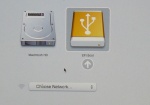 <===click on image to enlarge
- To Boot Hold "Option" Key when starting Mac. Hold key until EFI USB Icon Appears then select it right arrow ===> (EFI)
- KEY: (x)= device name
- Use the
sudo blkidcommand in a terminal to see the USB and other device names for discs attached to the system.- ie: /dev/sdb; /dev/sdc; /dev/sdd.... IMPORTANT very dangerous if you use the wrong one

Build EFI USB Boot Stick
- From booted f16-x86 64 hard disk install
Run "yum install livecd-tools" so it installs all the required
dependencies and  then use livecd-iso-to-disk

Boots:MacBook-Proi7
-EFI-Boot-USB
hold option key on power up
select --> EFI Boot
* Has Persistence
*2 GB Firefly USB
- >formatted in F16-64 disk utility VERY IMPORTANT <
fat /dev/sdb
fat /dev/sdb1
* (Built in F16-64 gnome3-shell 3.2.1 on Acer Aspire One N450)
- Download link: http://alt.fedoraproject.org/pub/alt/stage/16.RC4/Spins/x86_64/Fedora-16-x86_64-Live-SoaS.iso
root terminal command line:
sudo livecd-iso-to-disk --format --efi --overlay-size-mb 300 --home-size-mb 175 --delete-home --unencrypted-home Fedora-16-x86_64-Live-SoaS.iso /dev/sd(x) (x)=device name
Verifying image...
/home/(user)/Downloads/Fedora-16-x86_64-Live-SoaS.iso:
Fragment sums:
Fragment count: 20
Press [Esc] to abort check.
Checking: 100.0%
The media check is complete, the result is: PASS.
It is OK to use this media.
WARNING: THIS WILL DESTROY ANY DATA ON /dev/sdb!!!
Press Enter to continue or ctrl-c to abort
wipefs: WARNING: /dev/sdb: appears to contain 'dos' partition table
Waiting for devices to settle...
mkdosfs 3.0.11 (24 Dec 2010)
Copying live image to target device.
squashfs.img
  417943552 100%    7.55MB/s    0:00:52 (xfer#1, to-check=0/1)
sent 417994645 bytes  received 31 bytes  7812984.60 bytes/sec
total size is 417943552  speedup is 1.00
osmin.img
        8192 100%    0.00kB/s    0:00:00 (xfer#1, to-check=0/1)
sent 8265 bytes  received 31 bytes  16592.00 bytes/sec
total size is 8192  speedup is 0.99
Updating boot config file
Initializing persistent overlay file
300+0 records in
300+0 records out
314572800 bytes (315 MB) copied, 32.5186 s, 9.7 MB/s
Initializing persistent /home
175+0 records in
175+0 records out
183500800 bytes (184 MB) copied, 23.6238 s, 7.8 MB/s
Formatting unencrypted /home
mke2fs 1.41.14 (22-Dec-2010)
Filesystem label=
OS type: Linux
Block size=1024 (log=0)
Fragment size=1024 (log=0)
Stride=0 blocks, Stripe width=0 blocks
44880 inodes, 179200 blocks
8960 blocks (5.00%) reserved for the super user
First data block=1
Maximum filesystem blocks=67371008
22 block groups
8192 blocks per group, 8192 fragments per group
2040 inodes per group
Superblock backups stored on blocks:
	8193, 24577, 40961, 57345, 73729
Writing inode tables: done
Creating journal (4096 blocks): done
Writing superblocks and filesystem accounting information: done
This filesystem will be automatically checked every 35 mounts or 180 days, whichever comes first.  Use tune2fs -c or -i to override.
tune2fs 1.41.14 (22-Dec-2010)
Setting maximal mount count to -1
Setting interval between checks to 0 seconds
Installing boot loader
Target device is now set up with a Live image!
My Settings
Sugar on a Stick 6 (Pineapple)
Fedora release 16 (Verne)
0.94.1
Firmware: MBP81.88Z.0047.B1E.1109091244
Wireless Firmware: N/A
activities
> = Updates

pippy         43
moon          13
log           26
visual match  30
speak         34
typing turtle 28
ruler         13 > 28
turtle art    120 > 122
jukebox       23
irc           10
chat          73
maze          14
etoys         116
abacus        26 > 28
write         77
clock         7
record        93
calculate     38
image viewer  19
physics       9
memorize      39
terminal      35
surf          115
'
Boot tests of dd img USB's in a MacBook i7
- READ THIS FIRST^
- Synopsis: Only EFI .img Boots Mac.
How to Write your own .img file
Run "yum install livecd-tools" so it installs all the required
dependencies and  then use livecd-iso-to-disk
- use Disk Utility in f16 to format the USB as Master boot Record and /dev/sd(x)1 as FAT first.
- Command Line to use in root terminal:
sudo livecd-iso-to-disk --reset-mbr --format --overlay-size-mb 300 --home-size-mb 175 --delete-home --unencrypted-home Fedora-16-release-i686-Live-SoaS.iso /dev/sd(x)
make .img file from inserted USB
- Do this before you boot the USB.
- ( This will avoid network collisions when running multiple copies on the network.)
- the unique ssh keys are generated on first boot of a SoaS USB
dd if=/dev/sd(x) of=Soas-v6-Pineapple.img
 dd writable 2GB USB Soas-v5-Coconut-USB .img

- built with liveusb-creator in F16 with persistence file from
- USB 2 GB Firefly
- reduced to 1.66 GiB with gparted*
- Never started so has original Name___; Color___==> startup
Write to a 2 GB (1.95 GiB) USB device
dd if=Soas_Coconuts.img of=/dev/sd(x) bs=2M
956+0 records in
956+0 records out
2004877312 bytes (2.0 GB) copied, 93.2584 s, 21.5 MB/s
- NOTE dd may complain that it is unable to write to your USB device "No space left on device."
- Disregard as it will work (this is due to gparted resizing)
Write to a Smaller 2 GB (1.87GiB) USB device
dd if=Soas_Coconuts.img of=/dev/sd(x) bs=2M
dd: writing `/dev/sdg': No space left on device
956+0 records in
955+0 records out
2003828736 bytes (2.0 GB) copied, 316.111 s, 6.3 MB/s
dd writable 2GB USB Soas-v6-Pineapple-USB .img
- Download: http://people.sugarlabs.org/Tgillard/soas-v6-i686.img
- Never started so has original Name___; Color___==> startup
dd writable 1 GB EFI Boot (MAC) USB Soas-v6-Pineapple x86-USB .img
- note file is mis-named
- persistent; fits in a 1 GB USB
- How to build: #MacBook_Persistent_SoaS_v5_and_SoaS_v6_EFI_Boot_USB
- NOTE DO NOT USE THIS .img file with image-writer-mac
- For Booting a Mac ONLY do not use on a PC
- This is a dd created .img from a working USB
About my computer
Sugar on a Stick 6 (Pineapple) Fedora release 16 (Verne) sugar 0.94.1
Write to a 1 GB USB device
sudo su
Password
dd if=SoaS-15-1-EFI.img of=/dev/sd(x) bs=2M
489+1 records in
489+1 records out
1026555904 bytes (1.0 GB) copied, 216.577 s, 4.7 MB/s
- Write your own:
sudo livecd-iso-to-disk --format --efi --overlay-size-mb 300 --home-size-mb 175 --delete-home --unencrypted-home Fedora-16-x86_64-Live-SoaS.iso /dev/sd(x)
 F16 SoaS Pineapple USB boot for XO-1

- (graphical) liveusb-creator in F16 gnome3-shell- with Fedora-16-i686-Live-SoaS.iso selected
- boots XO-1 with a Live USB image
- Formatted the USB device in F16 gnome3-shell disk utility as fat with LIVE label. Installation said it was Setting up OLPC boot file at end.
- USB is very slow but it boots from the USB device
- (USB in right slot when powered on)
- connects to WEP Access Point and Updates correctly
- This USB device image will not boot XO-1.5
liveusb-creator record
Fedora-16-i686-Live-SoaS.iso selected
Warning: The Master Boot Record on your device does not match your  system's  syslinux MBR.
If you have trouble booting this stick, try running  the liveusb-creator with the --reset-mbr option.
Verifying filesystem...
Verifying ISO MD5 checksum
ISO MD5 checksum passed
Extracting live image to USB device...
Wrote to device at 6 MB/sec
Creating 1687MB persistent overlay
Setting up OLPC boot file...
Installing bootloader...
Marked /dev/sdb1 as bootable
Unmounting /media/LIVE
Complete! (0:07:23)
 SoaS v6 Desktop EFI USB device Builder prebuilt VirtualBox Appliance
- http://download.sugarlabs.org/images/VirtualBox/f16-live-RC4-Desktop-sugaruser.ovf
- http://download.sugarlabs.org/images/VirtualBox/f16-live-RC4-Desktop-sugaruser-disk1.vmdk
- builds EFI 2GB USB devices that boot MacBook Pro i7 (8.1 Intel)
- Just import 2 files from above link ^
- root=sugarroot user=sugar pswd=sugaruser
- Allows building of EFI Boot USB devices (self contained)
- F16-Desktop x86-64 Virtual Machine
- requires a x86_64 computer
- IMPORTANT: There is NO WIRELESS (wired works) or AUDIO available when booted from this EFI Boot USB
- Contains RC4 F15 and F16 x86_64-Live-SoaS.iso files in the Download directory
- Script in Desktop to run in terminal
- How to use the VM to create an EFI boot USB
Start Virtual Appliance
start Terminal (Applications/system tools/terminal)
In terminal: cd Downloads
Insert a 2 GB or larger USB
type "mount" to get USB device name ie: /dev/sdb; /dev/sdc/; etc Be certain of this to get this wrong is dangerous.
minimize
start Applications/Accessories/gedit
In Gedit Open /Desktop/livecd-iso-to-disk.txt
edit command line to show correct USB device name.
copy corrected command line
Paste into terminal
- builds EFI 2GB USB devices that boot MacBook Pro i7 (8.1 Intel)
- THIS IS A DANGEROUS OPERATION. BE CERTAIN THE USB DEVICE NAME IS CORRECT
root=sugarroot user=sugar pswd=sugaruser
- Please Test all suggestions on comments are welcome Please edit wiki.
F16 SoaS Pineapple USB boot image for XO-1
- (graphical) liveusb-creator in f16 gnome3-shell- with Fedora-16-i686-Live-SoaS.iso selected
- boots XO-1 as a live USB device
- I formatted the USB device disk first in F16 gnome3-shell disk utility as Master Boot Record and fat partition with LIVE label
- Then ran liveusb-creator (graphical)
- USB is quite slow but it does boot from the USB device
- (USB in right bottom slot when powered on)
- connects to WEP Access Point and Updates correctly
liveusb-creator record
Fedora-16-i686-Live-SoaS.iso selected
Warning: The Master Boot Record on your device does not match your  system's  syslinux MBR.
If you have trouble booting this stick, try running  the liveusb-creator with the --reset-mbr option.
Verifying filesystem...
Verifying ISO MD5 checksum
ISO MD5 checksum passed
Extracting live image to USB device...
Wrote to device at 6 MB/sec
Creating 1687MB persistent overlay
Setting up OLPC boot file...
Installing bootloader...
Marked /dev/sdb1 as bootable
Unmounting /media/LIVE
Complete! (0:07:23)
About my computer
- Build: Sugar on a Stick 6 (Pineapple)
- Fedora Release 16 (Verne)
- Sugar:0.94.2
- Firmware:Q2E46
- Wireless firmware:9.34.3 p23
- (Connects via jabber.sugarlabs.org to a XO-1.5 running os874 sugar 0.92.2)
Installation test Cases
- Tests to Use with SoaS Fedora-qa test days
Testing Results
- Sections below here report on testing of recent Sugar on a Stick-(SoaS) and Fedora Nightly Composes and Remixes.
- See also test results table in Sugar on a Stick QA , and subpages of SoaS/Testing.
- ADVANCED KernelDebugStrategy
- "Fedora enables differing amounts of debugging in the kernel at various times depending on where we are in the release cycle...."
f17 TC1 x86_64 dd to USB DVD install
- Apr 26, 2012
- Note sugar-desktop installed with Gnome and LXDE
- Network was off - need to start it in gnome before logging in to sugar with gdm
- 3 repos used - including updates testing
My Settings/About my Computer
Fedora release 17 (Beefy Miracle)
0.95.7
V1.05
N/A
Activities
- KEY
- => Updates in CP
- ok starts and saves to journal
calandario           4 =>6 ok
image viewer        26 ok
Get Books           11 ok
chat                75 ok
finance              3      (failed to start)  malformed bundle
pukllanapac          8 ok
ruler               19 ok
clock                7 ok
physics              9 ok
playgo               5      (failed to start) malformed bundle
memorize            41 ok
moon                13 ok
labyrinth           12 ok
record              95 ok
irc                 10 ok long delay on port 8001-firewall?
infoslicer          14 ok downloads olpc
speak               38 ok
calculate           39 ok
view slides          8      (failed to start) malformed bundle
typing turtle       29 ok
portfolio           21 ok
stopwatch           14 ok
terminal            36 ok
write               78 ok  saves to journal: rtf;html;txt;pdf all open from journal
turtle art         138 ok
distance            25 =>30 ok
log                 28 ok
flip sticks         12 ok
pippy               46 ok? physics:Import error cannot import name physics
dimensions          37 ok
paint               41 =>42
implode             10 =>11 ok
maze                18 ok
connect             22      (failed to start)
jukebox             23 =>24 ok
abacus              32 ok
etoys              116  ?  debus error : presence service exited with status 1 (works if no network connected)
read                99 ok
browse             135 ok
Fedora SoaS Spin
- http://dl.fedoraproject.org/pub/alt/stage/17-Beta.TC1/Live/i686/
- http://alt.fedoraproject.org/pub/alt/spins/linux/releases/16/
- http://fedoraproject.org/get-fedora
- https://spins.fedoraproject.org/soas/#downloads
- Latest Nightly Spins: http://koji.fedoraproject.org/koji/tasks?method=createLiveCD&owner=kevin&state=all&view=tree&order=-id
- Current Download Page
Fedora-17-Nightly-20120409.08-i686-Live-desktop with sugar-desktop
- iso no longer available
- Installed with "liveinst" to VirtualBox 4.1.12r77245 Trisquel 5.5RC (Ubuntu 11.10)
- yum groupinstall sugar-desktop
- yum install sugar-emulator liveusb-creator
About my Computer
Build:     Fedora release 17 (Beefy Miracle)
Sugar:     0.95.6
Firmware:  VirtualBox
Activities
- list view
KEY => update  ok=starts and stops; saving to journal.

JukeBox             23  =>24 ok starts record audio (no sound plays from file)
Turtle Art         136  => 137  (has info hints on mouse-over)
Record              94  =>95 ok  LTD6K1BY USB Camera [2809] no sound
Countries           33 ok (No icon just grey circle)
Calculate           38  =>39 ok
Abacus              32 ok
Chat                74 ok
IRC                 10 ok blocked by firewall? port 8001
Log                 28 ok
Maze                15 =>16 ok
Ruler               19 ok
Memorize            39 ok
Portfolio           21 ok
Clock                7 ok
Terminal            36 ok
Speak               37 ok
Physics              9 ok
Visual Match        35 ok
Image Viewer        19 ok
Etoys              116 no DBus Error - no reply from presence service
Pippy               46 ok?  - ImportError: cannot import name physics
Typing Turtle       29 ok
Moon                13 ok
Write               78 ok opens .rtf can load Photos (.jpeg) taken from record
Browse             133 ok  no bookmarks does not read .html saves from write
Read                97 ok reads .txt .rtf and .pdf from journal saved by write
F17-Netinstall Beta RC1-sugar only
- Installed to VirtualBox 4.1.10
- Configure Now; sugar-desktop only (No Gnome)
- All activities selected - except for sugar-emulator and XOmail
- sees jabber
About my Computer
Build:     Fedora release 17 (Beefy Miracle)
Sugar:     0.95.6
Firmware:  VirtualBox
Activities
- list view
KEY => update  ok=starts and stops; saving to journal.

Etoys              116 no DBus Error - no reply from presence service
PlayGo               5 no failed to start -MalformedBundleException
Log                 28 ok
Chat                74 ok
JukeBox             23  =>24 ok - no files to start
Speak               37 ok
Visual Mach         35 ok
Flip Sticks         12 ok
Pippy               46 ok?  - ImportErrot: cannot import name physics
Moon                13 ok
Ruler               19 ok
View slides          8 no failed to start
Maze                15 ok
Labyrinth           12 ok
StopWatch           14 ok
Turtle Art         136 ok
Record              94  =>95 no sound only does not store sound (Hangs up)
Implode             10  =>11 ok
Typing Turtle       29 ok
Finance              3 no failed to start
Countries           33 ok (No icon just grey circle)
InfoSlicer          11 ok
IRC                 10 ok
Analyze              8 no failed to start
Memorize            39 ok
Portfolio           21 ok
Image Viewer        19 ok
Calendario           4  =>6 ok
Pukllanapac          8 ok
Abacus              32 ok
Calculate           38  =>39 ok
Connect             22 no failed to start
Clock                7 ok
Terminal            36 ok
Distance            25 ok
Physics              9 ok
Get IA Books         3 no failed to start
Write               78 ok
Read                97 ok reads .txt and .pdf from journal saved by write
Browse             133 ok  no bookmarks
Paint               40  no failed to start
Fedora-17-Beta-TC2-i686-Live-SoaS
- http://koji.fedoraproject.org/koji/getfile?taskID=3907156&name=Fedora-17-Beta-TC2-i686-Live-SoaS.iso
Testing --Satellit 2:59 PM, 18 March 2012 (PST) 1-) Tested CD usingPenguin Libre GNU / Linux Notebook i3.
- (all free drivers)
- Boots to name___; Color___
- Wireless AP (WEP) Connects and stays connected
- Sees Jabber
About my Computer
Sugar on a Stick 7
Fedora release 17 (Beefy Miracle)
0.95.4
Activities
2-) Tested in VirtualBox 4.1.10 install to 8 GB HD
- Use whole Disk
- [x]use LVM
key  &=not favorite; ok=starts and saves; ==> updates to:
etoys              116 no DBusError: Process /usr/bin/sugar-presence-service exited with status 1 (pulsing in top bar after quit)
visual match        35 ok
chat                73 ok ==>74 ok
maze                15 ok
moon                13 ok
abacus              31 no failed to start  AttributeError: 'AbacusActivity' object has no attribute 'set_toolbox' are we shipping too new a version here?
turtle art         136 ok
write               77 ok ==>78 ok
typing turtle       29 ok
speak               36 ok ==37 ok
jukebox             23 ok
irc                 10 ok
pippy               45 ok?* ==>46 ok fixed    *Physics does not start
memorize            39 ok
& portfolio         21 ok
image viewer        19 ok? no matching entries
log                 26 ok ==>27 ok
calculate           38 ok
record              93    ==>94 ok sees VirtualBox USB Camera
ruler               19 ok
clock                7 ok
physics              9 ok
terminal            35 ok
& read              97 ok   works with files saved from write 78 as .txt; .pdf; .rtf; and .html. does not work with Etoys (DBus errors?) or Browse (unable to open URL)
& browse           131 ok ==>132 ok
tools_livecd-iso-to-disk Persistent USB-stick
sudo ./tools_livecd-iso-to-disk.sh --reset-mbr --overlay-size-mb 500 --home-size-mb 900 --delete-home --unencrypted-home Fedora-17-Beta-TC2-i686-Live-SoaS.iso /dev/sd(x)1
Verifying image...
./tools_livecd-iso-to-disk.sh: line 806: checkisomd5: command not found
Are you SURE you want to continue?
Press Enter to continue or ctrl-c to abort

Copying live image to target device.
squashfs.img
   489975808 100%    6.98MB/s    0:01:06 (xfer#1, to-check=0/1)

sent 490035693 bytes  received 31 bytes  7259788.50 bytes/sec
total size is 489975808  speedup is 1.00
osmin.img
        8192 100%    0.00kB/s    0:00:00 (xfer#1, to-check=0/1)

sent 8265 bytes  received 31 bytes  16592.00 bytes/sec
total size is 8192  speedup is 0.99
Updating boot config file
Initializing persistent overlay file
500+0 records in
500+0 records out
524288000 bytes (524 MB) copied, 86.1616 s, 6.1 MB/s
Initializing persistent /home
900+0 records in
900+0 records out
943718400 bytes (944 MB) copied, 211.095 s, 4.5 MB/s
Formatting unencrypted /home
mke2fs 1.41.11 (14-Mar-2010)
Filesystem label=
OS type: Linux
Block size=4096 (log=2)
Fragment size=4096 (log=2)
Stride=0 blocks, Stripe width=0 blocks
57600 inodes, 230400 blocks
11520 blocks (5.00%) reserved for the super user
First data block=0
Maximum filesystem blocks=239075328
8 block groups
32768 blocks per group, 32768 fragments per group
7200 inodes per group
Superblock backups stored on blocks:
	32768, 98304, 163840, 229376

Writing inode tables: done
Creating journal (4096 blocks): done
Writing superblocks and filesystem accounting information: done

This filesystem will be automatically checked every 39 mounts or
180 days, whichever comes first.  Use tune2fs -c or -i to override.
tune2fs 1.41.11 (14-Mar-2010)
Setting maximal mount count to -1
Setting interval between checks to 0 seconds
Installing boot loader
Target device is now set up with a Live image!
liveinst from persistent USB-stick
- Used the above USB-stick with livinst from root terminal
- Use whole disk [x]LVM
- Created 500 GB HD install of SoaS (My testing HD)
Fedora-17-Beta-TC1-x86_64-Live-XFCE with Sugar 0.95.4
Fedora-17-Beta-TC1-x86_64-Live-XFCE.iso Boot CD
Edited Wireless and added WEP ASCII password
set wireless IPv6 to "ignore" https://bugzilla.redhat.com/show_bug.cgi?id=801052
Install to HD:
use whole disk non LVM
Boot
Add/Remove Programs - sugar
check all pertinent activities
Menu/education/sugar
Sugar emulator starts:
sugar-desktop starts  and wireless AP is already configured.
Wireless stays connected
Values from Live CD seem to be transferred to install.
- Bug Fix:
su
yum install ConsoleKit-x11
- nirik on #fedora-qa --Satellit 15:57, 12 March 2012 (EDT)
- Fixes not being to be able to log out or shutdown XFCE
About My Computer
Fedora release 17 (Beefy Miracle)
0.95.4
V1.05
Activities
Key = ok started and saved to journal
            version   update    Error
read             97             failed to start after selecting something
write            77    78 ok
maze             15 ok
implode          10    11 ok
physics           9 ok
pippy            45    46 ok
view slides       8             failed to start
etoys           116             starts and reports error
speak            36    37 ok
memorize         39 ok
tamtamSynthlab   52    62 ok
tamtamediy             62 ok    no sound
tamtamjam        52    62 ok    no sound
tamtammini       51    62 ok    no sound
ruler            19 ok
stopwatch        14 ok
terminal         35 ok
visualmatch      35 ok
browse          131   132 ok
labyrinth        11              failed to start
abacus           31              failed to start
paint            37   39         failed to start
calandario        4    5 ok
turtle art      136 ok
measure          36 ok           oscilloscope shows sounds
calculate        38 ok
typing turtle    29 ok
get ia books      3              failed to start
irc              10 ok           have to start 2nd time to log in?
finance           3              failed to start
connect          22              failed to start
infoslicer       11 ok           search "olpc" works
pukllanapac       8 ok
jukebox          23 ok
record           93              failed to start
moon             13 ok
flip sticks      12 ok
clock             7 ok
chat             73   74 ok
portfolio        21 ok
log              26   27 ok
image viewer     19 ok
playgo            5              failed to start
Fedora-17-Alpha-RC4-x86_64-Live-Desktop install to VirtualBox
- VirtualBox 4.1.6 r74714 for OSX
MacBook Pro i7
1256 MB memory
12 MB Video Memory
Enable IO APIC; Enable VT-x/AMD-V; Enable Nested Paging
8 GB expanding HD
- uses llvm pipe software acceleration
- GNOME 3.3.5 (Not fallback)
- liveinst
- use whole disk [lvm]
- firstboot
- GNOME 3.3.5
- Update
- reboot
- Add/Remove Programs
- sugar- check all options
- log out/login to sugar
- works fine
- sees avatars on jabber
Fedora release 17 (Beefy Miracle)
Sugar 0.95.4
VirtualBox
VirtualBox Test of Memory Required
- MacBook Pro i7
- 1256 MB boots - installs
- 768 MB (VB Default) boots with "Oh-No" then, after long wait, gnome3 shell - installs
- 512 MB (starts display manager) boots with "Oh-No" "Gnome 3 Failed to load" (close) long wait enters Gnome fallback mode- (much CD activity).
- - install does not start.
- Message that 769 MB memory is required. (I have been told that this is hard wired in anaconda)
Nightly live Composes
- AutoQA (rats install):http://autoqa-stg.fedoraproject.org/resultsdb/frontend/search?type=Testcase&terms=rats_install
- http://alt.fedoraproject.org/pub/alt/nightly-composes/
- Note all nightly compose are ephemeral builds for testing and are erased when the next build happens.
- Current status of All createLiveCD Tasks in Koji
- see latest builds and their status
- Retrieve recent older Nightly Composes
- All Composes: http://koji.fedoraproject.org/koji/tasks?state=all&view=flat&method=createLiveCD&order=-id
Fedora-17-Nightly-20120321.17-i686-Live-soas
- Boots to Name
- Jabber works
About my Computer
Sugar on a Stick 7
Fedora release 17 (Beefy Miracle)
0.95.4
2.60
Fedora-17-Nightly-20120318.10-i686-Live-soas (VirtualBox)
About my Computer
Sugar on a Stick 7
Fedora release 17 (Beefy Miracle)
0.95.4
VirtualBox
Activities
key  &=not favorite; ok=starts and saves; ==> updates to:
etoys              116
visual match        35
chat                73 ==>74
maze                15
moon                13
abacus              31
turtle art         136
write               77 ==>78
typing turtle       29
speak               36 ==37
jukebox             23
irc                 10
pippy               45 ==>46
memorize            39
& portfolio         21
image viewer        19
log                 26 ==>27
calculate           38
record              93 ==>94
ruler               19
clock                7
physics              9
terminal            35
& read              97
& browse           131 ==>132
Fedora-17-Nightly-20120310.09-i686-Live-soas
- Boots until X starts and restarts endlessly
- same bug since 0226
Fedora-17-Nightly-20120226.09-i686-Live-soas
- boots correctly
- Wireless AP cannot remain connected
- Wireless Ad-Hoc AP's visible and connect correctly
- No other changes from previous nightly SoaS live CD
Fedora-17-Nightly-20120221.07-i686-Live-soas (VirtualBox)
- Virtual Appliance Install
- liveinst
- VirtualBox 4.1.10r76795
- How to create a Persistent Live USB-stick from this .iso
About my Computer
Sugar on a Stick 7
Fedora release 17 (Beefy Miracle)
0.95.4
VirtualBox
Activities
Key ok = starts and saves
Key &  = not a favorite
chat                 73 ok (pulsing in top bar after quit)
maze                 15 ok
moon                 13 ok
& abacus             31 failed to start
ruler                17 ok
& portfolio          20 ok
write                77 ok (pulsing in top bar after quit)
etoys               116 no DBusError: Process /usr/bin/sugar-presence-service exited with status 1 (pulsing in top bar after quit)
& typing turtle      29 ok
&  jukebox           23 ok? No decoder to handle media type 'application/zip' (tried to start write from journal)
turtle art          134 ok
& irc                10 ok but cannot connect on port 8001
pippy                44 ok? cannot import physics  (pulsing in top bar after quit)
Software update
read                 97 ok? failed to open write from journal Cannot load document: File type ODT... is not supported /  EvinceViewer instance has no attribute 'model'
browse              132 ok  no bookmarks
log                  27 ok
speak                37 ok
pippy                46 ok physics ok
write                78 ok opens pdf; html; txt; rtf files saved to journal
chat                 74 ok
Fedora-17-Nightly-20120218.10-i686-Live-soas
- No wireless AP
- No major changes from earlier nightly
Fedora-17-Nightly-20120213.15-i686-Live-soas
- Normal Boot : boots to Name and color screens
- enforcing=0 Not Required for boot NEW
- NO Changes in Activities from previous build
- Yum does not work "No repomd file" https://bugzilla.redhat.com/show_bug.cgi?id=790530
- my settings/Modem Configuration does not open
liveinst
fails unless use
Custom:
Delete partition  - this is 8GB USB Stick
Create:
bios boot 2
/ext4 7000
swap 500
- USB install boots and completes firstboot/gdm login correctly
- enforcing=0 Not Required
Fedora-17-Nightly-20120210.09-i686-Live-soas
Burn to CD
ACER ASPIRE ONE N450 + external USB DVD/CD
- Normal Boot :enforcing=0 : boots to Name and color screens
About my Computer
sugar on a stick 7
Fedora release 17 (Beefy Miracle)
0.95.4
V1.05
Activities
= Share offered Key= @ Not a Favorite ==> Update @ Browse 131 Chat 73

Network
- Wired connection works with Browse
- Wired OK
- No Wireless or Ad-Hoc AP's
- Yum does not work "No repomd file"
Boot USB-stick
enforcing=0
- Firstboot
.Warning: Cannot open consolekit session: Unable to open session: Unable to get information about the calling process. (OK)
- Loads KDE Desktop
Network
- Wired OK - Web browser works
- Wireless (failed) Error- Network Error adding connection: No session found for uid 1000 (No session found for uid 1000)
- Software Management / Updates /check for updates
- Xterm: Yum does not work "No repomd file"
Fedora-17-Alpha-TC2-i686-Live-SoaS
http://dl.fedoraproject.org/pub/alt/stage/17-Alpha.TC2/Live/i686/Fedora-17-Alpha-TC2-i686-Live-SoaS.iso --Satellit 21:13, 9 February 2012 (EST)
- Boots
- No Wireless AP's or Ad-Hoc network Points
- Speech feature in frame works
About my Computer
Sugar on a Stick 7
Fedora releast 17 (Beefy Miracle)
Sugar 0.95.4
Firmware V1.05
Activities
liveinst to USB-stick
- Anaconda 17.7-1.fc17.i686
- 16 GB USB Stick fat32
[Configure Network] greyed out
- Custom (this reformats the USB-stick)
Bios boot 2
/ ext4 15000
swap 317
- Congratulations-(reboot)
- Reboot USB-stick with enforcing=0
- Can't open font TRUE
- firstboot
[ ]Synchronize date and time over the network greyed out
NOTE: if boot of USB Stick does not have enforcing=0 on boot line firstboot fails enforcing=0 has to be entered on boot line every time the USB-stick is booted or login fails
- Does not let me log in as user registered in firstboot
- root login fails also
Fedora-17-Nightly-20120208.15-i686-Live-soas-FAILS
- Does not boot - problem with start x starting?
- boot selinux-0 setenforce=0 nomodeset
- started display manager.....last entry
- Basic Video
- started display manager.....last entry
Fedora-17-Nightly-20120205.21-i686-Live-soas
About my Computer
Sugar on a Stick 7
Fedora release 17 (Beefy Miracle)
0.95.4 new
V1.05
Activities
- no changes except
turtle art (131) now 134 new
Speech Feature
- New feature in bottom right frame.
- > Say selected text
- > Stop playback
- Pitch and Rate are adjustable
- Reads selected text from sugarlabs wiki (Browse 130) and IRC 10.
Bugs
- No Wireless AP or Ad-Hoc
- Can't open font file TRUE
- boots past this error with no problem
- f16 Artwork
liveinst to USB
- Also works for HD install with:
- WORKS anaconda-17.5-1.fc17.i686
- 4 GB USB-stick
bios boot 1
ext4 /    3900
no swap
Fedora-17-Nightly-20120202.09-i686-Live-soas
About my Computer
Sugar on a Stick 7
Fedora release 17 (Beefy Miracle)
0.95.1
V1.05
Activities
chat          73
maze          15
moon          13
abacus        31
ruler         17
portfolio     20
write         77
etoys        116
typing turtle 29
jukebox       23
turtle art   131
irc           10
memorize      39
pippy         44
image viewer  19
speak         35
log           26 ==>27
calculate     38
terminal      35
record        93
clock          7
visual match  34
physics        9
browse       130
read          94
Bugs
- No Wireless AP or Ad-Hoc
liveinst to USB
- WORKS anaconda-17.5-1.fc17.i686
- 4 GB USB-stick
bios boot 1
ext4 /    3900
no swap
CD Boots Mac-x86_64
- http://koji.fedoraproject.org/koji/getfile?taskID=3757142&name=Fedora-17-Nightly-20120202.09-x86_64-Live-soas.iso
- hold "option " key until see windows CD to right of Mac HD Icon. select and boot
- 'No wired or wireless connections
Fedora-17-Nightly-20120120.10-i686-Live-soas
- Boots Properly
- Sees Jabber on wired connection
- Does not see wireless AP or AD-Hoc on f1 screen
- https://bugzilla.redhat.com/show_bug.cgi?id=783712 http://bugs.sugarlabs.org/ticket/3298
- does not have driver for ACER ASPIRE ONE N450? it has always worked before
- Has Documents Folder in left bottom corner screen in Journal View
- Allows Drag-drop of files to Documents
my settings About my Computer
  Build: Sugar on a Stick 7
         Fedora release 17 (Beefy Miracle)
  Sugar: 0.95.1
Firmware:V1.05
Applications
key +==> updates version no.
maze          14 +==>15
chat          73
moon          13
abacus        31
ruler         17
portfolio     20 (not a favorite) -shows starred (selected) items from sugar-journal
write         77
etoys        116 - DBusError:process /usr/bin/sugar-presence-service exited with status 1
typing turtle 29
jukebox       23
Turtle art   131
irc           10
memorize      39
pippy         44 - physics: ImportError: cannot import name physics
image viewer  19
speak         35
log           26 +==>27
calculate     38
terminal      35
record        93 - no sound on ACER ASPIRE ONE N450
clock          7  - Starts with analog clock
visual match  34
physics        9
surf         115
browse       130 (not a favorite) works  No bookmarks http://bugs.sugarlabs.org/ticket/3300
read          94 (not a favorite) *fails to start when try to open txt file
Errors
- Etoys and log do not color after use on (f3) Home ring
- "liveinst" from root terminal:
Traceback (most recent call last):
 File "/usr/sbin/anaconda" line 606, in <module>
  from pyanaconda import kickstart
 File "/usr/lib/python2.7/site-packages/pyanaconda/kickstart.py", line 32, in <module>
  from errors import*
ImportError: no module named errors
- Will not install to Hard Disk
Fedora-16-Nightly-20111016.20-i686-Live-soas
create USB with livecd-iso-to-disk script
- 2GB firefly USB formatted fat 16 with boot flag
# ./livecd-iso-to-disk.sh --reset-mbr --overlay-size-mb 300 --home-size-mb 175 --delete-home --unencrypted-home /home/robert/Desktop/Fedora-16-Nightly-20111016.20-i686-Live-soas.iso /dev/sdg1
Verifying image...
./livecd-iso-to-disk.sh: line 385: checkisomd5: command not found
Are you SURE you want to continue?
Press Enter to continue or ctrl-c to abort
Copying live image to USB stick
Updating boot config file
Initializing persistent overlay file
300+0 records in
300+0 records out
314572800 bytes (315 MB) copied, 41.3084 s, 7.6 MB/s
Initializing persistent /home
175+0 records in
175+0 records out
183500800 bytes (184 MB) copied, 26.235 s, 7.0 MB/s
Formatting unencrypted /home
mke2fs 1.41.4 (27-Jan-2009)
Filesystem label=
OS type: Linux
Block size=1024 (log=0)
Fragment size=1024 (log=0)
44880 inodes, 179200 blocks
8960 blocks (5.00%) reserved for the super user
First data block=1
Maximum filesystem blocks=67371008
22 block groups
8192 blocks per group, 8192 fragments per group
2040 inodes per group
Superblock backups stored on blocks:
	8193, 24577, 40961, 57345, 73729
Writing inode tables: done
Creating journal (4096 blocks): done
Writing superblocks and filesystem accounting information: done
This filesystem will be automatically checked every 33 mounts or
180 days, whichever comes first.  Use tune2fs -c or -i to override.
tune2fs 1.41.4 (27-Jan-2009)
Setting maximal mount count to -1
Setting interval between checks to 0 seconds
Installing boot loader
USB stick set up as live image!
- Boots Fine
Install to HD (liveinst)
F16 disk utility
format HD
format partion ext4
- Discovered that using gparted to format the HD partition on Ubuntu causes liveinst failure as it cannot see the 1 MiB first partition.
- NOR can the installer
liveinst
Boot Live SoaS CD
terminal:
liveinst
custom
ext4 / [format] (not allowed to use existing ext4 fs)
installing bootloader
- Works Great. boots to firstboot....gdm login
- F1 Network neigborhood shows jabber avitars
Boots on MacBook Pro i7
CD
option key ==> windows
has efi folder but does not show up on Mac