Activities/Turtle Art/Gallery: Difference between revisions
< Activities | Turtle Art
No edit summary |
No edit summary |
||
| Line 43: | Line 43: | ||
File:TA-graphics-turtles.png|[https://git.sugarlabs.org/turtleart/mainline/blobs/raw/master/samples/graphics-turtles.ta turtles] | File:TA-graphics-turtles.png|[https://git.sugarlabs.org/turtleart/mainline/blobs/raw/master/samples/graphics-turtles.ta turtles] | ||
File:Wedding-tree.png|[http://people.sugarlabs.org/walter/wedding-tree.tb wedding tree] | File:Wedding-tree.png|[http://people.sugarlabs.org/walter/wedding-tree.tb wedding tree] | ||
File:TurtleTrees.png|[http://people.sugarlabs.org/walter/Trees.ta more trees] | |||
File:TA-graphics-xochild.png|[https://git.sugarlabs.org/turtleart/mainline/blobs/raw/master/samples/graphics-xo-child.ta xo child] | File:TA-graphics-xochild.png|[https://git.sugarlabs.org/turtleart/mainline/blobs/raw/master/samples/graphics-xo-child.ta xo child] | ||
</gallery> | </gallery> | ||
| Line 56: | Line 57: | ||
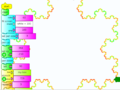
File:TA-math-snowflake.png|[https://git.sugarlabs.org/turtleart/mainline/blobs/raw/master/samples/math-snowflake.ta snowflake] | File:TA-math-snowflake.png|[https://git.sugarlabs.org/turtleart/mainline/blobs/raw/master/samples/math-snowflake.ta snowflake] | ||
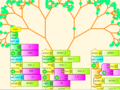
File:TA-math-tree.png|[https://git.sugarlabs.org/turtleart/mainline/blobs/raw/master/samples/math-tree.ta tree] | File:TA-math-tree.png|[https://git.sugarlabs.org/turtleart/mainline/blobs/raw/master/samples/math-tree.ta tree] | ||
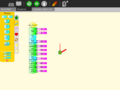
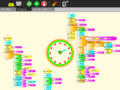
File:TAclock1.png|A clock activity | |||
File:TAclock2.png | |||
File:TAclock3.png | |||
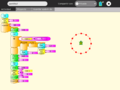
File:TAclock4.png | |||
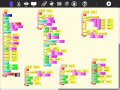
File:TAgeometry.png|Calculating the hypotenuse and approximating the angle of a right triangle | |||
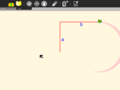
File:TAgeometry1.png|Stepping through the program is a nice way to visualize the process of approximation | |||
File:TAgeometry2.png|The final result of the approximation. | |||
File:Sine.png|And on-the-fly function definitions | |||
File:US currency.png|Currency (using [[File:US-currency.tar.gz|plugin]]) | |||
File:Oz currency.png|Currency including coins (using [[File:Oz-currency.tar.gz|plugin]]) | |||
</gallery> | </gallery> | ||
=== | Tony Forster describes his "adventures" with on-the-fly definitions to create an [http://4.bp.blogspot.com/_fTmGyLerUL4/SY0URR-P7TI/AAAAAAAAAN4/XySQUPHmiME/s1600-h/clockface.jpg analog clock] in [http://tonyforster.blogspot.com/2009/02/using-insert-function-block-in.html his blog.] | ||
Try any of the [http://docs.python.org/library/time.html time] or [http://docs.python.org/library/math.html math] library functions, e.g., | |||
localtime().tm_min | |||
sin(x) + sin(pi/2) | |||
===sensors=== | |||
Turtle Art supports sensor input: | |||
<gallery> | <gallery> | ||
File:Bike odometer.png|Using a Hall-effect sensor, you can build a bike odometer in Turtle Art | |||
File:Audio paint.png|Capturing mouse events and using audio to se the pen width | |||
</gallery> | </gallery> | ||
More ideas for sensors [[http://wiki.sugarlabs.org/go/Activities/TurtleArt/Using_Turtle_Art_Sensors]] | |||
[[http://wiki.sugarlabs.org/go/Activities/TurtleArt/Uso_de_TortugaArte_Sensores]] | |||
=== Games === | === Games === | ||
Turtle Art can be used to write games, such as a simple falling block game: | |||
<gallery> | |||
File:WeGotGame.png | |||
File:Hot-cold.png | |||
File:Yes-no.png | |||
File:State-game.png | |||
File:Boston-game.png | |||
File:Continent-game.png | |||
File:Gardner-school.png | |||
File:Shapes-game.png | |||
</gallery> | |||
===presentations=== | |||
<gallery> | |||
File:Portfolio14.png | |||
File:Portfolio13.png | |||
</gallery> | |||
===student work=== | |||
Students from Caacupé have been sending me examples of their work: | |||
<gallery> | |||
File:Mi bici.png|Eduado Fabian Ayala Vargas | |||
File:TmpNW2JGh.png|Johana Soeli Aquino | |||
File:Circulo colores.png|Ivan Silva | |||
File:Tmp4FAsHi.png|Rodrigo Nicolas Valdéz Bobadilla | |||
File:Captura pantalla de Actividad TortugArte.png|Juan Pablo Espinola Carballo | |||
File:Flora.png|Miguela | |||
</gallery> | |||
===Just for fun=== | |||
<gallery> | |||
File:Galapagos.png|my elder cousin | |||
File:Hot-cold.png|[http://www.dailymotion.com/user/sugarlabs/video/x9dsjf_hotcold-game_creation (video)] | |||
File:State-game.png|[http://www.dailymotion.com/user/sugarlabs/video/x9xz9o_stategame_tech (video)] | |||
File:Pie1.png | |||
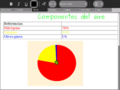
File:Pie2.png|[http://5toescuela3.blogspot.com/2009/07/actividades-para-sugar.html Using Turtle Art for pie charts] | |||
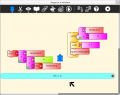
File:Keyboard.png|Q: How do I cast keyboard input to a string? A: Use chr(). | |||
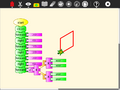
File:Explicit_approach.png | |||
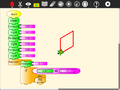
File:Approximation_approach.png | |||
File:RFID.png | |||
</gallery> | |||
=== Recent features === | |||
<gallery> | <gallery> | ||
File:Coordinates.png|Cartesian and polar coordinate grids | |||
File:Collapsible.png|Collapsible stack | |||
File:Collapsed.png|Collapsed stack | |||
File:Python-expandable.png|Python function with one, two, or three variables | |||
File:Bullets-two.png|Expandable bullet list (two bullets) | |||
File:Bullets-four.png|Expandable bullet list (four bullets) | |||
File:Large-blocks.png|Enlarged blocks | |||
File:Small-blocks.png|Shrunken blocks | |||
File:100Turtles.png|100 Turtles | |||
File:TA-savesvg.svg|SVG output using the save SVG block | |||
File:TA-multivariable.png|Multi-variable Python blocks | |||
File:TAMaze.png|Turtle 'sees' | |||
File:TAdual-sensor-mode.png|Reading data from multiple sensors (XO hardware only) | |||
</gallery> | </gallery> | ||
Revision as of 20:27, 17 July 2013
Note to contributors:
Please add you projects to the galleries below. The basic format is:
File:PICTURE_OF_YOUR_PROJECT|[LINK_TO_YOUR_PROJECT YOUR_PROJECT_NAME]
You can upload a PICTURE_OF_YOUR_PROJECT from the Upload Page.
Nota a los contribuyentes: Por favor, añada usted los proyectos de las galerías de abajo. El formato básico es:
File: IMAGEN_DE_SU_PROYECTO | [ENLACE_A_SU_PROYECTO NOMBRE_DE_SU_PROYECTO]
Puedes subir un imagen de su proyecto desde la página de carga.
Graphics


Media
Maths
-
-
-
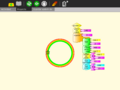 A clock activity
 -
-
-
-
 Calculating the hypotenuse and approximating the angle of a right triangle
 -
 Stepping through the program is a nice way to visualize the process of approximation
 -
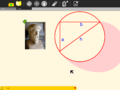 The final result of the approximation.
 -
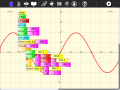 And on-the-fly function definitions
 -
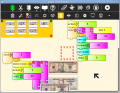 Currency (using File:US-currency.tar.gz)
 -
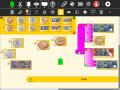 Currency including coins (using File:Oz-currency.tar.gz)


Tony Forster describes his "adventures" with on-the-fly definitions to create an analog clock in his blog.
Try any of the time or math library functions, e.g.,
localtime().tm_min
sin(x) + sin(pi/2)
sensors
Turtle Art supports sensor input:
-
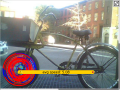 Using a Hall-effect sensor, you can build a bike odometer in Turtle Art
 -
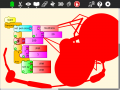 Capturing mouse events and using audio to se the pen width


More ideas for sensors [[1]] [[2]]
Games
Turtle Art can be used to write games, such as a simple falling block game:


presentations


student work
Students from Caacupé have been sending me examples of their work:
-
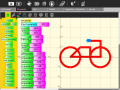 Eduado Fabian Ayala Vargas
 -
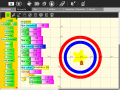 Johana Soeli Aquino
 -
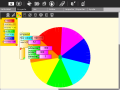 Ivan Silva
 -
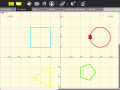 Rodrigo Nicolas Valdéz Bobadilla
 -
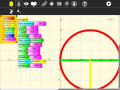 Juan Pablo Espinola Carballo
 -
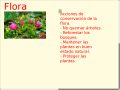 Miguela


Just for fun
-
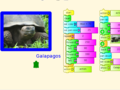 my elder cousin
 -
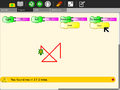
-
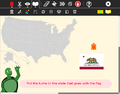
-
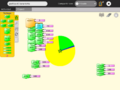
-
-
 Q: How do I cast keyboard input to a string? A: Use chr().
 -
-
-
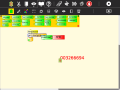


Recent features
-
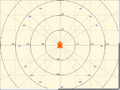 Cartesian and polar coordinate grids
 -
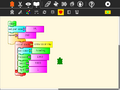 Collapsible stack
 -
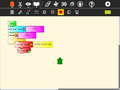 Collapsed stack
 -
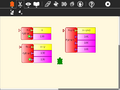 Python function with one, two, or three variables
 -
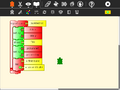 Expandable bullet list (two bullets)
 -
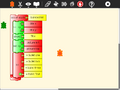 Expandable bullet list (four bullets)
 -
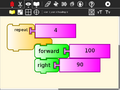 Enlarged blocks
 -
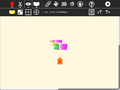 Shrunken blocks
 -
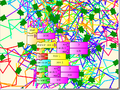 100 Turtles
 -
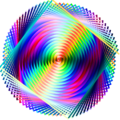 SVG output using the save SVG block
 -
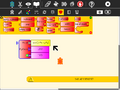 Multi-variable Python blocks
 -
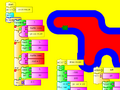 Turtle 'sees'
 -
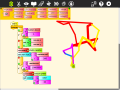 Reading data from multiple sensors (XO hardware only)


