Talk:Sugar Creation Kit: Difference between revisions
m →introduction to the sugar interface (CD.iso: Details moved here |
|||
| Line 1: | Line 1: | ||
This is a page to discuss the Sugar Creation Kit. | This is a page to discuss the Sugar Creation Kit. | ||
====[[File:CD.png]][http://people.sugarlabs.org/Tgillard/intro_to_sugar2.iso introduction to the sugar interface (CD.iso)]==== | |||
*Download-able 7.4M CD.iso file. | |||
:This is a set of Annotated screen shots as Web Page.html files with the accompanying folder containing the files for the .html | |||
:They were created with "save as" - "web page complete" using firefox. And subsequently edited in gedit. | |||
*Uses: | |||
:'''Intended to be run from a 2nd USB (or CD) where there is NO Internet Connection Available.''' | |||
:A useful set of wiki pages that teach the basic operations of the Sugar-desktop | |||
:"sneakernet" with no internet connection | |||
:behind firewall at school. | |||
:save bandwidth on servers. | |||
:Download once and distribute copies locally | |||
*Problem with Browse/Surf-115 in SoaS and the XO-1 | |||
:These browsers will not open the accompanying folder containing the files for the .html. | |||
:This results in a web page with no links or .png screen-shots | |||
:Firefox-6.xo handles this correctly | |||
::Note:Firefox-6.xo does not use or have sugar-journal access. | |||
::This means XO-1 security should not be compromised. | |||
*Firefox-6.xo installed from this USB-stick has been successfully tested viewing the .html web pages on the USB-stick. | |||
: a G1G1 XO-1 running os508dx - (Dextrose2) - NO Internet Connection | |||
: a ACER ASPIRE ONE N450 Netbook - (Trisquel-5-Sugar) Live CD - NO Internet Connection | |||
: a ACER ASPIRE ONE N450 Netbook - (f16-SoaS-Pineapple) Live CD - NO Internet Connection | |||
: a MacBookPro i7 booted into OSX and running firefox for OSX ; '''Firefox-6.xo NOT used.''' | |||
: VirualBox 4.1 for OSX with install of Sugar 0.95.1 in [[Community/Distributions/Mageia|Mageia]] release 2 (no other browser works on this Distro) | |||
*Installation | |||
:This .iso is intended to be burned to a CD | |||
:The CD can be used directly or copy/paste the contents of the CD to a USB-Stick | |||
:Insert the USB stick in your XO-1 USB slot | |||
:[[Sugar_Creation_Kit/sck/Drag-Drop|Drag drop]] the Firefox-6.xo file from the 2nd USB-stick to the Journal - Install it | |||
:'''TIP: Use the search box (______)''' on the left end of the sugar top bar to find "firefox"; This will find the Firefox-6.xo file more easily. | |||
*Contents: | |||
:ReadMeFirst.txt | |||
:Firefox-6-xo - web browser | |||
:Introduction_to_Sugar_Interface.html | |||
:Connecting_to_the_Internet.html | |||
:Drag-Drop.html | |||
:How_to_use_IRC.html | |||
:How_to_use_Chat.html | |||
:Terminal.html - A downloaded .html from Floss [http://en.flossmanuals.net/terminal/Floss Manuals] | |||
*To Open Files in Firefox-6.xo | |||
:1-)click on the xxxx.html file on the second USB when shown in the frame. | |||
:select "start with firefox" on drop down menu | |||
:2-)File/Open File/(choose 2nd USB)/select xxxx.html; hit return | |||
*To Install files in ./sugar....Desktop | |||
:when the xxxx.html page opens, choose File/"save page as"/(SAVE) | |||
:This will (save/install) the xxxx.html and accompanying folder containing the files for the xxxx.html in the folder "Desktop"[1][2] | |||
:[1] (home/olpc/.sugar/default/org.laptop.firefoxActivity/data/Desktop) - for the XO-1 | |||
:[2] (home/liveuser/.sugar/default/org.laptop.firefoxActivity/data/Desktop - for F16-Soas Live CD | |||
*To Set Firefox Default (HOME) Page | |||
:Edit/Preferences/Startup: (Use Current Page) when looking at a .html file saved to this Desktop location | |||
*Screen-shots from XO-1 | |||
:[http://people.sugarlabs.org/Tgillard/firefox-6.xo '''Firefox-6.xo'''] views the .html files, from the USB-stick, correctly. and stores their bookmarks. | |||
:[[File:XO1_How_to_use_Chat_-_Sugar_Labs_-_Mozilla_Firefox_.png|100px]]XO-1 Firefox-6.xo running Chat tutorial from 2nd USB-stick | |||
:[[File:XO_1_Firefox_Dir.png|100px]] XO-1 "File Open" screen in Firefox-6.xo showing 2nd USB-stick with .html files and folders | |||
:[[File:XO1_Home_.png|100px]] XO-1 Shows resource Usage | |||
:Click on a screen-shot to enlarge them | |||
: hit browser <== arrow to return | |||
==F15 netinstall Memory Requirements== | ==F15 netinstall Memory Requirements== | ||
* Now talking on #fedora-bugzappers | * Now talking on #fedora-bugzappers | ||
Revision as of 14:17, 26 December 2011
This is a page to discuss the Sugar Creation Kit.
 introduction to the sugar interface (CD.iso)

- Download-able 7.4M CD.iso file.
- This is a set of Annotated screen shots as Web Page.html files with the accompanying folder containing the files for the .html
- They were created with "save as" - "web page complete" using firefox. And subsequently edited in gedit.
- Uses:
- Intended to be run from a 2nd USB (or CD) where there is NO Internet Connection Available.
- A useful set of wiki pages that teach the basic operations of the Sugar-desktop
- "sneakernet" with no internet connection
- behind firewall at school.
- save bandwidth on servers.
- Download once and distribute copies locally
- Problem with Browse/Surf-115 in SoaS and the XO-1
- These browsers will not open the accompanying folder containing the files for the .html.
- This results in a web page with no links or .png screen-shots
- Firefox-6.xo handles this correctly
- Note:Firefox-6.xo does not use or have sugar-journal access.
- This means XO-1 security should not be compromised.
- Firefox-6.xo installed from this USB-stick has been successfully tested viewing the .html web pages on the USB-stick.
- a G1G1 XO-1 running os508dx - (Dextrose2) - NO Internet Connection
- a ACER ASPIRE ONE N450 Netbook - (Trisquel-5-Sugar) Live CD - NO Internet Connection
- a ACER ASPIRE ONE N450 Netbook - (f16-SoaS-Pineapple) Live CD - NO Internet Connection
- a MacBookPro i7 booted into OSX and running firefox for OSX ; Firefox-6.xo NOT used.
- VirualBox 4.1 for OSX with install of Sugar 0.95.1 in Mageia release 2 (no other browser works on this Distro)
- Installation
- This .iso is intended to be burned to a CD
- The CD can be used directly or copy/paste the contents of the CD to a USB-Stick
- Insert the USB stick in your XO-1 USB slot
- Drag drop the Firefox-6.xo file from the 2nd USB-stick to the Journal - Install it
- TIP: Use the search box (______) on the left end of the sugar top bar to find "firefox"; This will find the Firefox-6.xo file more easily.
- Contents:
- ReadMeFirst.txt
- Firefox-6-xo - web browser
- Introduction_to_Sugar_Interface.html
- Connecting_to_the_Internet.html
- Drag-Drop.html
- How_to_use_IRC.html
- How_to_use_Chat.html
- Terminal.html - A downloaded .html from Floss Manuals
- To Open Files in Firefox-6.xo
- 1-)click on the xxxx.html file on the second USB when shown in the frame.
- select "start with firefox" on drop down menu
- 2-)File/Open File/(choose 2nd USB)/select xxxx.html; hit return
- To Install files in ./sugar....Desktop
- when the xxxx.html page opens, choose File/"save page as"/(SAVE)
- This will (save/install) the xxxx.html and accompanying folder containing the files for the xxxx.html in the folder "Desktop"[1][2]
- [1] (home/olpc/.sugar/default/org.laptop.firefoxActivity/data/Desktop) - for the XO-1
- [2] (home/liveuser/.sugar/default/org.laptop.firefoxActivity/data/Desktop - for F16-Soas Live CD
- To Set Firefox Default (HOME) Page
- Edit/Preferences/Startup: (Use Current Page) when looking at a .html file saved to this Desktop location
- Screen-shots from XO-1
- Firefox-6.xo views the .html files, from the USB-stick, correctly. and stores their bookmarks.
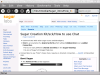 XO-1 Firefox-6.xo running Chat tutorial from 2nd USB-stick
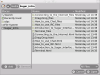 XO-1 "File Open" screen in Firefox-6.xo showing 2nd USB-stick with .html files and folders
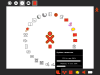 XO-1 Shows resource Usage
- Click on a screen-shot to enlarge them
- hit browser <== arrow to return


F15 netinstall Memory Requirements
- Now talking on #fedora-bugzappers
Fri Feb 25 10:24:26 2011
abadger1999> Anyone here successfully used the netinstall.iso for rc1 alpha? <abadger1999> In particular: http://download.fedoraproject.org/pub/fedora/linux/releases/15/Fedora/x86_64/iso/Fedora-15-x86_64-netinst.iso <abadger1999> i'm not able to do an install -- I get a kernel oops while booting. <abadger1999> This is in virt-manager -- x86_64 processor, kvm, x86_64
- abadger1999 tries x86 arch
<adamw> abadger1999: huh. i think it was tested. <red_alert> I know of people who were using TC1 and TC2 netinst...no idea about rc1 <abadger1999> Still bad. <abadger1999> trying to unpack the rootfs <abadger1999> IIRC, I got this when I built my rawhide vm too... that's why I ended up installing F14 and then upgrading. <red_alert> maybe another 32bit problem? ;)
- abadger1999 goes to find the x86_64 netinstall.
- abadger1999 checks if qemu works where kvm didn't
<wwoods> abadger1999: how much RAM? <abadger1999> wwoods: 512MB <wwoods> not enough <wwoods> F15 will need at least 640MB <wwoods> maybe 768 <abadger1999> wwoods: Okay.
- abadger1999 makes a vm with more ram
<abadger1999> wwoods: Is that something we can have the virt-manager guys change as a default? <wwoods> I have a fix for that in the works but it's kind of invasive and may not be ready 'til F16 <wwoods> probably! <wwoods> ISTR they do per-OS defaults, so we could have them default to 640/768MB specifically for Fedora 15 guests <abadger1999> <nod> <abadger1999> Sounds good.
- abadger1999 booting netinstall with more memory now
<abadger1999> wwoods: thanks! that was exactly the issue. <wwoods> yeah, we're going to be seeing a lot of that one <wwoods> tell your friends
<adamw> you get all kinds of weirdness trying to run f15 in 512MB <adamw> it seems like it's nearly but not quite enough :) <adamw> should probably mention that in commonbugs too <fenrus02> adamw, 32b or 64b? <adamw> fenrus02: 64 <fenrus02> adamw, limited testing, but i think it works if you do not use lvm
<wwoods>initrd.img is ~350 MB Uncompressed
This may be related to the fact that anaconda no longer has a stage 2 (from nirik fedora-qa)02/26/2011
Meego + Sugar
Install
- 4GB USB
# dd bs=4096 if=meego-netbook-ia32-1.2.0.img of=/dev/sdg
221184+0 records in
221184+0 records out
905969664 bytes (906 MB) copied, 180.408 s, 5.0 MB/s
- Boot USB in ACER ASPIRE ONE N450
CD selection in boot
Install
external USB HD
sucess.
shutdown-usb
Reboot
boot HD
Works including wireless
- Specifications: http://wetab.mobi/en/product/
- Notes #sugar 06/23/2011
* mschuessler (~mschuessl@dslb-094-222-006-174.pools.arcor-ip.net) has joined #sugar
...
<mschuessler> i'm trying to use sugar on the wetab
<mschuessler> wich is a handheld - would virtual box drain the battery pretty fast?
<kevix> there are deb and rpm pacakges for sugar but dont know how it would install on 'meego'
<mschuessler> which
<mschuessler> i am actually quiete close
<satellit_afk> no it will be slower. Otherwise I have no suggestions...
<mschuessler> meego has a yum as package manager
<kevix> if you do try it, add your results to the sugarlabs wiki, if you can :)
<mschuessler> i already did
<mschuessler> it compiled succesfuly
.....
<mschuessler> however - the project im working on aims at running suagr on top of meego
<mschuessler> runing sugar on the weetab stanbdalone wont be a big problem
<mschuessler> i would just install fedora and put the sugar-emulator on it
<mschuessler> if you dont midn i would like to post the error message here when i try start the suagr-emulator on meego - maybe its just a missing depencie or something the like
....
<mschuessler> it runs an 1.66 GHz Intel Atom N450
<satellit_afk> yes I have a ACER ASPIRE ONE N450 here and it works great....
<mschuessler> what operating system?
<satellit_afk> runs fedora fine
<mschuessler> yeah fedora would run on the wetab too
....
<mschuessler> but as i said - the project im working on aims at running thesugar interface on top of meego - so you could easly switch betwenn the two
....
<mschuessler> well and to the current state i managed to compile sugar and install all dpeencies i am aware of but i get the following error
...
<mschuessler> i have the feeling im really close to get it running
<mschuessler> The error is "no module named decorator" btw
<alsroot> mschuessler: you need to install python-decorator package (or how it is named in your distro)
<mschuessler> hey thx
<mschuessler> funny thing is - i just did
<satellit_afk> keep trying....people with knowledge are here at different times . also use mailing lists...sugar-devel@lists.sugarlabs.org
<mschuessler> and it fixed the error - yay!
 ....
<mschuessler> now i get a dbus exception
<mschuessler> is that a familiar problem to you guys?
<alsroot> mschuessler: could you pastebin it
<kevix> mschuessler: could you say what kind of educational environment this is for?
<mschuessler> a school
<mschuessler> kids are aged 14 and up
<kevix> interesting.
<mschuessler> its an experiement - if kids would get along with a handheld in school
<kevix> there is the scratch and etoys environment which might be good be computational thinking/programming
<kevix> 'getting along' in an educational setting = ?
<mschuessler> well my project manager defintly wants etoys
<kevix> OLPC/Sugar is working on the XO-1.75, which is the precursor for the xo-3 (marvell ARM tablet). so they are working on how they will transition to a tablet paradigm
<mschuessler> yup i know
<mschuessler> put xo-3 is not here yet - an we get a couple of handheld devices for free
<mschuessler> so why not use sugar on those
<mschuessler> its a much better interface than the meego one (if use for education)
<kevix> hopefuly you can publish your result for olpc/sugar to see
<mschuessler> yup we will
<mschuessler> we document everything we try and what has worked and what not
<mschuessler> here is the current error btw: pastebin.com/DtyBD28m
<satellit_afk> do you have a wiki ? with these results?
<kevix> mschuessler: have you seen the videos from the recent edujam 2011 in Uraguy?
<mschuessler> no i havent seen them
<mschuessler> sry its http://pastebin.com/DTyBD28m
<mschuessler> were about wld i find those (videos)
<mschuessler> we do not currently run a wiki
<mschuessler> is guess publishing our results in the sugarlabs wiki would be a better aproch anyway
<satellit_afk> You may want to link it here: http://wiki.sugarlabs.org/go/Sugar_Creation_Kit#Community_Distributions
<alsroot> mschuessler: Re: http://pastebin.com/DTyBD28m -- do you have sugar-datastore installed? does "datastore-service" command start well?
<kevix> mschuessler: http://wiki.sugarlabs.org/go/EduJAM/2011
<mschuessler> no it doenst - apparantly cjson seems not to be installed proberly
<mschuessler> i will fix this and tell you guys if i made a any process
<mschuessler> i have forwarded your sugestion to publish our apraoch under Community Distributions in the suagr wiki to my project manager
...
<mschuessler> it works! awesome!