Jump to content
Main menu
Main menu
move to sidebar
hide
Main Menu
Try Sugar
Get started
FAQs
News
Get involved
Submit bugs
Get the source
About Sugar Labs
Donate to Sugar Labs
Contact info
Development
Activity Team
Platform Team
Music Blocks
Sugarizer
Sugar Web
Teams
Design Team
Documentation Team
Development Team
Infrastructure Team
Marketing Team
Translation Team
Wiki Team
About local labs
Projects
Music Blocks
Turtle Blocks
Sugarizer
Sugar Activities
Governance
Oversight Board
Governance
References
Human Interface Guidelines
Categories
Service index
Code of Conduct
Sugar Desktop Environment (SDE)
Sugar Creation Kit
Sugar on a Stick
TOAST
Wiki
Wiki help
Recent changes
Sugar Labs
Search
Search
Appearance
Log in
Personal tools
Log in
Homepage
|
Activities
|
Events
|
Lists
|
Development
|
Translate
|
Contact
Contents
move to sidebar
hide
Beginning
1
Install_SoaS_in_VirtualBox-with Anaconda f18
Toggle Install_SoaS_in_VirtualBox-with Anaconda f18 subsection
1.1
Settings In Virtualbox
1.2
Start Installer
1.3
Anaconda main Hub
1.4
Storage (Disk Selection) then [DONE]
1.5
Time Zone select and [Done]
Toggle the table of contents
Tutorials/Installation/Install SoaS in VirtualBox-f18
Page
Discussion
English
Read
View source
View history
Using the Wiki
Tools
move to sidebar
hide
Actions
Read
View source
View history
General
What links here
Related changes
Special pages
Printable version
Permanent link
Page information
Google translations
Afrikaans
አማርኛ
العربية
azərbaycanca
Bahasa Indonesia
Bahasa Melayu
Sunda
беларуская
বাংলা
български
bosanski
català
Cebuano
čeština
Chi-Chewa
corsu
Cymraeg
dansk
Deutsch
eesti
Ελληνικά
English
español
Esperanto
euskara
فارسی
français
Frysk
Gaeilge
Gàidhlig
galego
ગુજરાતી
Hausa
Hawaiʻi
한국어
עברית
हिन्दी
հայերեն
hmn
hrvatski
Igbo
isiXhosa
isiZulu
íslenska
italiano
jw
ქართული
ಕನ್ನಡ
қазақша
ភាសាខ្មែរ
Kiswahili
Kreyòl ayisyen
кыргызча
kurdî
ລາວ
Latina
latviešu
Lëtzebuergesch
lietuvių
magyar
македонски
മലയാളം
Malti
Māori
монгол
मराठी
မြန်မာဘာသာ
Nederlands
नेपाली
日本語
norsk
ਪੰਜਾਬੀ
پښتو
polski
português
română
русский
Gagana Samoa
Sesotho
سنڌي
chiShona
shqip
සිංහල
slovenčina
slovenščina
Soomaaliga
српски / srpski
suomi
svenska
tj
Tagalog
ไทย
тоҷикӣ
தமிழ்
తెలుగు
Tiếng Việt
Türkçe
українська
oʻzbekcha / ўзбекча
اردو
ייִדיש
Yorùbá
中文(臺灣)
中文(中国大陆)
Appearance
move to sidebar
hide
From Sugar Labs
<
Tutorials
|
Installation
Revision as of 20:43, 27 November 2012 by
Satellit
(
talk
|
contribs
)
(
→
Disk Selection then [DONE]
)
(
diff
)
← Older revision
|
Latest revision
(
diff
) |
Newer revision →
(
diff
)
Install_SoaS_in_VirtualBox-with Anaconda f18
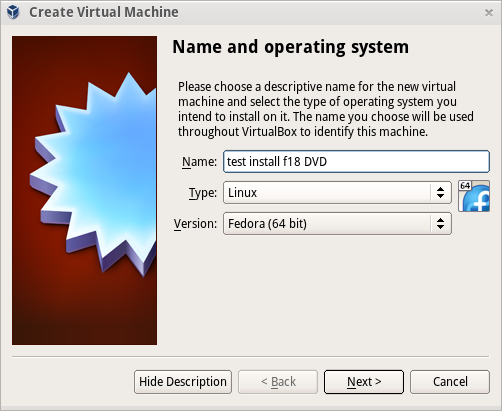
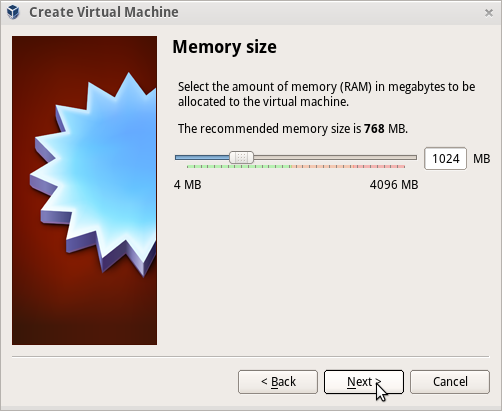
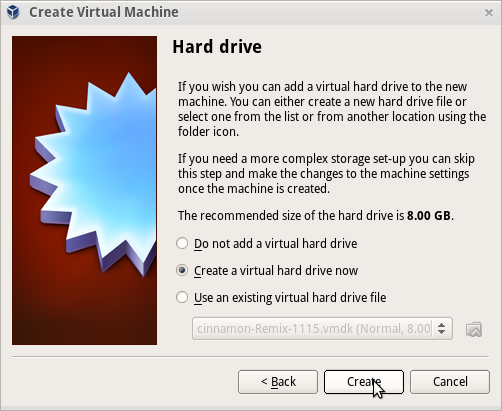
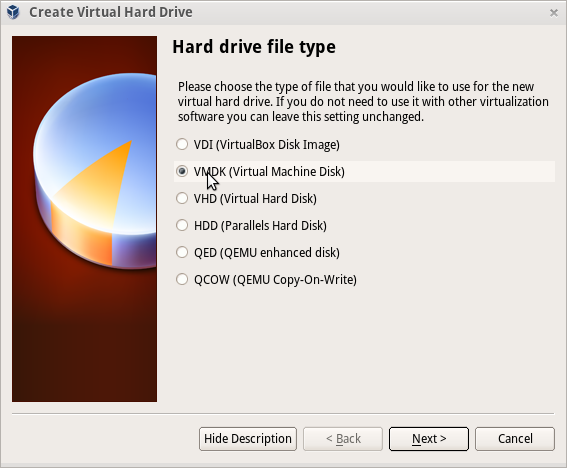
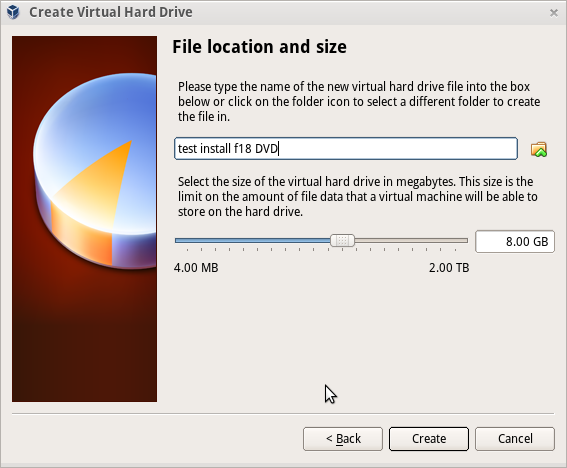
Sample Install to Virtualbox 4.2.4 using F18 Beta DVDx86_64
Settings In Virtualbox
Start Installer
Anaconda main Hub
Storage (Disk Selection) then [DONE]
Time Zone select and [Done]