Sugar on a Stick/Downloads: Difference between revisions
No edit summary |
F22 version |
||
| Line 2: | Line 2: | ||
{| | {| | ||
|- | |- | ||
| rowspan="3" style="border: 0; border-width: 0; width: 350px;" | [[File:SugaronastickAvocado-320px.png|320px|left|link=http://spins.fedoraproject.org/soas/ | | rowspan="3" style="border: 0; border-width: 0; width: 350px;" | [[File:SugaronastickAvocado-320px.png|320px|left|link=http://spins.fedoraproject.org/soas/download/index.html]] | ||
| colspan="2" style="border: 0; border-width: 0;" | '''[[Sugar on a Stick]]''' is a [http://fedoraproject.org Fedora<sup>®</sup>] [http://spins.fedoraproject.org/soas Spin] [[wikipedia:Live USB|Live USB]] operating system featuring the award-winning [[What is Sugar?|Sugar Learning Platform]] and designed to fit on an ordinary USB thumbdrive ("stick"). | | colspan="2" style="border: 0; border-width: 0;" | '''[[Sugar on a Stick]]''' is a [http://fedoraproject.org Fedora<sup>®</sup>] [http://spins.fedoraproject.org/soas Spin] [[wikipedia:Live USB|Live USB]] operating system featuring the award-winning [[What is Sugar?|Sugar Learning Platform]] and designed to fit on an ordinary USB thumbdrive ("stick"). | ||
| Line 9: | Line 9: | ||
You can use SoaS to demo Sugar almost anywhere without disturbing the contents of the computer you use, and if people like what they see, you can [[Tutorials/Installation/Install with liveinst|install]] Sugar on a Stick to their hard drives or other sticks from the demo stick. | You can use SoaS to demo Sugar almost anywhere without disturbing the contents of the computer you use, and if people like what they see, you can [[Tutorials/Installation/Install with liveinst|install]] Sugar on a Stick to their hard drives or other sticks from the demo stick. | ||
Our most recent version of Sugar on a Stick was released on ''' | Our most recent version of Sugar on a Stick was released on '''26 May 2015''' with Fedora 22. | ||
|- style="border: 0; border-width: 0; text-align: center" | |- style="border: 0; border-width: 0; text-align: center" | ||
| | | | ||
<span class="linkgroup">[[File:Download Mirabell.png|link=http://download.fedoraproject.org/pub/fedora/linux/releases/ | <span class="linkgroup">[[File:Download Mirabell.png|link=http://download.fedoraproject.org/pub/fedora/linux/releases/22/Live/x86_64/Fedora-Live-SoaS-x86_64-22-3.iso]]</span> | ||
x86_64 (64-bit) | x86_64 (64-bit) | ||
| | | | ||
<span class="linkgroup">[[File:Download Mirabell.png|link=http://download.fedoraproject.org/pub/fedora/linux/releases/ | <span class="linkgroup">[[File:Download Mirabell.png|link=http://download.fedoraproject.org/pub/fedora/linux/releases/22/Live/i386/Fedora-Live-SoaS-i686-22-3.iso]]</span> | ||
i686 (32-bit) | i686 (32-bit) | ||
|- | |- | ||
| Line 24: | Line 24: | ||
'''Instructions for a quick demonstration: ([[Sugar on a Stick/Installation Process|English]]), ([[Sugar on a Stick/Proceso de instalacion|en español]])''' | '''Instructions for a quick demonstration: ([[Sugar on a Stick/Installation Process|English]]), ([[Sugar on a Stick/Proceso de instalacion|en español]])''' | ||
Fedora's default download is the 64-bit version; however, older computers may need the 32-bit version. | |||
|} | |} | ||
See the [http://spins.fedoraproject.org/soas/ | See the [http://spins.fedoraproject.org/soas/download/index.html Spins download page] for the following: | ||
* | * ARM<sup>®</sup> Technology downloads | ||
* BitTorrent download links | * BitTorrent download links | ||
* Some support links | |||
''Fedora and the Infinity design logo are trademarks of Red Hat, Inc.'' | ''Fedora and the Infinity design logo are trademarks of Red Hat, Inc.'' | ||
Revision as of 16:12, 26 May 2015
Project Home · Get Involved · Contacts · Resources · FAQ · Roadmap · To Do · Meetings
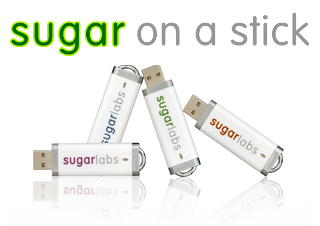 |
Sugar on a Stick is a Fedora® Spin Live USB operating system featuring the award-winning Sugar Learning Platform and designed to fit on an ordinary USB thumbdrive ("stick").
It will run on any recent x86-based computer that can boot from a USB stick (check the BIOS settings if it doesn't work straight away). This includes most Windows and Linux PCs and x86 Macs. You can use SoaS to demo Sugar almost anywhere without disturbing the contents of the computer you use, and if people like what they see, you can install Sugar on a Stick to their hard drives or other sticks from the demo stick. Our most recent version of Sugar on a Stick was released on 26 May 2015 with Fedora 22. | |
|
|
| |
| hashes to verify downloads
See these detailed installation instructions. Instructions for a quick demonstration: (English), (en español) Fedora's default download is the 64-bit version; however, older computers may need the 32-bit version. | ||

See the Spins download page for the following:
- ARM® Technology downloads
- BitTorrent download links
- Some support links
Fedora and the Infinity design logo are trademarks of Red Hat, Inc.