Fedora 21: Difference between revisions
m →Fedora-21 anaconda 21.48.1-1 installer: update section |
|||
| Line 310: | Line 310: | ||
*This is the installer from Fedora-Live-SoaS-x86_64-21-20140728.iso SoaS LiveCD in Oracle VM VirtualBox | *This is the installer from Fedora-Live-SoaS-x86_64-21-20140728.iso SoaS LiveCD in Oracle VM VirtualBox | ||
: | :and Fedora-Live-Workstation-x86_64-21-5 in Gnome-boxes The final released version of f21 | ||
:12/15/2014 released version uses anaconda 21-48.21-1 | :12/15/2014 released version uses anaconda 21-48.21-1 | ||
| Line 326: | Line 326: | ||
[[File:Date_and_Time.png |600px]] | [[File:Date_and_Time.png |600px]] | ||
*Time Zone selected | *Time Zone selected | ||
:[Done | :[Done] to return to main Hub | ||
[[File:Anaconda-2.png|600px]] | [[File:Anaconda-2.png|600px]] | ||
*Select Install Destination | |||
[[File:Wks-3-install-dest.png|600px]] | |||
===Begin Installation=== | |||
[[File:Wks-4-Begin_Install.png|600px]] | |||
*root password | |||
[[File:Wks-6-root_Pswd.png|600px]] | |||
*User | |||
[[File:Wks-7-User.png|600px]] | |||
:Root Password and User Creation | |||
::Select Password and User Creation to enter their spokes and return with [Done] | |||
*A weak Password will require entering [done] 2 times to return to main Configuration Spoke | |||
::See yellow warning in bottom of page | |||
*'''NOTE: If No Root/User are entered''' | |||
:'''Gnome or workstation:''' G-I-S (Gnome initial setup) will be started on first boot where these can be entered | |||
::Warning Passwords will need to be much more complicated and larger; (keep adding letters to password until you can click next.) | |||
:'''Other Desktops:''' Anaconda will pop up window for missing root/user before it completes the install and [Done]-Reboot appears | |||
*Reboot Install Complete | |||
[[File:Wks-8-Complete.png|600px]] | |||
===Custom Install Screens=== | ===Custom Install Screens=== | ||
*Note only used if you select: | *Note only used if you select: | ||
| Line 345: | Line 364: | ||
[[File:Custom-6.png|600px]] | [[File:Custom-6.png|600px]] | ||
===[http://dl.fedoraproject.org/pub/fedora/linux/development/21/x86_64/os/images/ boot.iso]=== | ===[http://dl.fedoraproject.org/pub/fedora/linux/development/21/x86_64/os/images/ boot.iso]=== | ||
Revision as of 21:22, 20 December 2014
Fedora® version page: 17 | 18 | 19 | 20 | 21 | 22 | 23 | 24 | 25 | 26 | 27 | 28 | 29 | 30 | 31 | 32 |
Fedora 21
DOWNLOAD f21
(Workstation/Server/Cloud)
- https://getfedora.org/
- 12/9/2014
- Link to Released Beta: http://dl.fedoraproject.org/pub/alt/stage/21_RC5/
- Spins:
- SoaS:
f22 (Rawhide)
- Go To ^ f22 Wiki Page
- https://fedoraproject.org/wiki/Releases/Rawhide
Release Notes f21
- http://docs.fedoraproject.org/en-US/Fedora/21/html/Release_Notes/index.html
- https://fedorapeople.org/groups/docs/release-notes/en-US/
Common f21 Bugs
Changes in boot.iso in f21
- The netinstall.iso (boot.iso) has changed and now a specific boot.iso is created for specific installs:
- Also: https://www.happyassassin.net/2014/12/10/fedora-21-greatest-hits-non-server-non-live-installs-fedup-product-behaviour/
f21-Repos
- To create all of the features of the old netinstall you must add this repo in Anaconda Sources:
- Workstation Repo:
- http://dl.fedoraproject.org/pub/fedora/linux/development/21/x86_64/os/ (same as above; select workstation)
- Server Repo
- boot.iso everything
- http://dl.fedoraproject.org/pub/fedora/linux/development/21/x86_64/os/images/
- ((This is not always created with the rest of the builds) there are i386 versions also.
- For latest Builds builds (and links to them) see:
- All http://koji.fedoraproject.org/koji/tasks?start=0&state=all&view=flat&method=createLiveCD&order=-id
- Beta-Release: http://koji.fedoraproject.org/koji/tasks?owner=pbrobinson&state=all&view=flat&method=createLiveCD&order=-id
- Alternate: http://koji.fedoraproject.org/koji/tasks?owner=ausil&state=all&view=flat&method=createLiveCD&order=-id
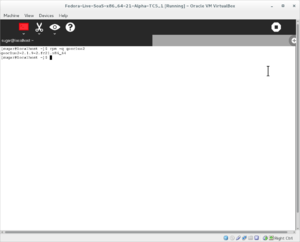
- 8 fonts are missing in Soas 21-2 live; to fix this:
- Root Terminal: (87M)
yum install @fonts

- (click on image to enlarge; hit <- in browser to return)
- Do this before installing with:
liveinst
- For full language support in the Anaconda installer and in Sugar
GnomeShell Cheatsheet
- Shortcuts and key combinations to use in GnomeShell
- User Menu->System Settings->Keyboard-> Shortcuts
fedup Updating f20 desktop to f21 workstation
- sucess 11/14/2014 with encrypted file system
- sucess 11/17/2014 nonproduct with KDE
- Sources for f20 used in testing:
- f20 netinstall
- x86_64: http://archive.fedoraproject.org/pub/fedora/linux/releases/20/Fedora/x86_64/iso/Fedora-20-x86_64-netinst.iso
- i386: http://archive.fedoraproject.org/pub/fedora/linux/releases/20/Fedora/i386/iso/Fedora-20-i386-netinst.iso
- No need to update if netinst is used.
- f20 live respins
- Caution:
1-) Backup your work before attempting this
2-) fully update your f20 install (disable any no-fedora repositories)
3-) In root terminal:
yum update
yum install fedup
fedup --network 21 --product=workstation
- NOTE: :"fedup tests may require the --nogpgcheck parameter until the signed .treeinfo file is available."
- product=[workstation|server|cloud|nonproduct]
- use --product=nonproduct for KDE ;other spins and minimal
- reboot system
- "System Upgrade Fedup" on boot menu
- NOTE: Terminal display stops updating at about 68%
- TO FIX: Hit {alt} key or switch to {alt-f2} then {alt-f1}
f21 Screenshots
- Screenshots of f21
TESTING
f21_Final_RC5
- https://fedoraproject.org/wiki/Test_Results:Fedora_21_Final_RC5_Desktop
- https://fedoraproject.org/wiki/Test_Results:Fedora_21_Final_RC5_Installation
- https://fedoraproject.org/wiki/Test_Results:Fedora_21_Final_RC5_Base
Using UEFI with QEMU
Available environment groups
- Used to add a Desktop Environment (DE) to an install
# yum grouplist
Available environment groups:
  Fedora Server
  Fedora Cloud Server
  Fedora Workstation
  KDE Plasma Workspaces
  Xfce Desktop
  LXDE Desktop
  Cinnamon Desktop
  MATE Desktop
  Sugar Desktop Environment
  Development and Creative Workstation
  Web Server
  Infrastructure Server
  Basic Desktop
  Minimal Install
Desktop Environments for Server
- How to add a Graphical DE to Server

 VirtualBox:F21 Sugar 0.102 v11

- New VirtualBox build with released SoaS V11
- 12/07/2014
- http://people.sugarlabs.org/Tgillard/SoaS_V11-x86_64.ova
- Anaconda 21.48.21-1
- User=sugar; Password=sugaruser
- Root=sugarroot
- Based on Fedora-Live-SoaS-x86_64_64-21-5.iso
- NOTES
- 8 GB HD
- Bridged Networking
- 1024 memory
- http://people.sugarlabs.org/Tgillard/Fedora-Live-SoaS-x86_64-21.ova
Screenshot of Background

- NOTE: If no backgrounds are available install gnome-backgrounds for images to set as background.
Get VirtualBox
- VirtualBox downloads Windows/Linux/Intel Macs
- Oracle VirtualBox downloads (alternate link)
- Note VirtualBox is free; only extensions are restricted to personal use
How to Clear ./sugar

UEFI Boot
- Warning UEFI does not support MultiBoot
- New install will delete the existing UEFI boot record if installing from USB.
- https://www.happyassassin.net/2014/01/25/uefi-boot-how-does-that-actually-work-then/
- https://www.youtube.com/watch?v=TmoeEM_eCQo
- http://www.rodsbooks.com/gdisk/whatsgpt.html
UEFI-recovery
- How to fix booting of your disk if it does not boot.
Described by Dan Mossor here:
- Text of link:
Changing Gnome-terminal to open new in a tab
"You have to go into Edit/Preferences/General
to control whether "Open Terminal" opens the terminal in a new window or a new tab."
Andre Robatino
Errors in java when upgrading to f21
"After updating to java-1.8.0-openjdk-1:1.8.0.11-11.b12.fc21.x86_64
java is no longer my PATH"
dd writing a USB with gnome-disks
- Boot Live CD of f21 Workstation
- start gnome-disks
- Insert USB with previously downloaded (Live) xxx.iso
- If workstation is installed; Start here.
- start gnome-disks
- click on gear on the top bar of gnome-disks
- click Restore Disk Image
- Select xxx.iso and Target USB
- NOTE works with booted Live DVD/CD; or from installed workstation
Write a Live.iso to a USB
- Boot from a live USB to install F21
- Some of these methods will create a persistent USB
- https://fedoraproject.org/wiki/How_to_create_and_use_Live_USB
- Get liveusb-creator at https://fedorahosted.org/liveusb-creator/
Testing liveusb-creator in Windows 8.1
- Tested by satellit on 2014/08/01
- NOTE: GUI works well in fedora.
"There are a number of things that need to fixed in the windows version of liveusb-creator.
1-) detect screen resolution and properly display GUI
2-) run in compatability mode (run as administrator)
3-) run as liveusb-creator --reset-mbr by default  (this can be done in linux by editing the icon command)
4-)Fix the Download button on the GUI to work and be up to date."
- fedora-qa Install testing:
- 06/24/2014 NetworkManager--wifi added to comps in f21(rawhide)
- SoaS shows wireless and ad-hoc in f1 Network Neighborhood on install
"If you suddenly find yourself without Wi-Fi,find a wired network connection and:
dnf install NetworkManager-wifi
systemctl restart NetworkManager"
DNF vs YUM
RPM Fusion
- "RPM Fusion provides software that the Fedora Project or Red Hat doesn't want to ship."
Copr
"Copr (Cool Other Package Repo) is a Fedora project to help make building and managing third party package repositories easy."
Upgrade to rawhide from an existing installation
Anaconda Command Line Options
- https://fedoraproject.org/wiki/Anaconda_Boot_Options?rd=Anaconda/Options#cmdline
- https://fedoraproject.org/wiki/Anaconda_Boot_Options#geoloc
- https://fedoraproject.org/wiki/Anaconda_Command_Line_Options
Kickstart
Systemd
- Fedora wiki page
Systemd Commands
dracut
Updating Grub 2 on UEFI systems
Fixing Grub Problems
know how to force a reinstall of a kernel
- yum reinstall kernel isn't doing anything
- you need to re-run the scriptlets
- this is not done with "yum reinstall"
- "rpm -q --scripts kernel-version-release" would tell you what to rerun
fedora boot optimization
- Can be dangerous - ADVANCED USERS ONLY
Location enabled by default in GNOME
- Settings/Privacy/Location Services
- Fedora Gnome/Workstation has GeoClue enabled by default
"Geoclue is a D-Bus service that provides location information.
The primary goal of the Geoclue project is to make creating location-aware applications as simple as possible,
while the secondary goal is to ensure that no application can access location information without explicit permission from user. "
- Turn Geoclue on/off in Gnome
- Settings/Privacy/Location Services

- To see if Geoclue is present in your spin:
rpm -q geoclue2
- geoclue2 in sugar 0.102

Suggestions on using a ssd HD
anaconda-ks.cfg
#save as /root/anaconda-ks.cfg
#f21 Workstation RC5
#version=DEVEL
  System authorization information
auth --enableshadow --passalgo=sha512
# Run the Setup Agent on first boot
firstboot --enable
ignoredisk --only-use=sdb
# Keyboard layouts
keyboard --vckeymap=us --xlayouts='us'
# System language
lang en_US.UTF-8
# Network information
network  --bootproto=dhcp --device=p4p1 --ipv6=auto --activate
network  --hostname=localhost.localdomain
# Root password
rootpw --iscrypted xxxxxxx(cut for security)xxxxxxx
# System timezone
timezone America/Los_Angeles --isUtc
user --groups=wheel --name=xxxxxxx --password=xxxxxxx(cut for security)xxxxxxx
# X Window System configuration information
xconfig  --startxonboot
# System bootloader configuration
bootloader --location=mbr --boot-drive=sdb
autopart --type=plain
# Partition clearing information
clearpart --all --initlabel --drives=sdb
%packages @base-x @core @dial-up @firefox @fonts @gnome-desktop @guest-desktop-agents @hardware-support @input-methods @libreoffice @multimedia @printing @standard
%end
Fedora-21 anaconda 21.48.1-1 installer
- This is the installer from Fedora-Live-SoaS-x86_64-21-20140728.iso SoaS LiveCD in Oracle VM VirtualBox
- and Fedora-Live-Workstation-x86_64-21-5 in Gnome-boxes The final released version of f21
- 12/15/2014 released version uses anaconda 21-48.21-1
- Note The same installer is on the boot.iso with more options.


- Install done from Soas terminal with
su
liveinst


- Time Zone selected
- [Done] to return to main Hub

- Select Install Destination

Begin Installation

- root password

- User

- Root Password and User Creation
- Select Password and User Creation to enter their spokes and return with [Done]
- A weak Password will require entering [done] 2 times to return to main Configuration Spoke
- See yellow warning in bottom of page
- NOTE: If No Root/User are entered
- Gnome or workstation: G-I-S (Gnome initial setup) will be started on first boot where these can be entered
- Warning Passwords will need to be much more complicated and larger; (keep adding letters to password until you can click next.)
- Other Desktops: Anaconda will pop up window for missing root/user before it completes the install and [Done]-Reboot appears
- Reboot Install Complete

Custom Install Screens
- Note only used if you select:
[x]I will configure partitioning


- select type of partition to create in Drop Down menu


- Reclaim space if HD is already formatted


boot.iso
- 12/15/2014 released version uses anaconda 21-48.21-1
- The f21 Server netinstall is equivalent to the boot.iso and can be used in its place.

- Welcome and language selection
- [Continue]

- Summary
- [Software Selection]

- Software-selection
- Select from left and right columns
- (Lists Server and Desktop Environments with their Optional packages listed on the right side.)
- Select and hit [Done] to return to Main Hub.
Anaconda boot options
Available Groups
- Using yum install in root terminal
Disable KDE Hot corners for Sugar-runner
- System settings Screen Edges
- Sugar-runner cannot access the f1 network neigborhood when the left top corner is hot.

Fedora Jam Audio Spin
- Spin details and how to install
"Fedora jam is for audio enthusiasts and musicians who want to create, edit and produce audio and music. It comes with Jack, ALSA and Pulseaudio by default, and a suite of programs to tailor your studio. It also includes all of the biggest audio applications, including Ardour, Audacity, Qtractor, Musescore, Frescobaldi, all the latest LADSPA/LV2 plugins and many more."
Remix and Install ISO Creation
- How to Create a Live USB
- How to build a remix with fedora
- How to create a fedora netinstall or install DVD ISO's
Installing VirtualBox in F21
- Log of install
- With terminal commands to add required files.
References:
- http://www.oracle.com/technetwork/server-storage/virtualbox/downloads/index.html
- http://blog.christophersmart.com/2011/07/23/how-to-install-and-run-virtualbox-on-fedora-and-kororaa/
Workarround to start sugar-runner in workstation
- Change desktop file in /usr/share/applications:
- add --resolution 1024x768
#gedit /user/share/applications/sugar-runner.desktop

- This fix is needed to make sugar-runner start correctly from the XO icon
- in f21-workstation bare metal install
- installed with # "yum install @sugar-desktop sugar-runner" .
- Notes: 11/16/2014
You must navigate root terminal to /user/share/applications/
gedit sugar-runner.desktop
- edit the Exec line and save
- Restart Workstation before the changes will work
liveusb-creator

- Version 2014-11-26 :: v3.13.1
"Support a new destructive mode that uses dd to copy the iso directly to the device. This method tends to be more reliable, and requires hybrid ISOs, which Fedora have been producing for a long time. Added a new --dd command-line option DVD iso support with the 'Overwrite device' method..."
- More Info: https://fedorahosted.org/liveusb-creator/
Sugar-test Cases
- Used in #fedora-qa testing
SoaS v10 testing with non-standard activities
Bug Reports
- Blockers Bugs info
- https://qa.fedoraproject.org/blockerbugs/milestone/21/final/buglist
- https://fedoraproject.org/wiki/BugZappers/HouseKeeping/Trackers
Sugar IRC 10 errors
- seems to be fixed
Missing Wireless Drivers
Captive Portal
- active in f21 if gnome is used.
- May be present in NetworkManager for other DE's ?
- Gnome 3.1.4 feature
- Should be https: https://bugzilla.redhat.com/show_bug.cgi?id=1135777
- Discussion of feature
- Connects to fedora server every 300 sec to check connectivity
- NetworkManager-config-connectivity-fedora
- To see NM settings
- http://fedoraproject.org/static/hotspot.txt
- To test if connected; "OK" says connection is up
- http://en.wikipedia.org/wiki/Captive_portal
- NetworkManager-config-connectivity-fedora
Request for way to disconnect
- 12/08/2014 #fedora-qa (edited)
- Question: "http://fedoraproject.org/static/hotspot.txt gives "OK" even with location services switched off in privacy ?
- Answer:that location service is not related to NetworkManager connectivity checking
- location service is used by weather application for example, possibly clocks ... to determine your location
- Question: not Captive Portal on/off ?
- Answer:no there is no easy on/off switch, it is still a hard dependency as package, but you can for example create a same config file in /etc/NetworkManager/conf.d/99-connectivity-fedora.conf for example with "blank" uri "uri=" and "interval=0" that will override the default 20-connectivity-fedora.conf (man 5 NetworkManager.conf CONECTIVITY SECTION ... )
- Answer:here is a upstream bug report about making the easy "on/off" option available (or some other solution) https://bugzilla.gnome.org/show_bug.cgi?id=737362
- also that URL will always return OK if it is "real" so no MITM, its content wont change in any way when local settings are changed, it is only used with known content and accessed over secure connection to verify you have access to the internet ... (in case of MITM, it will fail, because certificate for fp.o cannot be valid assuming CAs don't allow someone to create one for that domain ... and they "sign it") "
Fedora Firewall
- "sudo firewall-cmd --set-default-zone=FedoraServer
- That will limit it to SSH, DHCPv6 and cockpit
- Or use default zone "Public", which swaps cockpit out and adds mDNS
- sudo firewall-cmd --set-default-zone=block"
cockpit in fedora 21 server
- Cockpit is a server user interface.
- https://fedoraproject.org/wiki/Test_Day:2014-11-07_Server#Test_Results
- https://fedoraproject.org/wiki/Test_Day:2014-09-16_Cockpit
- After boot, Cockpit is up and running and listens on port 9090.
- http://cockpit-project.org/
- http://stef.thewalter.net/
- IRC #cockpit in freenode
Download
New proposed Features
GNOME Design
AppInstaller in F21
https://fedoraproject.org/wiki/Changes/AppInstallerContinued
"gnome-software will support installing system add-ons such as fonts and codecs. It will show additional metadata for applications: screenshots, ratings, other details.
We will also work with the Fedora infrastructure team to obtain the metadata online for all applications instead of shipping it statically for a limited set."
Fedora.next
https://fedoraproject.org/wiki/Fedora.next
"This all came out of a number of proposals at Flock 2013,
including Architecture for a More Agile Fedora and Stephen Gallagher's suggestion that we use that architecture to design, build,
and market three distinct Fedora products. This grew into a proposal accepted by the Fedora advisory board, and the formation of Initial Working Groups by FESCo. "
Release Schedule
- Links to current fedora wiki pages:
- Release Schedule http://fedoraproject.org/wiki/Releases/21/Schedule
- Tasklist: https://fedoraproject.org/wiki/Workstation/Tasklist
- buglist: https://qa.fedoraproject.org/blockerbugs/milestone/21/alpha/buglist
- TC List: http://dl.fedoraproject.org/pub/alt/stage/
Test announce Thread - Fedora-qa
Official Fedora Spins
- status of spins
- https://fedoraproject.org/wiki/Releases/21/Spins#Official_Fedora_Spins
- This page needs to be updated to maintain status as a recognized spin