Sugar on a Stick: Difference between revisions
No edit summary |
|||
| Line 14: | Line 14: | ||
|[[Image:Soas-1.png|180px|link=0.86/Notes]] | |[[Image:Soas-1.png|180px|link=0.86/Notes]] | ||
| | | | ||
'''What exactly is on the Stick?''': The Sugar Learning Platform and Sugar Activities for children over Fedora GNU/Linux. Taking advantage of [[wikipedia:Live USB|Live USB]] technology, it's possible to store everything you need to run Sugar on a single, [[wikipedia:USB flash drive|USB flash memory stick]]. Compressed file systems are used to save space, and persistent overlay files are used to save changes to the system and the learner's work. See our [[Sugar on a Stick/Resources| '''resources page''']] to learn about different component configurations we are designing to offer the option to use [[wikipedia:Virtual machine|virtual machines]] on existing computers to host Sugar from a portable Stick and save the [[Human Interface Guidelines/The Laptop Experience/The Journal|Sugar Journal]] (the learner's work) and personal settings on the Stick for use at another workstation - for example, a computer in the home. | '''What exactly is on the Stick?''': The Sugar Learning Platform and Sugar Activities for children over Fedora GNU/Linux. Taking advantage of [[wikipedia:Live USB|Live USB]] technology, it's possible to store everything you need to run Sugar on a single, [[wikipedia:USB flash drive|USB flash memory stick]]. Compressed file systems are used to save space, and [[LiveOS image|persistent overlay]] files are used to save changes to the system and the learner's work. See our [[Sugar on a Stick/Resources| '''resources page''']] to learn about different component configurations we are designing to offer the option to use [[wikipedia:Virtual machine|virtual machines]] on existing computers to host Sugar from a portable Stick and save the [[Human Interface Guidelines/The Laptop Experience/The Journal|Sugar Journal]] (the learner's work) and personal settings on the Stick for use at another workstation - for example, a computer in the home. | ||
|} | |} | ||
Revision as of 01:28, 27 April 2010
Project Home · Get Involved · Contacts · Resources · FAQ · Roadmap · To Do · Meetings
|
 |
 Sugar on a Stick Pineapple released 08 November 2011 |
Introduction
Sugar on a Stick (SoaS) enables children to reclaim computers. SoaS aims to make it easy for children, parents, or local deployers to provide each student with a small device (USB stick or thumbdrive) that can starts any computer with the student's personalized Sugar environment. We would like to see Sugar's presence, journal, and clarity principles usable on any machine — at school, at home, and anywhere there is a suitable computing device. Sugar on a Stick starts up ("boots") the host computer directly, without touching the hard disk; however, it may be necessary to adjust the computer's settings to look for a USB device before the hard disk.
|
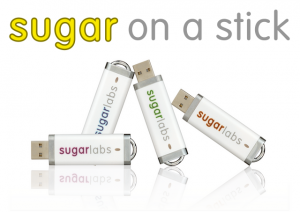
What exactly is on the Stick?: The Sugar Learning Platform and Sugar Activities for children over Fedora GNU/Linux. Taking advantage of Live USB technology, it's possible to store everything you need to run Sugar on a single, USB flash memory stick. Compressed file systems are used to save space, and persistent overlay files are used to save changes to the system and the learner's work. See our resources page to learn about different component configurations we are designing to offer the option to use virtual machines on existing computers to host Sugar from a portable Stick and save the Sugar Journal (the learner's work) and personal settings on the Stick for use at another workstation - for example, a computer in the home. |
Project Principles
- Portability - One's Sugar environment, saved Activities, and Journal are available wherever one has access to suitable computing devices, at home, school, library, clubhouse in order to permit resumable, extended, and deep exploration of concepts and phenomena.
- Customizability - Deployments, as well as users, can build their own SoaS easily.
- Deployability - SoaS is easy to deploy, both for individual sticks and for multiple-instances deployed in computer labs.
Would you like to help? ...this is entirely a volunteer-run effort. Please get involved!
Getting Sugar on a Stick
Follow the instructions for our new v2 Blueberry release. Our previous stable version is the v1 Strawberry release.
Developers and testers can help us debug Beta test builds. See Sugar on a Stick/Beta.
Please let us know how it goes. You can always get in touch with us!
E-Books
For licensing reasons, Sugar on a Stick does not contain e-books with NC (noncommercial) licensing. To get teachers and parents started with finding, downloading, and reading e-books with Sugar, see our E-Books page.
More information
For general questions, please see the Frequently Asked Questions (FAQ) page for Sugar on a Stick. You can learn more from Walter Bender's interview with Xconomy, Wayan Vota's video and Mike Lee's pictures.
Problems?
Please file bug reports in The Sugar on a Stick bug tracker.
- Here are some instructions for using the bug tracker.
- This link will query the database for all tickets designated with the SoaS component/tag.
- You must register an account to enter new bugs.
- This link will take you to a new bug/ticket form for SoaS (once you are logged in).
Sugar developers can often be found in IRC at irc.freenode.net, channel #sugar
Or, send e-mail to feedback AT sugarlabs DOT org.
See the Get Help! section of the Blueberry release notes page for further information.
Related work
See these other portable Sugar distributions that share some of these goals.
- Sugar on a Stick/10
- Sugar on a Stick/10/hashes
- Sugar on a Stick/Activity Criteria
- Sugar on a Stick/Activity Criteria/Status
- Sugar on a Stick/Archive
- Sugar on a Stick/Avocado
- Sugar on a Stick/Avocado/hashes
- Sugar on a Stick/Beta
- Sugar on a Stick/Blueberry
- Sugar on a Stick/Blueberry/Activities
- Sugar on a Stick/Boot
- Sugar on a Stick/Bugs
- Sugar on a Stick/Coconut
- Sugar on a Stick/Coconut/Virtual machines
- Sugar on a Stick/Coconut/hashes
- Sugar on a Stick/Contacts
- Sugar on a Stick/Customization
- Sugar on a Stick/Documentation SOP
- Sugar on a Stick/Download/hashes
- Sugar on a Stick/Downloads
- Sugar on a Stick/E-Books
- Sugar on a Stick/Essence
- Sugar on a Stick/Explore
- Sugar on a Stick/FAQ
- Sugar on a Stick/Getting Involved
- Sugar on a Stick/Getting Involved/Testing
- Sugar on a Stick/Goals
- Sugar on a Stick/Hardware
- Sugar on a Stick/Installation
- Sugar on a Stick/Installation/OLPC
- Sugar on a Stick/Installation/OLPC/lang-es
- Sugar on a Stick/Installation/OLPC/lang-fr
- Sugar on a Stick/Installation/Variations
- Sugar on a Stick/Installation Process
- Sugar on a Stick/Linux
- Sugar on a Stick/Linux/Installation
- Sugar on a Stick/Linux/Non-compressed Fedora
- Sugar on a Stick/Linux/bootable device
- Sugar on a Stick/Linux/openSUSE
- Sugar on a Stick/Macintosh
- Sugar on a Stick/Mango Lassi
- Sugar on a Stick/Mango Lassi/Virtual machines
- Sugar on a Stick/Meetings
- Sugar on a Stick/Mirabelle
- Sugar on a Stick/Mirabelle/Virtual machines
- Sugar on a Stick/Pancake page
- Sugar on a Stick/Pineapple
- Sugar on a Stick/Pineapple/Virtual machines
- Sugar on a Stick/Pineapple/hashes
- Sugar on a Stick/Proceso de instalacion
- Sugar on a Stick/Project sitemap
- Sugar on a Stick/Proposals
- Sugar on a Stick/Quandong
- Sugar on a Stick/Quandong/Virtual machines
- Sugar on a Stick/Quandong/hashes
- Sugar on a Stick/Raspberry Pi
- Sugar on a Stick/Resources
- Sugar on a Stick/Roadmap
- Sugar on a Stick/Smoke Test
- Sugar on a Stick/Stick Layout
- Sugar on a Stick/Strawberry
- Sugar on a Stick/Subpages
- Sugar on a Stick/Sugar Clone
- Sugar on a Stick/Sugar Clone/lang-es
- Sugar on a Stick/TODO
- Sugar on a Stick/USB format
- Sugar on a Stick/Virtual machines
- Sugar on a Stick/Virtual machines/Archive
- Sugar on a Stick/Windows
- Sugar on a Stick/Windows/lang-es
- Sugar on a Stick/Windows/lang-no
- Sugar on a Stick/ZyX-LiveInstaller
- Sugar on a Stick/deja-dup
- Sugar on a Stick/lang-es
- Sugar on a Stick/previous versions
- Sugar on a Stick/sdm
- Sugar on a Stick/v7
- Sugar on a Stick/ʻŌhelo ʻai
- Sugar on a Stick/ʻŌhelo ʻai/hashes