Activity/Gogo: Difference between revisions
No edit summary |
No edit summary |
||
| Line 2: | Line 2: | ||
From the GoGo website [1]... | From the GoGo website [1]... | ||
''''' | |||
<center> | <center> | ||
<b><i> | |||
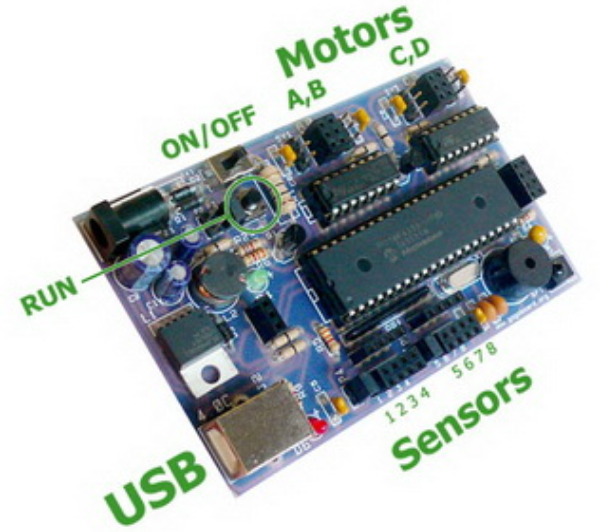
The GoGo board is a programmable device that is designed for sensor-based and control projects. It is suited for building robots, data loggers, and devices for human-computer interaction. Its functionality is inspired by the MIT Cricket and many other programmable devices such as the the Lego Mindstorms, the IRX board, and Basic Stamps. | |||
</i></b> | |||
</center> | </center> | ||
''''' | |||
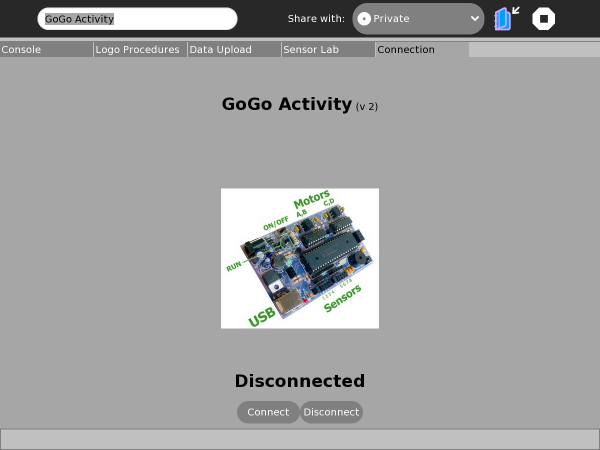
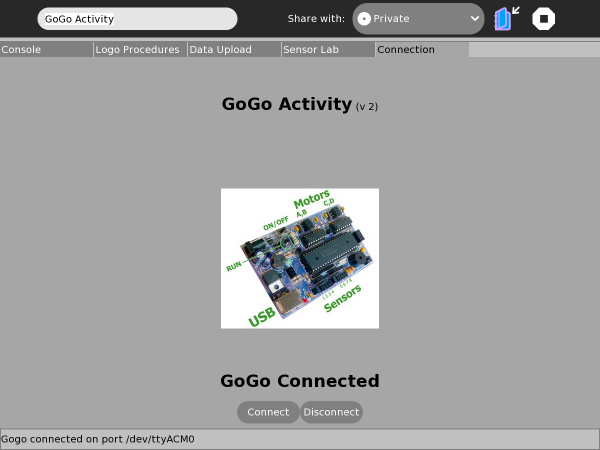
The GoGo Activity is a Python version of the "Monitor" program (MS Windows) and builds upon the Br-GoGo project code [2]. Effort is under way to replicate most of the functionality of the original program and extend/improve certain areas. At the moment this XO version should be considered "Sugar-coated" rather than "Sugar-ized". The integrated nature of the program means breaking it down into distinct activities would detract from fluid navigation. However there are certain elements which could benefit from Sugar's Sharing and Journalling features and these will be addressed in time. | The GoGo Activity is a Python version of the "Monitor" program (MS Windows) and builds upon the Br-GoGo project code [2]. Effort is under way to replicate most of the functionality of the original program and extend/improve certain areas. At the moment this XO version should be considered "Sugar-coated" rather than "Sugar-ized". The integrated nature of the program means breaking it down into distinct activities would detract from fluid navigation. However there are certain elements which could benefit from Sugar's Sharing and Journalling features and these will be addressed in time. | ||
Revision as of 06:23, 17 January 2011
Introduction
From the GoGo website [1]...
The GoGo board is a programmable device that is designed for sensor-based and control projects. It is suited for building robots, data loggers, and devices for human-computer interaction. Its functionality is inspired by the MIT Cricket and many other programmable devices such as the the Lego Mindstorms, the IRX board, and Basic Stamps.
The GoGo Activity is a Python version of the "Monitor" program (MS Windows) and builds upon the Br-GoGo project code [2]. Effort is under way to replicate most of the functionality of the original program and extend/improve certain areas. At the moment this XO version should be considered "Sugar-coated" rather than "Sugar-ized". The integrated nature of the program means breaking it down into distinct activities would detract from fluid navigation. However there are certain elements which could benefit from Sugar's Sharing and Journalling features and these will be addressed in time.
Please see the sites listed under "Further Information" for GoGo-Board help and documentation. The main purpose of this Wiki page is to help you get started, familiarise you with the use of the GoGo-Board on the XO, specifically with the GoGo Activity and any issues you may encounter. Several other websites are listed at the end of this page, such as the SugarLab "Bugs" page which is where problems and feature requests should be submitted.
Work continues on the GoGo Activity so please check back soon for news of new features.
Quick Tour
Install & Launch

Connection Tab: Plug In, Switch On & Connect!



Console Tab: Control & Monitor
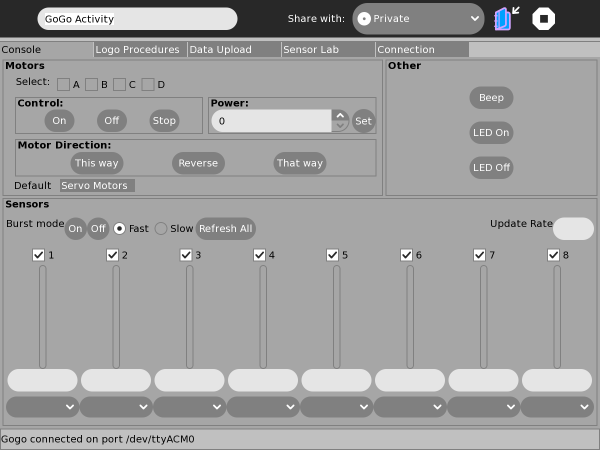

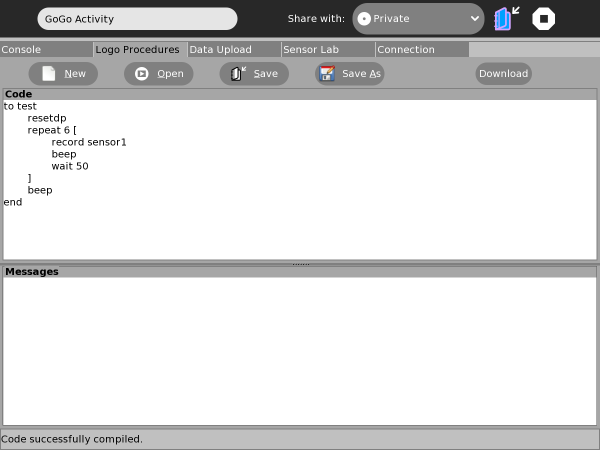
Logo Procedures Tab: On-board Programs

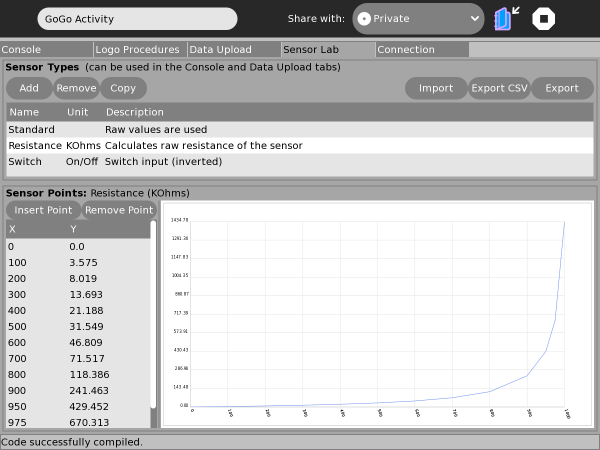
Sensor-Lab Tab: Calibration Data

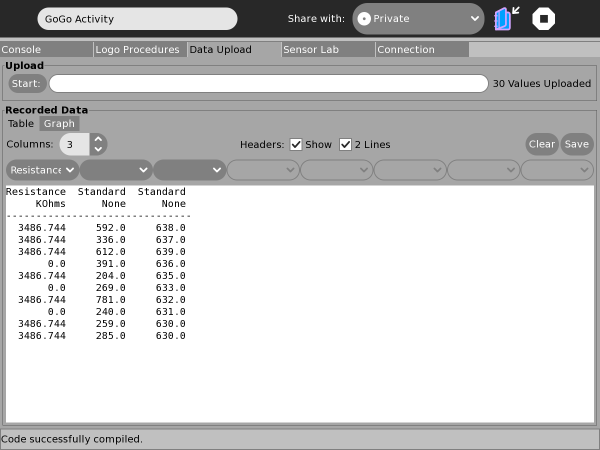
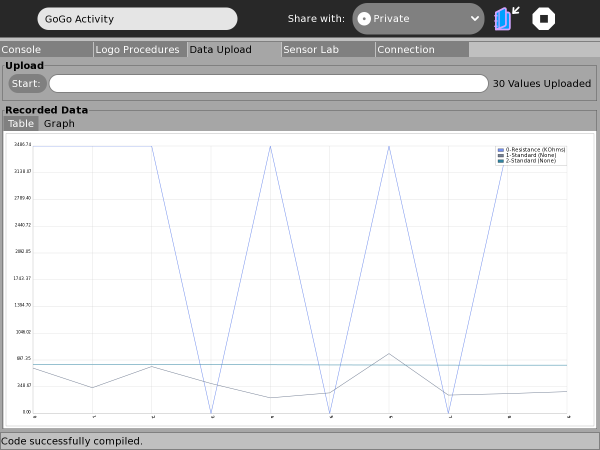
Data Upload Tab: Capture, Graph & Save


Notes
Failing To Connect
Upcoming Changes
Further Information
git, sugarlabs, bugs, translations, contacts, forums
[2] [http://br-gogo.sourceforge.net/ Br-GoGo Project Website