Activities/Turtle Art/Galleries: Difference between revisions
< Activities | Turtle Art
Created page with "==Learning with Turtle Art== Play with Turtle Art to draw colorful art patterns using a turtle that accepts instructions for movement. With visual programming blocks, you can s..." |
|||
| Line 76: | Line 76: | ||
File:Captura pantalla de Actividad TortugArte.png|Juan Pablo Espinola Carballo | File:Captura pantalla de Actividad TortugArte.png|Juan Pablo Espinola Carballo | ||
File:Flora.png|Miguela | File:Flora.png|Miguela | ||
</gallery> | |||
===Just for fun=== | |||
<gallery> | |||
File:Galapagos.png|my elder cousin | |||
File:Hot-cold.png|[http://www.dailymotion.com/user/sugarlabs/video/x9dsjf_hotcold-game_creation (video)] | |||
File:State-game.png|[http://www.dailymotion.com/user/sugarlabs/video/x9xz9o_stategame_tech (video)] | |||
File:Pie1.png | |||
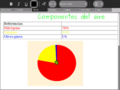
File:Pie2.png|[http://5toescuela3.blogspot.com/2009/07/actividades-para-sugar.html Using Turtle Art for pie charts] | |||
File:Keyboard.png|Q: How do I cast keyboard input to a string? Looking at the source your are using ord() to fetch the input... is there a way to convert that back to string before showing it? ANS: Use chr(). See the example in the illustration. | |||
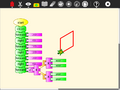
File:Explicit_approach.png | |||
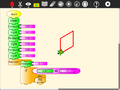
File:Approximation_approach.png | |||
File:100_turtles.png | |||
File:RFID.png | |||
File:TurtleTrees.png | |||
</gallery> | </gallery> | ||
Revision as of 20:23, 27 February 2011
Learning with Turtle Art
Play with Turtle Art to draw colorful art patterns using a turtle that accepts instructions for movement.
With visual programming blocks, you can snap together programs by compiling (combining) them in ways to create anything you can imagine.


maths
-
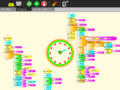
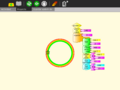 A clock activity
 -
-
-
-
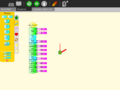
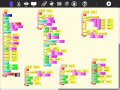 Calculating the hypotenuse and approximating the angle of a right triangle
 -
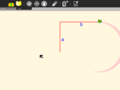 Stepping through the program is a nice way to visualize the process of approximation
 -
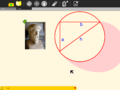 The final result of the approximation.
 -
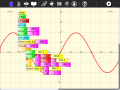 And on-the-fly function definitions


Tony Forster describes his "adventures" with on-the-fly definitions to create an analog clock in his blog.
Try any of the time or math library functions, e.g.,
localtime().tm_min
sin(x) + sin(pi/2)
presentations


games
Turtle Art can be used to write games, such as a simple falling block game:


sensors
Turtle Art supports sensor input:
-
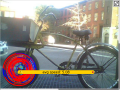 Using a Hall-effect sensor, you can build a bike odometer in Turtle Art

More ideas for sensors [[1]] [[2]]
student work
Students from Caacupé have been sending me examples of their work:
-
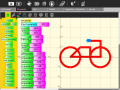 Eduado Fabian Ayala Vargas
 -
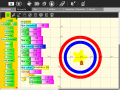 Johana Soeli Aquino
 -
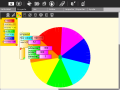 Ivan Silva
 -
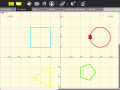 Rodrigo Nicolas Valdéz Bobadilla
 -
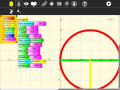 Juan Pablo Espinola Carballo
 -
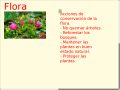 Miguela


Just for fun
-
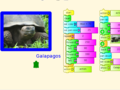 my elder cousin
 -
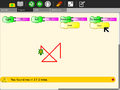
-
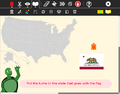
-
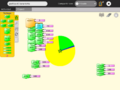
-
-
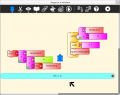 Q: How do I cast keyboard input to a string? Looking at the source your are using ord() to fetch the input... is there a way to convert that back to string before showing it? ANS: Use chr(). See the example in the illustration.
 -
-
-
-
-