Features/Enhanced color selector/Testing
- 1. open the control panel
- 2. open the About Me panel
- 3. click on the XOs to see if the colors change and the alert message appears
- The icons to the left of the central XO are used to modify the fill color; the icons to the right are used to modify the stroke color.
- 4. exit and see if the selected colors appear on reboot
-
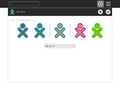 Initial colors with options for changing fill (left) and stroke (right)
 -
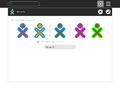 After clicking on the left-most icon, the fill color has changed; the icon second from the left can be used to undo the change
 -
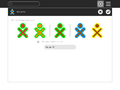 After clicking on the right-most icon, the stroke color has changed; the icon second from the right can be used to undo the change


