Sugar on a Stick/Downloads: Difference between revisions
clarified versions: 32-bit vs 64-bit |
Fix link (I hope) |
||
| (65 intermediate revisions by 6 users not shown) | |||
| Line 2: | Line 2: | ||
{| | {| | ||
|- | |- | ||
| rowspan=" | | rowspan="4" style="border: 0; border-width: 0; width: 350px;" | [[File:SugaronastickAvocado-320px.png|320px|left|link=https://spins.fedoraproject.org/soas/]] | ||
| colspan="2" style="border: 0; border-width: 0;" | '''[[Sugar on a Stick]]''' is a [ | | colspan="2" style="border: 0; border-width: 0;" | '''[[Sugar on a Stick]]''' is a [https://fedoraproject.org/wiki/Overview Fedora<sup>®</sup>] [https://spins.fedoraproject.org/soas Spin] operating system featuring the award-winning [[What is Sugar?|Sugar Learning Platform]]. | ||
Sugar on a Stick will run on | |||
* any 64-bit Notebook, Laptop, or Desktop computer, with a minimum of 1GB RAM, that can run Linux, Windows or macOS, using a USB thumbdrive or stick, as a [[wikipedia:Live USB|Live USB]], | |||
* a 32-bit computer with the TOAST version of Sugar (Trisquel on a Sugar Toast). See [[Trisquel On A Sugar Toast]]. | |||
* a Raspberry Pi 2 or 3, using a microSD card<!-- it is not a Live system, but an installed system-->, or; | |||
* any computer as a virtual machine. | |||
You can use | You can use Sugar on a Stick to demo Sugar almost anywhere without disturbing the contents of the computer you use, and if people like what they see, you can [[Tutorials/Installation/Install with liveinst|install]] Sugar on a Stick to their hard drives or other sticks from the demo stick. | ||
|- style="border: 0; border-width: 0; text-align: center" | |- style="border: 0; border-width: 0; text-align: center" | ||
| | | colspan="2" style="border: 0; border-width: 0; text-align: left" | | ||
<span class="linkgroup">[[File:Download Mirabell.png|link= | <!-- <span class="linkgroup">[[File:Download Mirabell.png|link=https://download.fedoraproject.org/pub/fedora/linux/releases/35/Spins/x86_64/iso/Fedora-SoaS-Live-x86_64-35-1.2.iso]]</span> --> | ||
<span class="linkgroup">[[File:Download Mirabell.png|link=https://fedoraproject.org/spins/soas/download]]</span> | |||
x86_64 (64-bit) | x86_64 (64-bit) | ||
| | |||
<span class="linkgroup">[[File:Download Mirabell.png|link= | | colspan="2" style="border: 0; border-width: 0; text-align: left" | | ||
<span class="linkgroup">[[File:Download Mirabell.png|link=https://download.fedoraproject.org/pub/fedora/linux/releases/35/Spins/armhfp/images/Fedora-SoaS-35-1.2.armhfp.raw.xz]]</span> | |||
armhfp Raspberry Pi 2 or 3, see [https://github.com/sugarlabs/pi-gen How to install]. | |||
|- | |- | ||
| colspan=" | | colspan="3" style="border: 0; border-width: 0; text-align: left" | | ||
* How to quickly demonstrate: ([[Sugar on a Stick/Installation Process|English]]), ([[Sugar on a Stick/Proceso de instalacion|en español]]) | |||
''' | |- | ||
| | |||
<!-- See the [https://spins.fedoraproject.org/soas/download/index.html Spins download page]<br> for the following: | |||
* ARM<sup>®</sup> Technology downloads | |||
* Some support links --> | |||
| colspan="2" | | |||
<!-- | |||
'''[https://alt.fedoraproject.org/pub/alt/live-respins/ Fedora Live Respins]''' are like the official release but with officially updated Fedora components. | |||
* Many bugs have been fixed in these Respins, but new ones may occasionally render the download unbootable. | |||
* Checksums to verify the integrity of downloads are in a file at the top of the Respins directory. | |||
--> | |||
|} | |} | ||
''Fedora and the Infinity design logo are trademarks of Red Hat, Inc.'' | ''Fedora and the Infinity design logo are trademarks of Red Hat, Inc.'' | ||
Latest revision as of 00:47, 20 January 2025
Project Home · Get Involved · Contacts · Resources · FAQ · Roadmap · To Do · Meetings
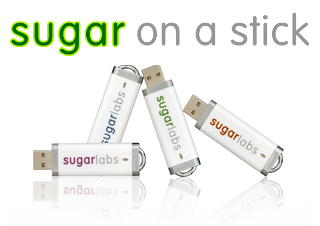 |
Sugar on a Stick is a Fedora® Spin operating system featuring the award-winning Sugar Learning Platform.
Sugar on a Stick will run on
You can use Sugar on a Stick to demo Sugar almost anywhere without disturbing the contents of the computer you use, and if people like what they see, you can install Sugar on a Stick to their hard drives or other sticks from the demo stick. | ||
|
x86_64 (64-bit) |
| ||
| |||

Fedora and the Infinity design logo are trademarks of Red Hat, Inc.