Activities/Sliderule: Difference between revisions
| Line 22: | Line 22: | ||
=== The toolbars === | === The toolbars === | ||
[[Image:SLiderule-main-toolbar.png| | [[Image:SLiderule-main-toolbar.png|right]] | ||
From left to right: | From left to right: | ||
| Line 29: | Line 29: | ||
* A scale (square and square root) | * A scale (square and square root) | ||
* L scale (addition and subtraction) | * L scale (addition and subtraction) | ||
* stop button not shown | * display of calculation and results | ||
* stop button (not shown) | |||
== How to use a slide rule == | == How to use a slide rule == | ||
Revision as of 10:12, 7 June 2010

Where to get Sliderule
About Sliderule

"The slide rule also known colloquially as a slipstick, is a mechanical analog computer." This Activity implements a basic slide rule with C, D, A, and L scales and can be used for multiplication, division, roots, addition and subtraction.
-
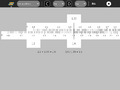 The C and D scales are used for multiplication and division.
 -
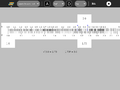 The A and D scales are used for squares and square roots.
 -
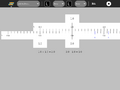 The L scales are used for addition and subtraction.


A nice discussion of the slide rule is found here [1]
The toolbars

From left to right:
- project-toolbar button
- C scale (multiplication and division)
- A scale (square and square root)
- L scale (addition and subtraction)
- display of calculation and results
- stop button (not shown)
How to use a slide rule
Examples: In the gallery below, several simple examples are shown.
Multiplication
To multiply...
Example: 4+3+5+19+24=55