Downloads
me
Are you new to Sugar?
There are two Live Systems that run Sugar from a USB stick or bootable DVD:
- Sugar on a Stick based on Fedora, runs on 64-bit PCs and OS/X Macintoshes, OLPC XO and Raspberry Pi, in English only
- Trisquel On A Sugar Toast, runs on 32- and 64-bit PCs and has more Activities and world language support
If you have a high-speed Internet connection, Fedora with the Sugar graphical learning environment may be installed to a hard disk or a a 4 GB USB stick with a Netinstall CD
Do you use GNU/Linux?
Sugar is supported by several GNU/Linux distributions. Sugar Labs does not support any specific distribution, but does focus development on Fedora and Debian, which helps SoaS and Ubuntu.
| Logo | Name | Notes |
|---|---|---|
 |
Sugar on a Stick | Live system of the Sugar Learning Environment |
 |
Fedora | Fedora 34 |
 |
Ubuntu | Ubuntu 18.04 Bionic |
 |
Debian | Debian Stretch, see also Live Build |
 |
OLPC OS 16.04 | OLPC OS for OLPC NL3 laptops based on Ubuntu 16.04 Xenial |
|
OLPC OS 13.x | OLPC OS for OLPC XO laptops based on Fedora 18 |
 |
openSUSE | Part of an Linux for Education (Li-f-e) series |
 |
Trisquel Toast | Based on Ubuntu |

Are you a developer?

|
Please see this developer documentation website for the sugar-build development environment.
|
Virtual Machines on all platforms
 |
VirtualBox Appliances |
|
|
If you run into problems, you may want to consult the Talk:VirtualBox page for help.
Are you preparing a deployment without Internet access?
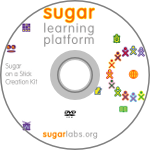 |
See Sugar Creation Kit |
Are you looking for Sugar Activities?
| Visit the Sugar Activity Library | <imagemap>
File:Sugarlabs_mainpage_02.png rect 14 14 38 47 Calculate rect 74 15 107 44 Chat rect 137 16 171 43 Implode rect 201 14 238 46 Distance rect 265 12 298 47 Etoys rect 11 79 41 108 Moon rect 74 78 106 110 Paint rect 140 78 170 109 Pippy rect 201 80 235 108 Read rect 266 82 298 107 Record rect 11 143 41 172 TamTam Synth Lab rect 75 146 105 169 Terminal rect 142 140 166 173 Turtle Blocks rect 201 144 235 171 WikiBrowse rect 269 142 299 173 Write default Sugar Activity Library desc none </imagemap> |