User:Walter/Get Sugar: Difference between revisions
experiement with new layouts for the get sugar page |
No edit summary |
||
| Line 1: | Line 1: | ||
<noinclude>{{ Translations | [[Downloads|english]] | [[Downloads/lang-es|español]] | [[Downloads/lang-fr|français]] | [[Downloads/lang-no|Norsk]] }}__NOEDITSECTION__</noinclude> | <noinclude>{{ Translations | [[Downloads|english]] | [[Downloads/lang-es|español]] | [[Downloads/lang-fr|français]] | [[Downloads/lang-no|Norsk]] }}__NOEDITSECTION__</noinclude> | ||
{{: | {| | ||
|- | |||
|style="text-align: center; font-size: 80%"| [[File:SugaronastickMirabelle.png|300px|frameless|link=Sugar_on_a_Stick/Mirabelle]]<br>[[Sugar on a Stick/Mirabelle|Sugar on a Stick Mirabelle]] ''released 25 May 2010'' | |||
|- | |||
|align="center"|{{Iframe| |http://spins.fedoraproject.org/soas/#downloads|980|600|1}} | |||
| | |||
|} | |||
__TOC__ | __TOC__ | ||
=='''Are you new to Sugar?'''== | |||
The easiest way to get started is to use Sugar on a Stick: (1) prepare; (2) download; (3) burn; and (4) boot. | |||
[[File:Windows.gif|link=Sugar on a Stick/Windows|center|link=http://fedorahosted.org/liveusb-creator/#Download FedoraHosted]] | |||
:'''(1) Prepare''': Download the Fedora Live USB Creator from [http://fedorahosted.org/liveusb-creator/#Download FedoraHosted here] | |||
[[File:Download Mirabell.png|center|link=http://spins.fedoraproject.org/soas/#downloads]] | |||
:'''(2) Download''': Download the Sugar-on-a-Stick iso. | |||
[[File:USB flash drive.png]] | |||
:'''(3) Burn''': Insert a USB flash drive (or SD Card) with 1 GB or more of free space into your computer and launch Live USB Creator to create a Sugar-on-a-Stick bootable image. | |||
:'''(4) Boot''': | |||
:<big>'''Are you a Windows, Macintosh, or GNU/Linux user?'''</big> | :<big>'''Are you a Windows, Macintosh, or GNU/Linux user?'''</big> | ||
:# Following [[Downloads|Download]], | :# Following [[Downloads|Download]], | ||
Revision as of 08:21, 14 September 2010
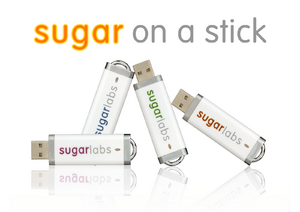 Sugar on a Stick Mirabelle released 25 May 2010 | |
Are you new to Sugar?
The easiest way to get started is to use Sugar on a Stick: (1) prepare; (2) download; (3) burn; and (4) boot.

- (1) Prepare: Download the Fedora Live USB Creator from FedoraHosted here

- (2) Download: Download the Sugar-on-a-Stick iso.
- (3) Burn: Insert a USB flash drive (or SD Card) with 1 GB or more of free space into your computer and launch Live USB Creator to create a Sugar-on-a-Stick bootable image.
- (4) Boot:
- Are you a Windows, Macintosh, or GNU/Linux user?


Are you a developer or Beta tester?
- Please select your favorite distribution below for instructions on installing Sugar.
 , v4 alpha with Sugar 0.89.1 and Fedora 14 (Branched)
 Trisquel on a Sugar Toast (Trisquel 3.0 Dwyn)




Do you have an OLPC XO?

- Developers may experiment with Updating XOs to the latest Sugar on a Stick release.
Are you looking for Sugar Activities?
- Please visit our dedicated Sugar Activity Library.

Are you a systems developer?
 Learn how to get setup on the Supported systems page.
- Here are some additional references you may find useful:
- jhbuild
- Gitorious source code repository
- Virtual machine or emulator image files
- Adding Sugar to your favorite distro...
Are you preparing a deployment without Internet access?
- See Sugar Creation Kit.